October 15, 2025
Top 6 Best Cleaning Business Software in 2026
You've searched "best cleaning business software" hoping for straightforward recommendations. Instead, you've found lists recommending ServiceTitan ($300+ per tech per month), enterprise platforms with features you'll never use, and "starting at" prices that somehow triple once you add your team.
The best cleaning business software for solo operators and small teams in 2026 is FieldVibe (free for one-person businesses), followed by Jobber (best for teams ready to scale), and Housecall Pro (best for client communication). This guide ranks six platforms by what actually matters for small cleaning operations: transparent pricing, mobile-first design, SMS text reminders, and honest fit for your team size.
Here's the problem: most cleaning business software is built for companies with 20+ employees, dispatchers, and office staff. If you're a solo cleaner or run a tiny crew-doing the work and the scheduling from your phone between jobs-those tools are expensive overkill.
As one user on r/Entrepreneur described the frustration:
"We're using FieldVibe and so far it's been great"
- u/deleted
This guide ranks cleaning business management software-also called job management apps or field service scheduling tools-by what actually matters for solo and micro cleaning businesses (1-9 employees). We've included documented user warnings about aggressive sales tactics and cancellation difficulties that other lists conveniently omit.
A note on transparency: This guide is published by FieldVibe, which appears at #1 in our rankings. We've applied identical evaluation criteria to ourselves and all competitors, included documented user complaints where they exist, and presented competitor strengths fairly. Our goal is helping you make an informed decision-even if that decision isn't FieldVibe. You'll notice we acknowledge our 9-employee limit as a real constraint and point you to competitors when they're a better fit for your situation.
Best Cleaning Business Software - Quick Comparison
1. FieldVibe
- Best For: Solo & micro teams (1-9)
- Key Capabilities: Job scheduling, SMS reminders, client history
- Primary Strength: Free forever for solo operators with full features
- Key Limitation: Designed for up to 9 employees maximum
2. Jobber
- Best For: Small teams ready to scale
- Key Capabilities: Scheduling, quoting, invoicing, QuickBooks sync
- Primary Strength: Comprehensive all-in-one platform for growth
- Key Limitation: Pricing adds up quickly with add-ons and users
3. Housecall Pro
- Best For: Teams needing client communication
- Key Capabilities: Cleaning Edition, automated SMS, customer portal
- Primary Strength: Strong mobile app and client communication
- Key Limitation: Aggressive upselling and difficult cancellation reported
4. Workiz
- Best For: Automation-focused teams
- Key Capabilities: AI scheduling, built-in phone system, smart messaging
- Primary Strength: Most advanced automation in price range
- Key Limitation: Customer service issues and buggy app reported
5. ServiceFusion
- Best For: Flat-rate unlimited users
- Key Capabilities: Unlimited users, job management, customer portal
- Primary Strength: Best per-user value for teams of 10+
- Key Limitation: Performance degrades at scale; no free trial
6. FieldPulse
- Best For: Customizable workflows
- Key Capabilities: Custom forms, workflow builder, 60+ reports
- Primary Strength: All features in base plan, no tier upgrades
- Key Limitation: Missing payroll integration and geo-fencing
Key takeaway: FieldVibe is the only platform with a full-featured free tier, while ServiceFusion offers the best value for teams of 10+ through unlimited user pricing. Jobber and Housecall Pro dominate the $150-300/month range for growing teams.
1. FieldVibe
Best Overall for Solo & Micro Cleaning Businesses
Overview
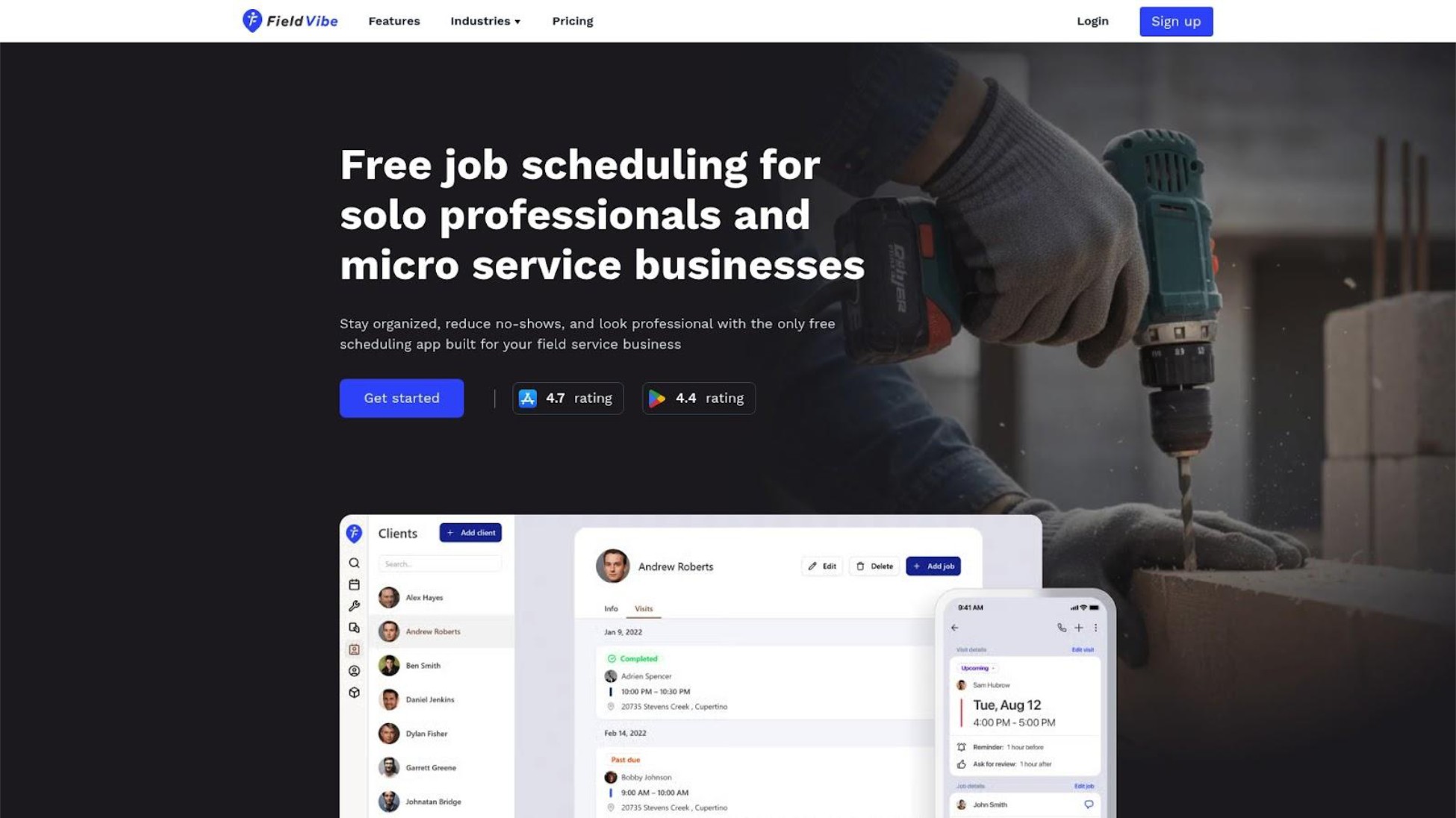
FieldVibe is a cleaning service scheduling app built specifically for solo and micro field service businesses rather than adapted from enterprise software. It serves cleaners, HVAC techs, plumbers, lawn care providers, and similar trades with a simple job calendar instead of a complex CRM system. The core philosophy: if you're running a one-person operation, you shouldn't pay for-or wade through-features designed for 20-person teams.
FieldVibe holds a 4.8/5.0 rating on the App Store. As one user noted on the App Store: "This app has been perfect for our residential and commercial cleaning business. It has plenty of features on the free plan, but $20 a month is a steal for what features they give you. I’m signing up for the $20 because it allows you to get pictures of the job, clock in and out, you can even have customer sign when you have completed a job. It’s 5 stars all the way!"
Key Features
- Quick job creation and recurring appointments - Schedule jobs in seconds from your phone, set recurring visits for regular cleaning clients
- Automated and tap-to-send SMS reminders - Reduce no-shows with automated messages or quick manual sends before appointments
- Client history with notes and photos - Keep all customer details, visit notes, and photos in one place accessible from the field
- Visit status and working time tracking - Mark jobs as complete and track hours without separate time-tracking apps
- GPS time tracking - Document when and where you worked for accurate records
Best For
Solo cleaners and micro teams (1-9 employees) who want simple, mobile-first scheduling without paying for enterprise features. Ideal for anyone transitioning from paper calendars, basic phone apps, or scattered text messages and feeling they're losing time, money, and professionalism.
Pricing
- Solo Plan: $0/month (free forever for one-person businesses-all core scheduling features included)
- Solo Pro Plan: $20/month (150 automated SMS/month, multiple devices, time tracking and reports)
- Crew Plan: $50/month (400 automated SMS/month, unlimited staff)
- Annual discount: 25% off
No hidden fees, no implementation costs, no per-user surprises. A 5-person cleaning team pays $50/month total-not $50 per person.
Here's the difference: FieldVibe's free tier includes unlimited job scheduling and SMS reminders. Jobber's $39/month Core plan doesn't include automated reminders. Housecall Pro's $79/month Basic plan limits automation features. You'd need to spend $119-189/month with competitors to get what FieldVibe offers at $0.
Strengths
- Free tier with full scheduling functionality - The free plan includes unlimited job scheduling, SMS reminders (tap-to-send), client history, and work orders webpage at $0/month forever-features most competitors lock behind $100+/month plans
- SMS reminders included in free tier - FieldVibe reports that SMS reminders can reduce no-shows and late cancellations by up to 80%. Most competitors lock reminders behind premium plans
- Mobile-first design - Built for owners who run everything from their phones between jobs. Example workflow: You finish a cleaning job at 2pm, open FieldVibe on your phone, mark the job complete with a photo, check your next appointment address, and send an "on my way" text to the client-all in under 60 seconds without returning to a desk
- Great review scores - 4.8/5.0 ratings provide credibility; users report setup in minutes, not days
Limitations
FieldVibe is designed specifically for businesses up to 9 employees. Larger operations needing advanced team management, complex dispatching, or extensive integrations will outgrow it. It also has fewer integrations than enterprise platforms-if QuickBooks sync or Zapier connections are essential to your workflow, verify compatibility before committing. If you're at 8 employees and planning to hire more, FieldVibe may require switching platforms as you grow-factor potential migration into your decision.
Verdict
If you're a solo cleaner or run a tiny team, FieldVibe is built for you-not adapted from enterprise software. The free tier includes full scheduling functionality, SMS reminders, and client history-features most competitors lock behind $100+/month plans. You only pay when you actually need automations and team features.
We built FieldVibe for solo operators and micro teams-that focus means we're not the right choice for everyone. If you're managing 15+ employees, need complex dispatching, or require enterprise integrations, Jobber or ServiceFusion will serve you better.
2. Jobber
Best for Small Teams Ready to Scale
Overview
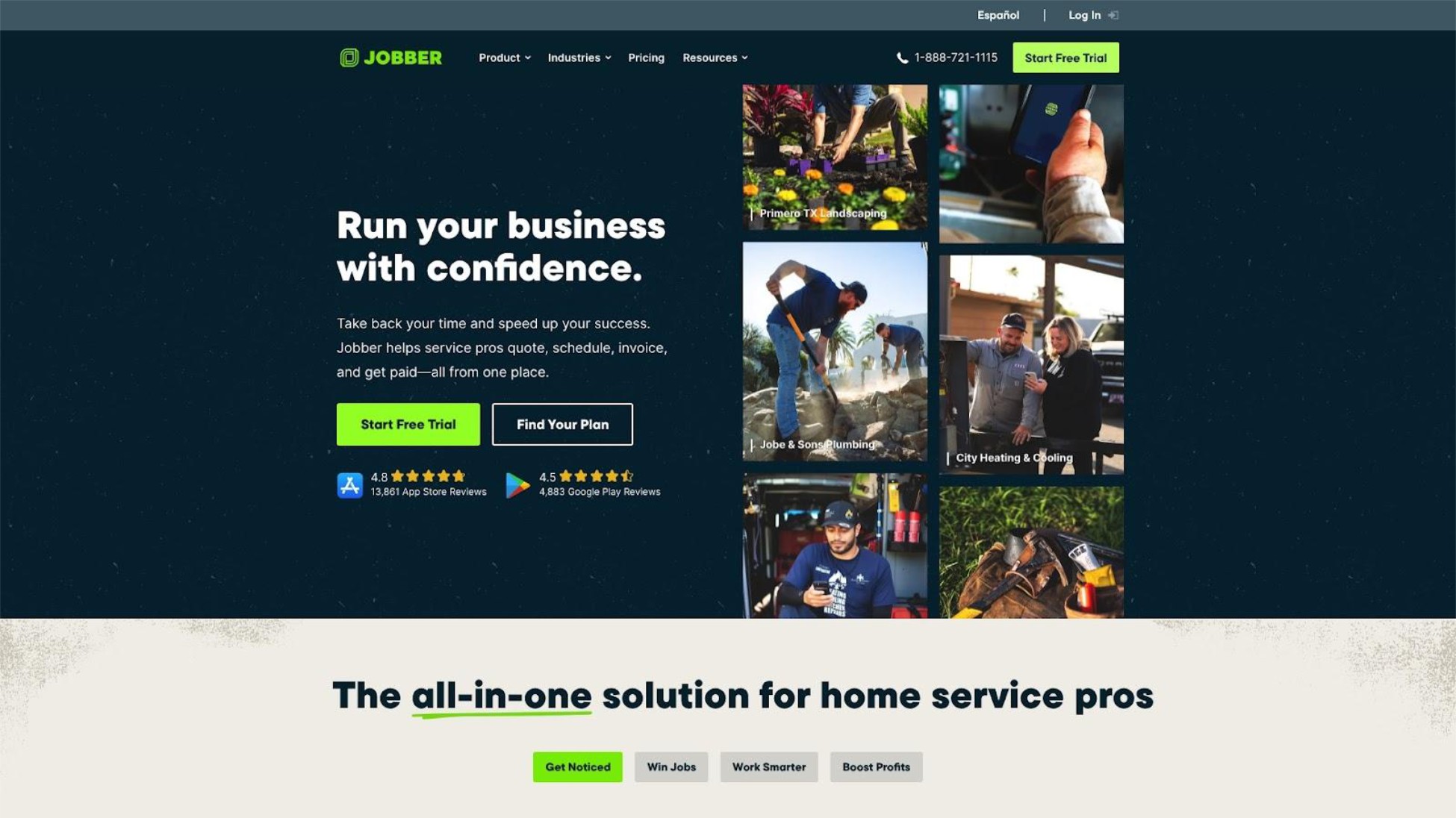
Jobber is an established field service management platform serving 50+ industries including residential and commercial cleaning, according to Jobber's official website. It offers comprehensive features covering scheduling, quoting, invoicing, and client management in one system. Jobber appears in nearly every "best cleaning software" list and has built strong brand recognition through aggressive marketing and a large user base.
Users on r/sweatystartup shared their experience:
"Jobber is great but the pricing is mental. It's not friendly to new businesses"
- u/lkpshhm
Key Features
- Drag-and-drop scheduling - Visual calendar with automatic recurring visit creation for regular cleaning clients
- Online booking and client self-service - Let clients book and manage appointments without phone tag
- Quoting, invoicing, and payment processing - Create estimates, convert to invoices, and accept payments in one workflow
- Mobile app for field access - Manage jobs, client info, and communications from phones and tablets
- QuickBooks and Stripe integrations - Sync financials and accept online payments
Best For
Small cleaning teams (3-15 employees) who want one platform for scheduling, quoting, and invoicing. Best for businesses with established processes ready to consolidate multiple tools into professional software and planning to scale.
Pricing
- Core: $39/month ($29 annual) - 1 user, basic scheduling and invoicing
- Connect: $119-169/month - Up to 5 users, adds automated communications
- Grow: $199-349/month - Up to 10 users, adds quoting and lead tracking
- Plus: $599/month ($449 annual) - Up to 15 users
Additional users cost $29/month each. QuickBooks integration may cost extra depending on your plan.
Real-world costs: A cleaning team of 5 using Connect pays $169/month. But add QuickBooks integration, additional users, and the marketing features you probably need, and expect $300-500/month. One industry analysis noted "the reality for cleaning teams often [reaches] $300-$800/month with add-ons."
Strengths
- Comprehensive feature set - Reduces need for separate scheduling, invoicing, and communication tools. For cleaning businesses ready to consolidate operations into a single platform-and willing to invest in the learning curve-Jobber delivers genuine value
- Strong QuickBooks integration - Users consistently praise the seamless accounting sync according to Jobber's official website
- Extensive resources - Large user community, tutorials, and support documentation
Limitations
Multiple Reddit users describe Jobber as "built for a 20+ person company, not a small lawn care business." Solo operators often find the features overwhelming and the cost hard to justify. Users have also reported difficult cancellation processes requiring multiple emails and phone calls. One user noted that Jobber gives free top-tier subscriptions to "ambassadors" who create content, making some reviews hard to trust. Some users criticize Jobber for lacking cleaning-specific functions like customizable cleaning checklists or pay-by-clean calculations.
Verdict
Excellent platform for small teams who need comprehensive features and plan to grow beyond 5-10 employees. The all-in-one approach genuinely reduces tool sprawl. If you're planning to grow past 10 employees within the next year, Jobber's scalability becomes worth the higher cost. But solo cleaners will likely find Jobber overcomplicated and expensive for simple scheduling needs-you're paying for features designed for larger operations.
3. Housecall Pro
Best for Teams Needing Strong Client Communication
Overview
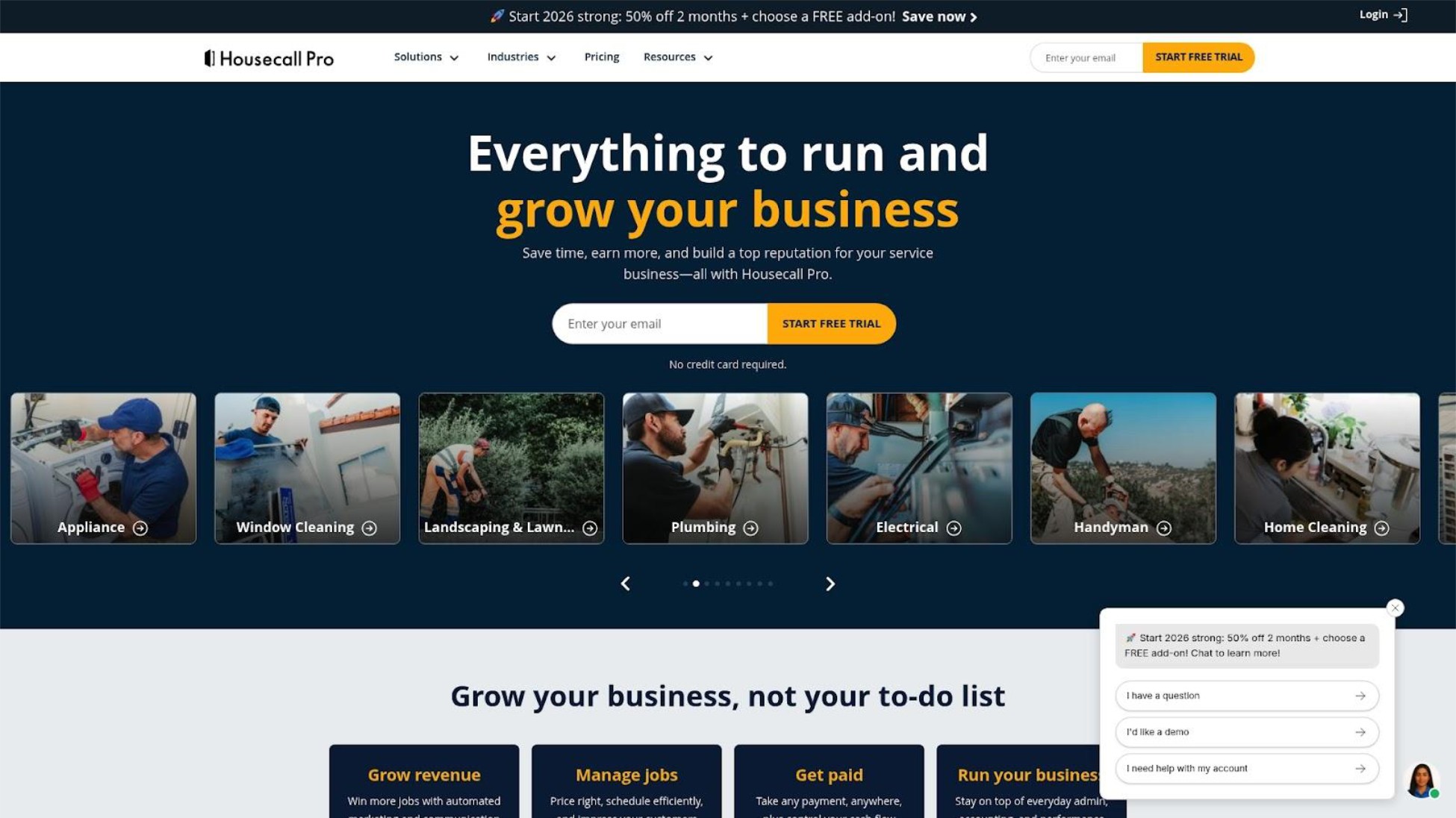
Housecall Pro is a popular field service platform serving over 200,000 field service professionals according to the company, with a specific "Cleaning Edition" featuring tools tailored for cleaning operations. It emphasizes mobile functionality and customer communication, with recent additions including AI-powered call answering and booking capabilities. The platform focuses on helping businesses look professional to clients through automated updates and reminders.
Users on r/Contractor noted:
"I used to use Jobber for 1 year and I found it very expensive so I cancelled as I found other cheaper alternatives, they gave me such hard time just to cancel. I then decided to try housecallpro but it was just lacking and I found it complicated to use and there's also cheaper alternatives."
- u/Master_Abalone4904
Key Features
- Drag-and-drop scheduling with real-time dispatching - Visual scheduling with GPS tracking for team visibility
- Automated SMS notifications and on-the-way alerts - Keep clients informed throughout the service process
- Customer portal - Self-service booking and payment for clients
- Cards-on-file for quick payments - Charge saved payment methods for faster collection
- AI-powered call answering - CSR AI handles calls and books appointments 24/7 (higher tiers)
Best For
Cleaning teams (3-10 employees) who prioritize customer communication and want strong mobile functionality. Good for businesses ready to invest in automation features and wanting to present a polished, professional image to residential clients.
Pricing
- Basic: $79/month ($59 annual) - 1 user
- Essentials: $189/month ($149 annual) - Up to 5 users
- Max: Quote-based, approximately $300-329/month - 100+ users at $35/additional user
Add-ons: Vehicle GPS ($20/vehicle/month), Recurring Service Plans ($40/month, free in Max), Flat-rate Price Book ($149/month).
Real-world costs: Most cleaning teams end up paying $200-400/month. One contractor noted the "entry-level plan is nearly $200/mo" and criticized the platform for being "clearly a pre-IPO software company trying to sell some narrative of 'fast growth.'"
Strengths
- Cleaning Edition - Provides tailored features including recurring job scheduling and customizable pricing forms specifically for cleaning operations
- Strong mobile experience - Users praise the app for ease of scheduling and real-time tracking; mobile-first design that works well for field operations
- Client communication - Automated reminders, updates, and on-the-way notifications well-implemented; clients appreciate the professional touch
Limitations
Multiple Reddit users report aggressive upselling-"calls every single month trying to push their lending and credit card processing products." Others describe difficult cancellation experiences: "Run!!!! Housecall Pro sucks if you want to cancel. I looked at their website, got bombed with phone calls, signed up, changed my mind after looking into it, and have not been able to cancel after two chats and three phone calls." Some users note feature overload as new capabilities are added without streamlining the interface.
Verdict
Strong platform with genuine cleaning-specific features and good mobile design. The client communication tools help small businesses look professional. However, the pricing and documented sales practices-aggressive upselling, difficult cancellation-make it better suited for established teams who know they'll stick with it rather than solo operators testing the waters. The Cleaning Edition features provide genuine value for teams focused on residential client relationships.
4. Workiz
Best for Automation-Focused Teams

Overview
Workiz is an automation-focused field service platform supporting cleaning businesses including carpet and air duct cleaning. Its standout features are AI-powered scheduling, a built-in phone system with call tracking, and smart messaging. While it offers a free tier, the 20 job/month limit makes it impractical for most active cleaning operations.
Key Features
- Genius Scheduling AI - Matches jobs to technicians based on availability, proximity, and skills to avoid double bookings
- Built-in phone system - Call tracking, routing, and recording without third-party tools
- Smart Messaging AI - Automated, personalized customer communication
- Price book software - Standardized pricing for consistent estimates
- Automation Center - Set up recurring tasks and automated workflows
Best For
Growing cleaning teams (5+ employees) who want to leverage automation for scheduling and customer communication. Best for businesses handling enough volume to justify learning the platform and committing to a paid plan.
Pricing
- Lite: Free (up to 2 users, 20 jobs/invoices/estimates per month)
- Kickstart: $187/month (3 users)
- Standard: $225/month (5 users, adds QuickBooks integration)
- Pro: $270-295/month (5 users, adds Genius AI features)
- Ultimate: Custom pricing for larger teams
Additional users cost approximately $46-54/month. 7-day free trial available for paid plans.
The free tier catch: 20 jobs per month is roughly one job per business day. Any cleaning business with regular clients will hit this limit immediately, making the free tier more of a demo than a usable plan.
Strengths
- Advanced AI automation - Most sophisticated scheduling and messaging AI in this price range; when the automation works as intended, Workiz delivers capabilities that simpler tools can't match
- Built-in phone system - Eliminates need for separate call tracking software, provides call insights for better dispatching
- Strong scalability - Clear upgrade path from small team to larger operation with enterprise features available
Limitations
User experiences with Workiz support vary significantly. While some find the automation features effective once configured, others report frustrating experiences. One long-time advocate wrote: "My recent experience has completely shattered my trust... I was charged $800 AGAIN for 10 accounts [after requesting reduction to 5]!" Another described "worst customer service... they hang up on you on the phone" and an app that's "buggy... always have OTP issues which can lead to being locked out of your account." A third warned: "BUYER BEWARE... The salesperson made promise after promise to get me to sign up-none of which were delivered on."
Verdict
Powerful automation features for teams ready to commit and able to handle customer service friction. The AI scheduling and built-in phone system are genuine differentiators when they work as designed. But the impractical free tier and documented customer service issues make this risky for small operations. Best for businesses who can commit to a paid plan and have staff bandwidth to navigate any problems. Some users praise Workiz's automation capabilities and find the platform effective once set up-the challenge is getting past onboarding and support friction.
5. ServiceFusion
Best for Flat-Rate Unlimited Users
Overview
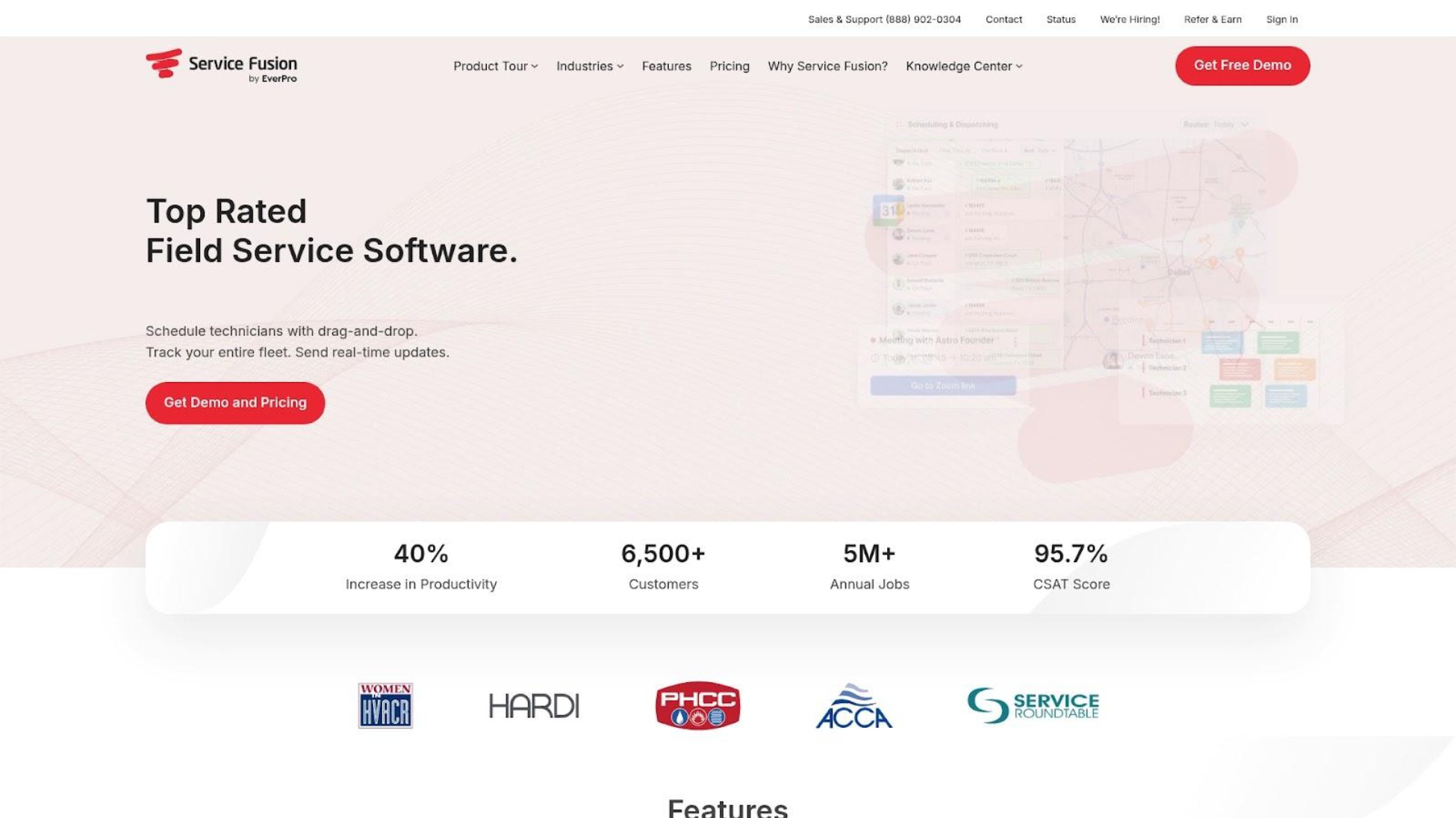
ServiceFusion is a field service platform with specific pages for cleaning and window cleaning businesses. Its distinguishing feature is flat-rate pricing with unlimited users-unusual in a category where per-user fees typically drive costs up as teams grow. The platform was acquired by EverCommerce and targets established cleaning operations rather than solo operators.
Key Features
- Drag-and-drop scheduling and dispatching - Visual job management with dispatch grid to avoid double bookings
- One-click estimate-to-job conversion - Streamline workflow from quote to completed work
- SMS reminders and on-the-way alerts - Automated client communication to reduce no-shows
- Job checklists and photo documentation - Ensure consistent service and before/after records
- Customer portal - Pro plan feature for commercial client self-service
Best For
Cleaning teams of 10+ employees where the unlimited user pricing creates meaningful savings versus per-user competitors. Good for commercial cleaning operations needing customer portals for facility manager communication.
Pricing
- Starter: $195-249/month ($165-192 annual) + $199 one-time implementation fee
- Plus: $250-382/month ($298 annual) + $399 implementation fee
- Pro: $421-627/month ($421-489 annual) + $599 implementation fee
All plans include unlimited users. No free trial available.
The math: For a 15-person cleaning team, ServiceFusion's ~$195/month flat rate means paying roughly $13/user-compared to $29/user at Jobber or $99/user at FieldPulse. That's a meaningful difference if performance holds up.
Strengths
- Unlimited users - Flat-rate pricing becomes increasingly attractive as team size grows; best per-user value for teams of 15+
- Commercial cleaning focus - Customer portal features useful for facility management relationships
- Comprehensive job documentation - Checklists and photo uploads support quality control
Limitations
Multiple Reddit users report serious performance degradation at scale. One wrote: "Been using since 2018, was great but for last year to year and half nothing but issues... they are telling us that we have TOO MANY appointments on our dispatch grid and this is why it takes (literally) up to 2 minutes to move something on the board." Another company was told to "delete customer data" to improve performance.
A user claiming to be a co-founder of Housecall Pro (a direct competitor) commented on Reddit that ServiceFusion is "pretty much mothballed/stagnated" after the EverCommerce acquisition-though this claim comes from a source with obvious competitive interest. Mobile app quality is also criticized.
Verdict
The unlimited user pricing sounds compelling, but documented performance issues at scale undermine the value proposition. Without a free trial, you're committing before you can verify whether it handles your workload. The math works for teams of 15+ where per-user pricing from competitors would exceed $500/month-but only if performance holds up. Better options exist for smaller teams, and larger teams should carefully test performance claims before committing to implementation fees.
6. FieldPulse
Best for Customizable Workflows
Overview
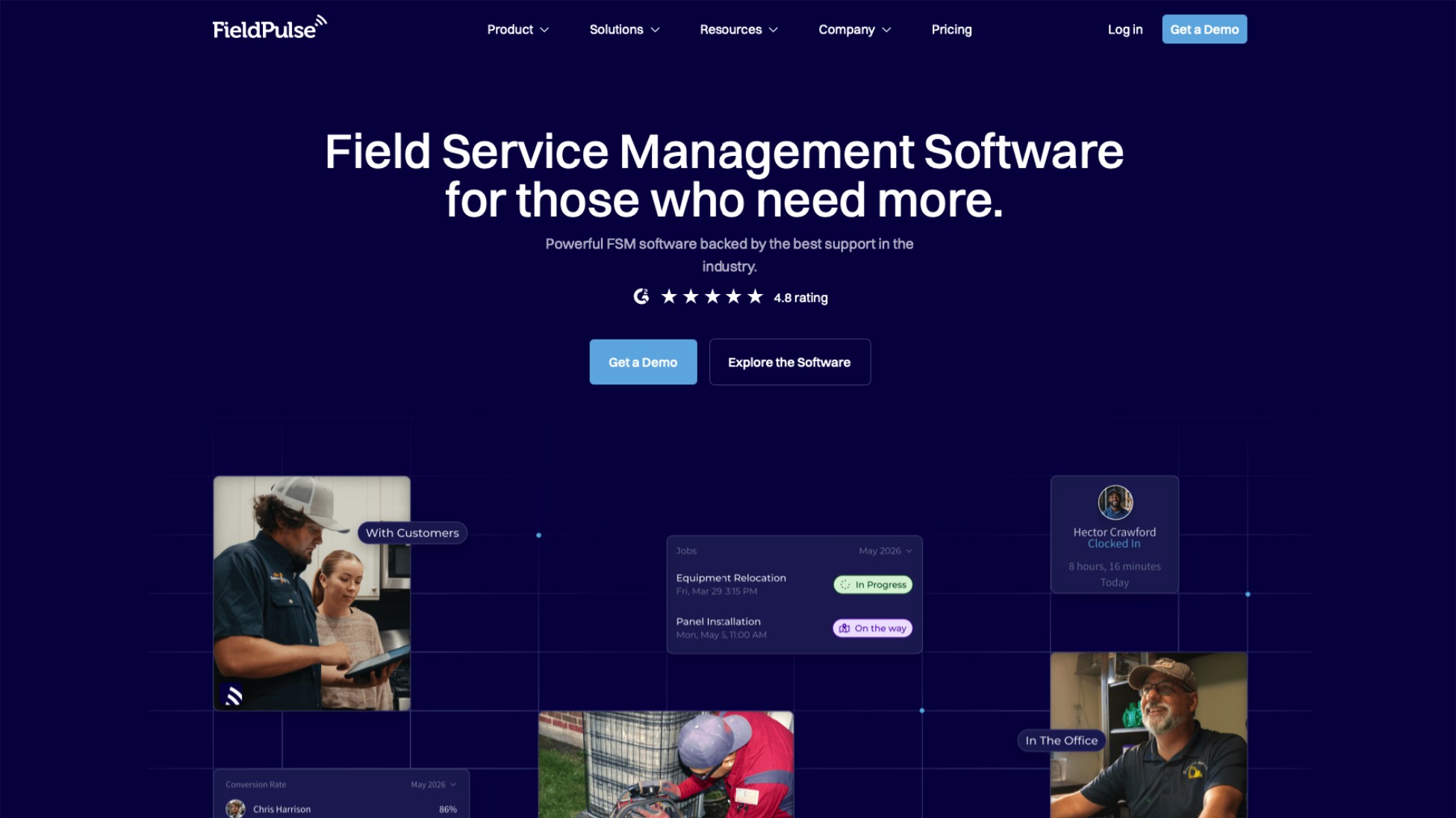
FieldPulse is a customizable field service platform targeting teams of 5-200 employees across residential, commercial, and industrial services. It differentiates through workflow customization, offering custom forms, workflow builders, and API access in base plans rather than locking them behind premium tiers. The platform emphasizes reporting with 60+ prebuilt dashboards for data-driven decisions.
Key Features
- Drag-and-drop scheduling with GPS-enabled dispatching - Real-time visibility into team location and availability
- Automated email/SMS notifications - Prevent no-shows with automated reminders
- Custom forms and workflow builder - Adapt the system to your specific cleaning processes
- Self-service booking portal - Let clients schedule appointments online
- QuickBooks sync and mobile payments - Financial integrations and field payment acceptance
Best For
Cleaning businesses (5-15 employees) with non-standard processes-multi-property contracts, specialized checklists, or complex approval workflows-who find template-based tools too rigid. Good for operations wanting detailed reporting and analytics to make data-driven decisions about staffing and efficiency.
Pricing
- Essentials: $99/user/month
For different team sizes:
- 5 users: $495/month
- 10 users: $990/month
- 15 users: $1,485/month
- 25 users: $2,475/month
All core features included in the base plan-no frustrating tier upgrades. But the per-user cost scales linearly with no volume discounts.
Strengths
- All features in base plan - Custom workflows, API access, and reporting included without tier upgrades; no frustration with discovering essential features require plan changes
- Strong customization - Adapt workflows to specific cleaning business processes that don't fit standard templates
- Detailed analytics - 60+ prebuilt reports for operational visibility and performance tracking
Limitations
Reddit users identify critical missing features for team management: "They do not have any payroll integration at all. They have no geo-fencing so techs can clock in wherever they want. I have to upload time to Gusto for every single employee manually every day for payroll." Interface is described as "clunky" with minor usability issues. For simple scheduling needs without custom workflow requirements, the complexity and cost may be unjustified. The $99/user pricing becomes expensive quickly for growing teams.
Verdict
Good for businesses with specific workflow needs and the budget to justify $99/user. The customization options are genuinely useful if you need them-particularly for cleaning operations with non-standard processes that template tools can't accommodate. But missing features like payroll integration and geo-fencing, plus the steep per-user cost, make FieldPulse less suitable for straightforward cleaning operations that just need scheduling and reminders. Best when you know exactly what custom workflows you need and can't achieve them elsewhere.
Red Flags to Watch When Evaluating Cleaning Software
Before committing to any cleaning business software, watch for these six warning signs based on documented user experiences across Reddit and review platforms:
Difficult cancellation processes. Search "[software name] cancel subscription" before signing up. Multiple platforms require phone calls during business hours, retention team conversations, and multiple attempts to actually stop billing. If cancelling requires more effort than signing up, that tells you everything about how the company views its relationship with you.
"Ambassador" programs. Some vendors give free premium subscriptions to users who create content. When you see enthusiastic reviews, check whether the reviewer discloses they're getting free software in exchange for promotion.
Aggressive upselling. Monthly calls pushing lending products, credit card processing, or premium features you didn't ask about. If a company needs to hard-sell you after you've already paid, it's a red flag about product value.
"Too much data" excuses. If support tells you to delete customer records because their system can't handle your workload, find software that scales with your business rather than blaming you for using it.
Hidden implementation fees. Some platforms advertise monthly prices but require $200-600+ one-time onboarding fees. Always ask about setup costs before committing.
No free trial. Platforms confident in their product let you test before paying. "Schedule a demo" instead of "start free trial" often means higher prices and sales pressure.
Questions to Ask Before Choosing Cleaning Software
Use these questions-derived from our ranking criteria-to evaluate any platform against your actual needs:
- What's the total monthly cost for my current team size? Include per-user fees, required add-ons, and any features you need that aren't in the base plan. Calculate costs at 3, 5, and 10 employees to understand scaling.
- Can I run everything from my phone? Actually test the mobile app-don't trust "mobile app available" claims. Some are clunky desktop ports. Open it and try scheduling 5 jobs to feel the difference.
- Are SMS reminders included or extra? Automated reminders reduce no-shows, but many platforms lock them behind premium tiers or charge per message. Verify reminders are included at your plan level.
- How do I cancel if it doesn't work out? Research the cancellation process before you need it. Month-to-month without contracts is ideal. Check Reddit for real experiences.
- What happens when I add employees? Per-user pricing can make costs explode as you grow. Some platforms offer flat-rate pricing that becomes more economical for larger teams.
- Do I need all these features? If you're a solo cleaner with 20 regular clients, you probably don't need AI dispatching, multi-party billing, or price book software. Simpler is often better and you'll actually use it.
How We Ranked These Tools
Traditional cleaning software evaluation focuses on feature counts and integrations. Modern small cleaning businesses require different criteria. Here's what we assessed and why each factor matters:
Solo & Micro Business Fit - Most cleaning software is designed for 20+ person companies with dispatchers and office staff. Solo operators and tiny teams need tools that match how they actually work-scheduling between jobs on their phone, not managing complex team workflows. This criterion evaluates whether the platform is built for small operations or just scaled-down enterprise software.
Pricing Transparency & True Cost - "Starting at" prices rarely reflect what you'll actually pay monthly. We calculated real costs for teams of different sizes, including per-user fees, required integrations, and add-ons most cleaning businesses need. Hidden costs destroy budget predictability for small businesses.
SMS Reminders & No-Show Prevention - Missed appointments don't just waste time-they represent lost revenue with no replacement booking. Automated reminders sent 24 hours before (and optionally day-of) give clients the prompt to confirm, reschedule, or cancel with enough notice to fill the slot. This criterion evaluates whether reminders are included in base plans or locked behind premium tiers.
Mobile-First Design - There's a huge difference between "has a mobile app" and "designed for phone-primary operation." Field workers running operations between jobs need tools that feel native on mobile, not desktop software crammed onto a small screen. We tested whether core workflows (scheduling, client lookup, job completion) work smoothly on phones.
Setup Speed & Simplicity - Many cleaning business owners are transitioning from paper calendars or basic phone apps-not migrating from competitor software. Enterprise onboarding processes requiring weeks of training defeat the purpose. This criterion values tools you can start using today without dedicated implementation staff.
Cancellation & Vendor Trust - Before committing, you should know whether a platform makes cancellation difficult, employs aggressive sales tactics, or has patterns of billing issues. We surfaced documented user experiences from Reddit and review platforms that reveal vendor behavior after the sale.
We weighted solo/micro business fit, pricing transparency, and SMS reminders most heavily because these directly impact whether small cleaning operations will actually benefit from software-not just pay for features they'll never use.
Frequently Asked Questions
What's the best free cleaning business software?
For solo cleaners, FieldVibe offers the only genuinely free tier with full scheduling functionality-unlimited job scheduling, SMS reminders (tap-to-send), client history with notes and photos, and work requests webpage at $0/month forever. Workiz offers a free tier, but it's limited to 20 jobs per month, which any active cleaning business will exceed quickly-roughly one job per business day.
Most other platforms only offer free trials (typically 7-14 days), not permanent free plans. The free trial approach means you're testing with the pressure of a deadline rather than genuinely evaluating fit over time.
How much does cleaning business software actually cost per month?
Cleaning business software typically costs $0-50/month for solo operators, $150-300/month for teams of 3-5, $200-500/month for teams of 5-10, and $300-1,000+/month for teams of 10+.
Advertised "starting at" prices rarely reflect actual costs. Hidden expenses include:
- Per-user fees that multiply base costs as you add team members
- Integration costs like QuickBooks sync ($30-100+/month)
- Premium features like automated workflows, advanced reporting, or GPS tracking
- Implementation fees ($200-600 one-time charges)
- Per-message SMS costs beyond plan limits
Always calculate total cost including add-ons, extra users, and integrations at your actual team size-not just the advertised starting price.
Do I need cleaning business software if I'm the only cleaner?
Solo cleaners benefit from scheduling software if they're missing recurrent appointments, losing track of client details, or managing bookings through scattered text messages. The key question: does software solve a problem you're actually experiencing?
Look for:
- Free or very low cost that fits your budget
- SMS reminders to reduce no-shows (directly protects revenue)
- Simple client history storage so you remember preferences
- Mobile-first design you'll actually use in the field
Skip: Platforms pushing dispatching features, team management, complex workflows, or enterprise reporting you don't need. A paper calendar that works is better than software you won't use.
It's okay to realize you don't need this yet. A system you'll actually use beats software collecting dust.
Conclusion
The six criteria we used-solo fit, pricing transparency, SMS reminders, mobile design, setup speed, and vendor trust-work for evaluating any field service software, not just these six. Use them to test new tools that launch or options we didn't cover. You now have the framework to evaluate independently, even as the market evolves.
Start simpler than you think you need. The biggest mistake cleaning business owners make is buying software designed for operations twice their size, then paying for features they'll never use.
If you're a solo cleaner or run a micro team (1-9 employees): Start with FieldVibe's free tier. You get real scheduling functionality, SMS reminders, and client history without paying anything. Test whether it fits your workflow before you spend a dollar. When you grow, it’s $50/month for unlimited employee accounts.
If you're a small team (3-15 employees) ready for comprehensive features: Jobber or Housecall Pro offer all-in-one platforms that can grow with you. Budget $200-400/month realistically and watch for add-on costs. If you're planning to grow past 10 employees within the next year, Jobber's scalability becomes worth the higher cost.
If you're a larger operation (10+ employees) prioritizing flat-rate pricing: ServiceFusion's unlimited user model may make financial sense-but verify performance at your scale before committing to implementation fees.
If you need specific workflow customization: FieldPulse offers flexibility for non-standard processes, though the per-user cost adds up quickly.
Most cleaning software is built for dispatchers in offices, not cleaners in vans. If you're running everything from your phone between jobs, you need tools designed for that reality. Before committing to any platform, test the free trial or free tier, calculate your real monthly cost with all users and add-ons, search "[software name] cancel subscription" on Reddit, check mobile app reviews from actual field users, verify SMS reminder inclusion, and confirm you can leave month-to-month without long contracts.
For solo and micro cleaning businesses looking for straightforward job management without enterprise complexity, FieldVibe offers a free tier with full scheduling features, SMS reminders included, and upgrades only when you automate or add team members-a pricing model that matches how solo operators actually grow. Try the free tier and see if it fits how you actually work.
October 15, 2025
Top 6 Best Cleaning Business Software in 2026
You've searched "best cleaning business software" hoping for straightforward recommendations. Instead, you've found lists recommending ServiceTitan ($300+ per tech per month), enterprise platforms with features you'll never use, and "starting at" prices that somehow triple once you add your team.
The best cleaning business software for solo operators and small teams in 2026 is FieldVibe (free for one-person businesses), followed by Jobber (best for teams ready to scale), and Housecall Pro (best for client communication). This guide ranks six platforms by what actually matters for small cleaning operations: transparent pricing, mobile-first design, SMS text reminders, and honest fit for your team size.
Here's the problem: most cleaning business software is built for companies with 20+ employees, dispatchers, and office staff. If you're a solo cleaner or run a tiny crew-doing the work and the scheduling from your phone between jobs-those tools are expensive overkill.
As one user on r/Entrepreneur described the frustration:
"We're using FieldVibe and so far it's been great"
- u/deleted
This guide ranks cleaning business management software-also called job management apps or field service scheduling tools-by what actually matters for solo and micro cleaning businesses (1-9 employees). We've included documented user warnings about aggressive sales tactics and cancellation difficulties that other lists conveniently omit.
A note on transparency: This guide is published by FieldVibe, which appears at #1 in our rankings. We've applied identical evaluation criteria to ourselves and all competitors, included documented user complaints where they exist, and presented competitor strengths fairly. Our goal is helping you make an informed decision-even if that decision isn't FieldVibe. You'll notice we acknowledge our 9-employee limit as a real constraint and point you to competitors when they're a better fit for your situation.
Best Cleaning Business Software - Quick Comparison
1. FieldVibe
- Best For: Solo & micro teams (1-9)
- Key Capabilities: Job scheduling, SMS reminders, client history
- Primary Strength: Free forever for solo operators with full features
- Key Limitation: Designed for up to 9 employees maximum
2. Jobber
- Best For: Small teams ready to scale
- Key Capabilities: Scheduling, quoting, invoicing, QuickBooks sync
- Primary Strength: Comprehensive all-in-one platform for growth
- Key Limitation: Pricing adds up quickly with add-ons and users
3. Housecall Pro
- Best For: Teams needing client communication
- Key Capabilities: Cleaning Edition, automated SMS, customer portal
- Primary Strength: Strong mobile app and client communication
- Key Limitation: Aggressive upselling and difficult cancellation reported
4. Workiz
- Best For: Automation-focused teams
- Key Capabilities: AI scheduling, built-in phone system, smart messaging
- Primary Strength: Most advanced automation in price range
- Key Limitation: Customer service issues and buggy app reported
5. ServiceFusion
- Best For: Flat-rate unlimited users
- Key Capabilities: Unlimited users, job management, customer portal
- Primary Strength: Best per-user value for teams of 10+
- Key Limitation: Performance degrades at scale; no free trial
6. FieldPulse
- Best For: Customizable workflows
- Key Capabilities: Custom forms, workflow builder, 60+ reports
- Primary Strength: All features in base plan, no tier upgrades
- Key Limitation: Missing payroll integration and geo-fencing
Key takeaway: FieldVibe is the only platform with a full-featured free tier, while ServiceFusion offers the best value for teams of 10+ through unlimited user pricing. Jobber and Housecall Pro dominate the $150-300/month range for growing teams.
1. FieldVibe
Best Overall for Solo & Micro Cleaning Businesses
Overview
FieldVibe is a cleaning service scheduling app built specifically for solo and micro field service businesses rather than adapted from enterprise software. It serves cleaners, HVAC techs, plumbers, lawn care providers, and similar trades with a simple job calendar instead of a complex CRM system. The core philosophy: if you're running a one-person operation, you shouldn't pay for-or wade through-features designed for 20-person teams.
FieldVibe holds a 4.8/5.0 rating on the App Store. As one user noted on the App Store: "This app has been perfect for our residential and commercial cleaning business. It has plenty of features on the free plan, but $20 a month is a steal for what features they give you. I’m signing up for the $20 because it allows you to get pictures of the job, clock in and out, you can even have customer sign when you have completed a job. It’s 5 stars all the way!"
Key Features
- Quick job creation and recurring appointments - Schedule jobs in seconds from your phone, set recurring visits for regular cleaning clients
- Automated and tap-to-send SMS reminders - Reduce no-shows with automated messages or quick manual sends before appointments
- Client history with notes and photos - Keep all customer details, visit notes, and photos in one place accessible from the field
- Visit status and working time tracking - Mark jobs as complete and track hours without separate time-tracking apps
- GPS time tracking - Document when and where you worked for accurate records
Best For
Solo cleaners and micro teams (1-9 employees) who want simple, mobile-first scheduling without paying for enterprise features. Ideal for anyone transitioning from paper calendars, basic phone apps, or scattered text messages and feeling they're losing time, money, and professionalism.
Pricing
- Solo Plan: $0/month (free forever for one-person businesses-all core scheduling features included)
- Solo Pro Plan: $20/month (150 automated SMS/month, multiple devices, time tracking and reports)
- Crew Plan: $50/month (400 automated SMS/month, unlimited staff)
- Annual discount: 25% off
No hidden fees, no implementation costs, no per-user surprises. A 5-person cleaning team pays $50/month total-not $50 per person.
Here's the difference: FieldVibe's free tier includes unlimited job scheduling and SMS reminders. Jobber's $39/month Core plan doesn't include automated reminders. Housecall Pro's $79/month Basic plan limits automation features. You'd need to spend $119-189/month with competitors to get what FieldVibe offers at $0.
Strengths
- Free tier with full scheduling functionality - The free plan includes unlimited job scheduling, SMS reminders (tap-to-send), client history, and work orders webpage at $0/month forever-features most competitors lock behind $100+/month plans
- SMS reminders included in free tier - FieldVibe reports that SMS reminders can reduce no-shows and late cancellations by up to 80%. Most competitors lock reminders behind premium plans
- Mobile-first design - Built for owners who run everything from their phones between jobs. Example workflow: You finish a cleaning job at 2pm, open FieldVibe on your phone, mark the job complete with a photo, check your next appointment address, and send an "on my way" text to the client-all in under 60 seconds without returning to a desk
- Great review scores - 4.8/5.0 ratings provide credibility; users report setup in minutes, not days
Limitations
FieldVibe is designed specifically for businesses up to 9 employees. Larger operations needing advanced team management, complex dispatching, or extensive integrations will outgrow it. It also has fewer integrations than enterprise platforms-if QuickBooks sync or Zapier connections are essential to your workflow, verify compatibility before committing. If you're at 8 employees and planning to hire more, FieldVibe may require switching platforms as you grow-factor potential migration into your decision.
Verdict
If you're a solo cleaner or run a tiny team, FieldVibe is built for you-not adapted from enterprise software. The free tier includes full scheduling functionality, SMS reminders, and client history-features most competitors lock behind $100+/month plans. You only pay when you actually need automations and team features.
We built FieldVibe for solo operators and micro teams-that focus means we're not the right choice for everyone. If you're managing 15+ employees, need complex dispatching, or require enterprise integrations, Jobber or ServiceFusion will serve you better.
2. Jobber
Best for Small Teams Ready to Scale
Overview
Jobber is an established field service management platform serving 50+ industries including residential and commercial cleaning, according to Jobber's official website. It offers comprehensive features covering scheduling, quoting, invoicing, and client management in one system. Jobber appears in nearly every "best cleaning software" list and has built strong brand recognition through aggressive marketing and a large user base.
Users on r/sweatystartup shared their experience:
"Jobber is great but the pricing is mental. It's not friendly to new businesses"
- u/lkpshhm
Key Features
- Drag-and-drop scheduling - Visual calendar with automatic recurring visit creation for regular cleaning clients
- Online booking and client self-service - Let clients book and manage appointments without phone tag
- Quoting, invoicing, and payment processing - Create estimates, convert to invoices, and accept payments in one workflow
- Mobile app for field access - Manage jobs, client info, and communications from phones and tablets
- QuickBooks and Stripe integrations - Sync financials and accept online payments
Best For
Small cleaning teams (3-15 employees) who want one platform for scheduling, quoting, and invoicing. Best for businesses with established processes ready to consolidate multiple tools into professional software and planning to scale.
Pricing
- Core: $39/month ($29 annual) - 1 user, basic scheduling and invoicing
- Connect: $119-169/month - Up to 5 users, adds automated communications
- Grow: $199-349/month - Up to 10 users, adds quoting and lead tracking
- Plus: $599/month ($449 annual) - Up to 15 users
Additional users cost $29/month each. QuickBooks integration may cost extra depending on your plan.
Real-world costs: A cleaning team of 5 using Connect pays $169/month. But add QuickBooks integration, additional users, and the marketing features you probably need, and expect $300-500/month. One industry analysis noted "the reality for cleaning teams often [reaches] $300-$800/month with add-ons."
Strengths
- Comprehensive feature set - Reduces need for separate scheduling, invoicing, and communication tools. For cleaning businesses ready to consolidate operations into a single platform-and willing to invest in the learning curve-Jobber delivers genuine value
- Strong QuickBooks integration - Users consistently praise the seamless accounting sync according to Jobber's official website
- Extensive resources - Large user community, tutorials, and support documentation
Limitations
Multiple Reddit users describe Jobber as "built for a 20+ person company, not a small lawn care business." Solo operators often find the features overwhelming and the cost hard to justify. Users have also reported difficult cancellation processes requiring multiple emails and phone calls. One user noted that Jobber gives free top-tier subscriptions to "ambassadors" who create content, making some reviews hard to trust. Some users criticize Jobber for lacking cleaning-specific functions like customizable cleaning checklists or pay-by-clean calculations.
Verdict
Excellent platform for small teams who need comprehensive features and plan to grow beyond 5-10 employees. The all-in-one approach genuinely reduces tool sprawl. If you're planning to grow past 10 employees within the next year, Jobber's scalability becomes worth the higher cost. But solo cleaners will likely find Jobber overcomplicated and expensive for simple scheduling needs-you're paying for features designed for larger operations.
3. Housecall Pro
Best for Teams Needing Strong Client Communication
Overview
Housecall Pro is a popular field service platform serving over 200,000 field service professionals according to the company, with a specific "Cleaning Edition" featuring tools tailored for cleaning operations. It emphasizes mobile functionality and customer communication, with recent additions including AI-powered call answering and booking capabilities. The platform focuses on helping businesses look professional to clients through automated updates and reminders.
Users on r/Contractor noted:
"I used to use Jobber for 1 year and I found it very expensive so I cancelled as I found other cheaper alternatives, they gave me such hard time just to cancel. I then decided to try housecallpro but it was just lacking and I found it complicated to use and there's also cheaper alternatives."
- u/Master_Abalone4904
Key Features
- Drag-and-drop scheduling with real-time dispatching - Visual scheduling with GPS tracking for team visibility
- Automated SMS notifications and on-the-way alerts - Keep clients informed throughout the service process
- Customer portal - Self-service booking and payment for clients
- Cards-on-file for quick payments - Charge saved payment methods for faster collection
- AI-powered call answering - CSR AI handles calls and books appointments 24/7 (higher tiers)
Best For
Cleaning teams (3-10 employees) who prioritize customer communication and want strong mobile functionality. Good for businesses ready to invest in automation features and wanting to present a polished, professional image to residential clients.
Pricing
- Basic: $79/month ($59 annual) - 1 user
- Essentials: $189/month ($149 annual) - Up to 5 users
- Max: Quote-based, approximately $300-329/month - 100+ users at $35/additional user
Add-ons: Vehicle GPS ($20/vehicle/month), Recurring Service Plans ($40/month, free in Max), Flat-rate Price Book ($149/month).
Real-world costs: Most cleaning teams end up paying $200-400/month. One contractor noted the "entry-level plan is nearly $200/mo" and criticized the platform for being "clearly a pre-IPO software company trying to sell some narrative of 'fast growth.'"
Strengths
- Cleaning Edition - Provides tailored features including recurring job scheduling and customizable pricing forms specifically for cleaning operations
- Strong mobile experience - Users praise the app for ease of scheduling and real-time tracking; mobile-first design that works well for field operations
- Client communication - Automated reminders, updates, and on-the-way notifications well-implemented; clients appreciate the professional touch
Limitations
Multiple Reddit users report aggressive upselling-"calls every single month trying to push their lending and credit card processing products." Others describe difficult cancellation experiences: "Run!!!! Housecall Pro sucks if you want to cancel. I looked at their website, got bombed with phone calls, signed up, changed my mind after looking into it, and have not been able to cancel after two chats and three phone calls." Some users note feature overload as new capabilities are added without streamlining the interface.
Verdict
Strong platform with genuine cleaning-specific features and good mobile design. The client communication tools help small businesses look professional. However, the pricing and documented sales practices-aggressive upselling, difficult cancellation-make it better suited for established teams who know they'll stick with it rather than solo operators testing the waters. The Cleaning Edition features provide genuine value for teams focused on residential client relationships.
4. Workiz
Best for Automation-Focused Teams
Overview
Workiz is an automation-focused field service platform supporting cleaning businesses including carpet and air duct cleaning. Its standout features are AI-powered scheduling, a built-in phone system with call tracking, and smart messaging. While it offers a free tier, the 20 job/month limit makes it impractical for most active cleaning operations.
Key Features
- Genius Scheduling AI - Matches jobs to technicians based on availability, proximity, and skills to avoid double bookings
- Built-in phone system - Call tracking, routing, and recording without third-party tools
- Smart Messaging AI - Automated, personalized customer communication
- Price book software - Standardized pricing for consistent estimates
- Automation Center - Set up recurring tasks and automated workflows
Best For
Growing cleaning teams (5+ employees) who want to leverage automation for scheduling and customer communication. Best for businesses handling enough volume to justify learning the platform and committing to a paid plan.
Pricing
- Lite: Free (up to 2 users, 20 jobs/invoices/estimates per month)
- Kickstart: $187/month (3 users)
- Standard: $225/month (5 users, adds QuickBooks integration)
- Pro: $270-295/month (5 users, adds Genius AI features)
- Ultimate: Custom pricing for larger teams
Additional users cost approximately $46-54/month. 7-day free trial available for paid plans.
The free tier catch: 20 jobs per month is roughly one job per business day. Any cleaning business with regular clients will hit this limit immediately, making the free tier more of a demo than a usable plan.
Strengths
- Advanced AI automation - Most sophisticated scheduling and messaging AI in this price range; when the automation works as intended, Workiz delivers capabilities that simpler tools can't match
- Built-in phone system - Eliminates need for separate call tracking software, provides call insights for better dispatching
- Strong scalability - Clear upgrade path from small team to larger operation with enterprise features available
Limitations
User experiences with Workiz support vary significantly. While some find the automation features effective once configured, others report frustrating experiences. One long-time advocate wrote: "My recent experience has completely shattered my trust... I was charged $800 AGAIN for 10 accounts [after requesting reduction to 5]!" Another described "worst customer service... they hang up on you on the phone" and an app that's "buggy... always have OTP issues which can lead to being locked out of your account." A third warned: "BUYER BEWARE... The salesperson made promise after promise to get me to sign up-none of which were delivered on."
Verdict
Powerful automation features for teams ready to commit and able to handle customer service friction. The AI scheduling and built-in phone system are genuine differentiators when they work as designed. But the impractical free tier and documented customer service issues make this risky for small operations. Best for businesses who can commit to a paid plan and have staff bandwidth to navigate any problems. Some users praise Workiz's automation capabilities and find the platform effective once set up-the challenge is getting past onboarding and support friction.
5. ServiceFusion
Best for Flat-Rate Unlimited Users
Overview
ServiceFusion is a field service platform with specific pages for cleaning and window cleaning businesses. Its distinguishing feature is flat-rate pricing with unlimited users-unusual in a category where per-user fees typically drive costs up as teams grow. The platform was acquired by EverCommerce and targets established cleaning operations rather than solo operators.
Key Features
- Drag-and-drop scheduling and dispatching - Visual job management with dispatch grid to avoid double bookings
- One-click estimate-to-job conversion - Streamline workflow from quote to completed work
- SMS reminders and on-the-way alerts - Automated client communication to reduce no-shows
- Job checklists and photo documentation - Ensure consistent service and before/after records
- Customer portal - Pro plan feature for commercial client self-service
Best For
Cleaning teams of 10+ employees where the unlimited user pricing creates meaningful savings versus per-user competitors. Good for commercial cleaning operations needing customer portals for facility manager communication.
Pricing
- Starter: $195-249/month ($165-192 annual) + $199 one-time implementation fee
- Plus: $250-382/month ($298 annual) + $399 implementation fee
- Pro: $421-627/month ($421-489 annual) + $599 implementation fee
All plans include unlimited users. No free trial available.
The math: For a 15-person cleaning team, ServiceFusion's ~$195/month flat rate means paying roughly $13/user-compared to $29/user at Jobber or $99/user at FieldPulse. That's a meaningful difference if performance holds up.
Strengths
- Unlimited users - Flat-rate pricing becomes increasingly attractive as team size grows; best per-user value for teams of 15+
- Commercial cleaning focus - Customer portal features useful for facility management relationships
- Comprehensive job documentation - Checklists and photo uploads support quality control
Limitations
Multiple Reddit users report serious performance degradation at scale. One wrote: "Been using since 2018, was great but for last year to year and half nothing but issues... they are telling us that we have TOO MANY appointments on our dispatch grid and this is why it takes (literally) up to 2 minutes to move something on the board." Another company was told to "delete customer data" to improve performance.
A user claiming to be a co-founder of Housecall Pro (a direct competitor) commented on Reddit that ServiceFusion is "pretty much mothballed/stagnated" after the EverCommerce acquisition-though this claim comes from a source with obvious competitive interest. Mobile app quality is also criticized.
Verdict
The unlimited user pricing sounds compelling, but documented performance issues at scale undermine the value proposition. Without a free trial, you're committing before you can verify whether it handles your workload. The math works for teams of 15+ where per-user pricing from competitors would exceed $500/month-but only if performance holds up. Better options exist for smaller teams, and larger teams should carefully test performance claims before committing to implementation fees.
6. FieldPulse
Best for Customizable Workflows
Overview
FieldPulse is a customizable field service platform targeting teams of 5-200 employees across residential, commercial, and industrial services. It differentiates through workflow customization, offering custom forms, workflow builders, and API access in base plans rather than locking them behind premium tiers. The platform emphasizes reporting with 60+ prebuilt dashboards for data-driven decisions.
Key Features
- Drag-and-drop scheduling with GPS-enabled dispatching - Real-time visibility into team location and availability
- Automated email/SMS notifications - Prevent no-shows with automated reminders
- Custom forms and workflow builder - Adapt the system to your specific cleaning processes
- Self-service booking portal - Let clients schedule appointments online
- QuickBooks sync and mobile payments - Financial integrations and field payment acceptance
Best For
Cleaning businesses (5-15 employees) with non-standard processes-multi-property contracts, specialized checklists, or complex approval workflows-who find template-based tools too rigid. Good for operations wanting detailed reporting and analytics to make data-driven decisions about staffing and efficiency.
Pricing
- Essentials: $99/user/month
For different team sizes:
- 5 users: $495/month
- 10 users: $990/month
- 15 users: $1,485/month
- 25 users: $2,475/month
All core features included in the base plan-no frustrating tier upgrades. But the per-user cost scales linearly with no volume discounts.
Strengths
- All features in base plan - Custom workflows, API access, and reporting included without tier upgrades; no frustration with discovering essential features require plan changes
- Strong customization - Adapt workflows to specific cleaning business processes that don't fit standard templates
- Detailed analytics - 60+ prebuilt reports for operational visibility and performance tracking
Limitations
Reddit users identify critical missing features for team management: "They do not have any payroll integration at all. They have no geo-fencing so techs can clock in wherever they want. I have to upload time to Gusto for every single employee manually every day for payroll." Interface is described as "clunky" with minor usability issues. For simple scheduling needs without custom workflow requirements, the complexity and cost may be unjustified. The $99/user pricing becomes expensive quickly for growing teams.
Verdict
Good for businesses with specific workflow needs and the budget to justify $99/user. The customization options are genuinely useful if you need them-particularly for cleaning operations with non-standard processes that template tools can't accommodate. But missing features like payroll integration and geo-fencing, plus the steep per-user cost, make FieldPulse less suitable for straightforward cleaning operations that just need scheduling and reminders. Best when you know exactly what custom workflows you need and can't achieve them elsewhere.
Red Flags to Watch When Evaluating Cleaning Software
Before committing to any cleaning business software, watch for these six warning signs based on documented user experiences across Reddit and review platforms:
Difficult cancellation processes. Search "[software name] cancel subscription" before signing up. Multiple platforms require phone calls during business hours, retention team conversations, and multiple attempts to actually stop billing. If cancelling requires more effort than signing up, that tells you everything about how the company views its relationship with you.
"Ambassador" programs. Some vendors give free premium subscriptions to users who create content. When you see enthusiastic reviews, check whether the reviewer discloses they're getting free software in exchange for promotion.
Aggressive upselling. Monthly calls pushing lending products, credit card processing, or premium features you didn't ask about. If a company needs to hard-sell you after you've already paid, it's a red flag about product value.
"Too much data" excuses. If support tells you to delete customer records because their system can't handle your workload, find software that scales with your business rather than blaming you for using it.
Hidden implementation fees. Some platforms advertise monthly prices but require $200-600+ one-time onboarding fees. Always ask about setup costs before committing.
No free trial. Platforms confident in their product let you test before paying. "Schedule a demo" instead of "start free trial" often means higher prices and sales pressure.
Questions to Ask Before Choosing Cleaning Software
Use these questions-derived from our ranking criteria-to evaluate any platform against your actual needs:
- What's the total monthly cost for my current team size? Include per-user fees, required add-ons, and any features you need that aren't in the base plan. Calculate costs at 3, 5, and 10 employees to understand scaling.
- Can I run everything from my phone? Actually test the mobile app-don't trust "mobile app available" claims. Some are clunky desktop ports. Open it and try scheduling 5 jobs to feel the difference.
- Are SMS reminders included or extra? Automated reminders reduce no-shows, but many platforms lock them behind premium tiers or charge per message. Verify reminders are included at your plan level.
- How do I cancel if it doesn't work out? Research the cancellation process before you need it. Month-to-month without contracts is ideal. Check Reddit for real experiences.
- What happens when I add employees? Per-user pricing can make costs explode as you grow. Some platforms offer flat-rate pricing that becomes more economical for larger teams.
- Do I need all these features? If you're a solo cleaner with 20 regular clients, you probably don't need AI dispatching, multi-party billing, or price book software. Simpler is often better and you'll actually use it.
How We Ranked These Tools
Traditional cleaning software evaluation focuses on feature counts and integrations. Modern small cleaning businesses require different criteria. Here's what we assessed and why each factor matters:
Solo & Micro Business Fit - Most cleaning software is designed for 20+ person companies with dispatchers and office staff. Solo operators and tiny teams need tools that match how they actually work-scheduling between jobs on their phone, not managing complex team workflows. This criterion evaluates whether the platform is built for small operations or just scaled-down enterprise software.
Pricing Transparency & True Cost - "Starting at" prices rarely reflect what you'll actually pay monthly. We calculated real costs for teams of different sizes, including per-user fees, required integrations, and add-ons most cleaning businesses need. Hidden costs destroy budget predictability for small businesses.
SMS Reminders & No-Show Prevention - Missed appointments don't just waste time-they represent lost revenue with no replacement booking. Automated reminders sent 24 hours before (and optionally day-of) give clients the prompt to confirm, reschedule, or cancel with enough notice to fill the slot. This criterion evaluates whether reminders are included in base plans or locked behind premium tiers.
Mobile-First Design - There's a huge difference between "has a mobile app" and "designed for phone-primary operation." Field workers running operations between jobs need tools that feel native on mobile, not desktop software crammed onto a small screen. We tested whether core workflows (scheduling, client lookup, job completion) work smoothly on phones.
Setup Speed & Simplicity - Many cleaning business owners are transitioning from paper calendars or basic phone apps-not migrating from competitor software. Enterprise onboarding processes requiring weeks of training defeat the purpose. This criterion values tools you can start using today without dedicated implementation staff.
Cancellation & Vendor Trust - Before committing, you should know whether a platform makes cancellation difficult, employs aggressive sales tactics, or has patterns of billing issues. We surfaced documented user experiences from Reddit and review platforms that reveal vendor behavior after the sale.
We weighted solo/micro business fit, pricing transparency, and SMS reminders most heavily because these directly impact whether small cleaning operations will actually benefit from software-not just pay for features they'll never use.
Frequently Asked Questions
What's the best free cleaning business software?
For solo cleaners, FieldVibe offers the only genuinely free tier with full scheduling functionality-unlimited job scheduling, SMS reminders (tap-to-send), client history with notes and photos, and work requests webpage at $0/month forever. Workiz offers a free tier, but it's limited to 20 jobs per month, which any active cleaning business will exceed quickly-roughly one job per business day.
Most other platforms only offer free trials (typically 7-14 days), not permanent free plans. The free trial approach means you're testing with the pressure of a deadline rather than genuinely evaluating fit over time.
How much does cleaning business software actually cost per month?
Cleaning business software typically costs $0-50/month for solo operators, $150-300/month for teams of 3-5, $200-500/month for teams of 5-10, and $300-1,000+/month for teams of 10+.
Advertised "starting at" prices rarely reflect actual costs. Hidden expenses include:
- Per-user fees that multiply base costs as you add team members
- Integration costs like QuickBooks sync ($30-100+/month)
- Premium features like automated workflows, advanced reporting, or GPS tracking
- Implementation fees ($200-600 one-time charges)
- Per-message SMS costs beyond plan limits
Always calculate total cost including add-ons, extra users, and integrations at your actual team size-not just the advertised starting price.
Do I need cleaning business software if I'm the only cleaner?
Solo cleaners benefit from scheduling software if they're missing recurrent appointments, losing track of client details, or managing bookings through scattered text messages. The key question: does software solve a problem you're actually experiencing?
Look for:
- Free or very low cost that fits your budget
- SMS reminders to reduce no-shows (directly protects revenue)
- Simple client history storage so you remember preferences
- Mobile-first design you'll actually use in the field
Skip: Platforms pushing dispatching features, team management, complex workflows, or enterprise reporting you don't need. A paper calendar that works is better than software you won't use.
It's okay to realize you don't need this yet. A system you'll actually use beats software collecting dust.
Conclusion
The six criteria we used-solo fit, pricing transparency, SMS reminders, mobile design, setup speed, and vendor trust-work for evaluating any field service software, not just these six. Use them to test new tools that launch or options we didn't cover. You now have the framework to evaluate independently, even as the market evolves.
Start simpler than you think you need. The biggest mistake cleaning business owners make is buying software designed for operations twice their size, then paying for features they'll never use.
If you're a solo cleaner or run a micro team (1-9 employees): Start with FieldVibe's free tier. You get real scheduling functionality, SMS reminders, and client history without paying anything. Test whether it fits your workflow before you spend a dollar. When you grow, it’s $50/month for unlimited employee accounts.
If you're a small team (3-15 employees) ready for comprehensive features: Jobber or Housecall Pro offer all-in-one platforms that can grow with you. Budget $200-400/month realistically and watch for add-on costs. If you're planning to grow past 10 employees within the next year, Jobber's scalability becomes worth the higher cost.
If you're a larger operation (10+ employees) prioritizing flat-rate pricing: ServiceFusion's unlimited user model may make financial sense-but verify performance at your scale before committing to implementation fees.
If you need specific workflow customization: FieldPulse offers flexibility for non-standard processes, though the per-user cost adds up quickly.
Most cleaning software is built for dispatchers in offices, not cleaners in vans. If you're running everything from your phone between jobs, you need tools designed for that reality. Before committing to any platform, test the free trial or free tier, calculate your real monthly cost with all users and add-ons, search "[software name] cancel subscription" on Reddit, check mobile app reviews from actual field users, verify SMS reminder inclusion, and confirm you can leave month-to-month without long contracts.
For solo and micro cleaning businesses looking for straightforward job management without enterprise complexity, FieldVibe offers a free tier with full scheduling features, SMS reminders included, and upgrades only when you automate or add team members-a pricing model that matches how solo operators actually grow. Try the free tier and see if it fits how you actually work.
October 15, 2025
Top 6 Best Cleaning Business Software in 2026
You've searched "best cleaning business software" hoping for straightforward recommendations. Instead, you've found lists recommending ServiceTitan ($300+ per tech per month), enterprise platforms with features you'll never use, and "starting at" prices that somehow triple once you add your team.
The best cleaning business software for solo operators and small teams in 2026 is FieldVibe (free for one-person businesses), followed by Jobber (best for teams ready to scale), and Housecall Pro (best for client communication). This guide ranks six platforms by what actually matters for small cleaning operations: transparent pricing, mobile-first design, SMS text reminders, and honest fit for your team size.
Here's the problem: most cleaning business software is built for companies with 20+ employees, dispatchers, and office staff. If you're a solo cleaner or run a tiny crew-doing the work and the scheduling from your phone between jobs-those tools are expensive overkill.
As one user on r/Entrepreneur described the frustration:
"We're using FieldVibe and so far it's been great"
- u/deleted
This guide ranks cleaning business management software-also called job management apps or field service scheduling tools-by what actually matters for solo and micro cleaning businesses (1-9 employees). We've included documented user warnings about aggressive sales tactics and cancellation difficulties that other lists conveniently omit.
A note on transparency: This guide is published by FieldVibe, which appears at #1 in our rankings. We've applied identical evaluation criteria to ourselves and all competitors, included documented user complaints where they exist, and presented competitor strengths fairly. Our goal is helping you make an informed decision-even if that decision isn't FieldVibe. You'll notice we acknowledge our 9-employee limit as a real constraint and point you to competitors when they're a better fit for your situation.
Best Cleaning Business Software - Quick Comparison
1. FieldVibe
- Best For: Solo & micro teams (1-9)
- Key Capabilities: Job scheduling, SMS reminders, client history
- Primary Strength: Free forever for solo operators with full features
- Key Limitation: Designed for up to 9 employees maximum
2. Jobber
- Best For: Small teams ready to scale
- Key Capabilities: Scheduling, quoting, invoicing, QuickBooks sync
- Primary Strength: Comprehensive all-in-one platform for growth
- Key Limitation: Pricing adds up quickly with add-ons and users
3. Housecall Pro
- Best For: Teams needing client communication
- Key Capabilities: Cleaning Edition, automated SMS, customer portal
- Primary Strength: Strong mobile app and client communication
- Key Limitation: Aggressive upselling and difficult cancellation reported
4. Workiz
- Best For: Automation-focused teams
- Key Capabilities: AI scheduling, built-in phone system, smart messaging
- Primary Strength: Most advanced automation in price range
- Key Limitation: Customer service issues and buggy app reported
5. ServiceFusion
- Best For: Flat-rate unlimited users
- Key Capabilities: Unlimited users, job management, customer portal
- Primary Strength: Best per-user value for teams of 10+
- Key Limitation: Performance degrades at scale; no free trial
6. FieldPulse
- Best For: Customizable workflows
- Key Capabilities: Custom forms, workflow builder, 60+ reports
- Primary Strength: All features in base plan, no tier upgrades
- Key Limitation: Missing payroll integration and geo-fencing
Key takeaway: FieldVibe is the only platform with a full-featured free tier, while ServiceFusion offers the best value for teams of 10+ through unlimited user pricing. Jobber and Housecall Pro dominate the $150-300/month range for growing teams.
1. FieldVibe
Best Overall for Solo & Micro Cleaning Businesses
Overview
FieldVibe is a cleaning service scheduling app built specifically for solo and micro field service businesses rather than adapted from enterprise software. It serves cleaners, HVAC techs, plumbers, lawn care providers, and similar trades with a simple job calendar instead of a complex CRM system. The core philosophy: if you're running a one-person operation, you shouldn't pay for-or wade through-features designed for 20-person teams.
FieldVibe holds a 4.8/5.0 rating on the App Store. As one user noted on the App Store: "This app has been perfect for our residential and commercial cleaning business. It has plenty of features on the free plan, but $20 a month is a steal for what features they give you. I’m signing up for the $20 because it allows you to get pictures of the job, clock in and out, you can even have customer sign when you have completed a job. It’s 5 stars all the way!"
Key Features
- Quick job creation and recurring appointments - Schedule jobs in seconds from your phone, set recurring visits for regular cleaning clients
- Automated and tap-to-send SMS reminders - Reduce no-shows with automated messages or quick manual sends before appointments
- Client history with notes and photos - Keep all customer details, visit notes, and photos in one place accessible from the field
- Visit status and working time tracking - Mark jobs as complete and track hours without separate time-tracking apps
- GPS time tracking - Document when and where you worked for accurate records
Best For
Solo cleaners and micro teams (1-9 employees) who want simple, mobile-first scheduling without paying for enterprise features. Ideal for anyone transitioning from paper calendars, basic phone apps, or scattered text messages and feeling they're losing time, money, and professionalism.
Pricing
- Solo Plan: $0/month (free forever for one-person businesses-all core scheduling features included)
- Solo Pro Plan: $20/month (150 automated SMS/month, multiple devices, time tracking and reports)
- Crew Plan: $50/month (400 automated SMS/month, unlimited staff)
- Annual discount: 25% off
No hidden fees, no implementation costs, no per-user surprises. A 5-person cleaning team pays $50/month total-not $50 per person.
Here's the difference: FieldVibe's free tier includes unlimited job scheduling and SMS reminders. Jobber's $39/month Core plan doesn't include automated reminders. Housecall Pro's $79/month Basic plan limits automation features. You'd need to spend $119-189/month with competitors to get what FieldVibe offers at $0.
Strengths
- Free tier with full scheduling functionality - The free plan includes unlimited job scheduling, SMS reminders (tap-to-send), client history, and work orders webpage at $0/month forever-features most competitors lock behind $100+/month plans
- SMS reminders included in free tier - FieldVibe reports that SMS reminders can reduce no-shows and late cancellations by up to 80%. Most competitors lock reminders behind premium plans
- Mobile-first design - Built for owners who run everything from their phones between jobs. Example workflow: You finish a cleaning job at 2pm, open FieldVibe on your phone, mark the job complete with a photo, check your next appointment address, and send an "on my way" text to the client-all in under 60 seconds without returning to a desk
- Great review scores - 4.8/5.0 ratings provide credibility; users report setup in minutes, not days
Limitations
FieldVibe is designed specifically for businesses up to 9 employees. Larger operations needing advanced team management, complex dispatching, or extensive integrations will outgrow it. It also has fewer integrations than enterprise platforms-if QuickBooks sync or Zapier connections are essential to your workflow, verify compatibility before committing. If you're at 8 employees and planning to hire more, FieldVibe may require switching platforms as you grow-factor potential migration into your decision.
Verdict
If you're a solo cleaner or run a tiny team, FieldVibe is built for you-not adapted from enterprise software. The free tier includes full scheduling functionality, SMS reminders, and client history-features most competitors lock behind $100+/month plans. You only pay when you actually need automations and team features.
We built FieldVibe for solo operators and micro teams-that focus means we're not the right choice for everyone. If you're managing 15+ employees, need complex dispatching, or require enterprise integrations, Jobber or ServiceFusion will serve you better.
2. Jobber
Best for Small Teams Ready to Scale
Overview
Jobber is an established field service management platform serving 50+ industries including residential and commercial cleaning, according to Jobber's official website. It offers comprehensive features covering scheduling, quoting, invoicing, and client management in one system. Jobber appears in nearly every "best cleaning software" list and has built strong brand recognition through aggressive marketing and a large user base.
Users on r/sweatystartup shared their experience:
"Jobber is great but the pricing is mental. It's not friendly to new businesses"
- u/lkpshhm
Key Features
- Drag-and-drop scheduling - Visual calendar with automatic recurring visit creation for regular cleaning clients
- Online booking and client self-service - Let clients book and manage appointments without phone tag
- Quoting, invoicing, and payment processing - Create estimates, convert to invoices, and accept payments in one workflow
- Mobile app for field access - Manage jobs, client info, and communications from phones and tablets
- QuickBooks and Stripe integrations - Sync financials and accept online payments
Best For
Small cleaning teams (3-15 employees) who want one platform for scheduling, quoting, and invoicing. Best for businesses with established processes ready to consolidate multiple tools into professional software and planning to scale.
Pricing
- Core: $39/month ($29 annual) - 1 user, basic scheduling and invoicing
- Connect: $119-169/month - Up to 5 users, adds automated communications
- Grow: $199-349/month - Up to 10 users, adds quoting and lead tracking
- Plus: $599/month ($449 annual) - Up to 15 users
Additional users cost $29/month each. QuickBooks integration may cost extra depending on your plan.
Real-world costs: A cleaning team of 5 using Connect pays $169/month. But add QuickBooks integration, additional users, and the marketing features you probably need, and expect $300-500/month. One industry analysis noted "the reality for cleaning teams often [reaches] $300-$800/month with add-ons."
Strengths
- Comprehensive feature set - Reduces need for separate scheduling, invoicing, and communication tools. For cleaning businesses ready to consolidate operations into a single platform-and willing to invest in the learning curve-Jobber delivers genuine value
- Strong QuickBooks integration - Users consistently praise the seamless accounting sync according to Jobber's official website
- Extensive resources - Large user community, tutorials, and support documentation
Limitations
Multiple Reddit users describe Jobber as "built for a 20+ person company, not a small lawn care business." Solo operators often find the features overwhelming and the cost hard to justify. Users have also reported difficult cancellation processes requiring multiple emails and phone calls. One user noted that Jobber gives free top-tier subscriptions to "ambassadors" who create content, making some reviews hard to trust. Some users criticize Jobber for lacking cleaning-specific functions like customizable cleaning checklists or pay-by-clean calculations.
Verdict
Excellent platform for small teams who need comprehensive features and plan to grow beyond 5-10 employees. The all-in-one approach genuinely reduces tool sprawl. If you're planning to grow past 10 employees within the next year, Jobber's scalability becomes worth the higher cost. But solo cleaners will likely find Jobber overcomplicated and expensive for simple scheduling needs-you're paying for features designed for larger operations.
3. Housecall Pro
Best for Teams Needing Strong Client Communication
Overview
Housecall Pro is a popular field service platform serving over 200,000 field service professionals according to the company, with a specific "Cleaning Edition" featuring tools tailored for cleaning operations. It emphasizes mobile functionality and customer communication, with recent additions including AI-powered call answering and booking capabilities. The platform focuses on helping businesses look professional to clients through automated updates and reminders.
Users on r/Contractor noted:
"I used to use Jobber for 1 year and I found it very expensive so I cancelled as I found other cheaper alternatives, they gave me such hard time just to cancel. I then decided to try housecallpro but it was just lacking and I found it complicated to use and there's also cheaper alternatives."
- u/Master_Abalone4904
Key Features
- Drag-and-drop scheduling with real-time dispatching - Visual scheduling with GPS tracking for team visibility
- Automated SMS notifications and on-the-way alerts - Keep clients informed throughout the service process
- Customer portal - Self-service booking and payment for clients
- Cards-on-file for quick payments - Charge saved payment methods for faster collection
- AI-powered call answering - CSR AI handles calls and books appointments 24/7 (higher tiers)
Best For
Cleaning teams (3-10 employees) who prioritize customer communication and want strong mobile functionality. Good for businesses ready to invest in automation features and wanting to present a polished, professional image to residential clients.
Pricing
- Basic: $79/month ($59 annual) - 1 user
- Essentials: $189/month ($149 annual) - Up to 5 users
- Max: Quote-based, approximately $300-329/month - 100+ users at $35/additional user
Add-ons: Vehicle GPS ($20/vehicle/month), Recurring Service Plans ($40/month, free in Max), Flat-rate Price Book ($149/month).
Real-world costs: Most cleaning teams end up paying $200-400/month. One contractor noted the "entry-level plan is nearly $200/mo" and criticized the platform for being "clearly a pre-IPO software company trying to sell some narrative of 'fast growth.'"
Strengths
- Cleaning Edition - Provides tailored features including recurring job scheduling and customizable pricing forms specifically for cleaning operations
- Strong mobile experience - Users praise the app for ease of scheduling and real-time tracking; mobile-first design that works well for field operations
- Client communication - Automated reminders, updates, and on-the-way notifications well-implemented; clients appreciate the professional touch
Limitations
Multiple Reddit users report aggressive upselling-"calls every single month trying to push their lending and credit card processing products." Others describe difficult cancellation experiences: "Run!!!! Housecall Pro sucks if you want to cancel. I looked at their website, got bombed with phone calls, signed up, changed my mind after looking into it, and have not been able to cancel after two chats and three phone calls." Some users note feature overload as new capabilities are added without streamlining the interface.
Verdict
Strong platform with genuine cleaning-specific features and good mobile design. The client communication tools help small businesses look professional. However, the pricing and documented sales practices-aggressive upselling, difficult cancellation-make it better suited for established teams who know they'll stick with it rather than solo operators testing the waters. The Cleaning Edition features provide genuine value for teams focused on residential client relationships.
4. Workiz
Best for Automation-Focused Teams
Overview
Workiz is an automation-focused field service platform supporting cleaning businesses including carpet and air duct cleaning. Its standout features are AI-powered scheduling, a built-in phone system with call tracking, and smart messaging. While it offers a free tier, the 20 job/month limit makes it impractical for most active cleaning operations.
Key Features
- Genius Scheduling AI - Matches jobs to technicians based on availability, proximity, and skills to avoid double bookings
- Built-in phone system - Call tracking, routing, and recording without third-party tools
- Smart Messaging AI - Automated, personalized customer communication
- Price book software - Standardized pricing for consistent estimates
- Automation Center - Set up recurring tasks and automated workflows
Best For
Growing cleaning teams (5+ employees) who want to leverage automation for scheduling and customer communication. Best for businesses handling enough volume to justify learning the platform and committing to a paid plan.
Pricing
- Lite: Free (up to 2 users, 20 jobs/invoices/estimates per month)
- Kickstart: $187/month (3 users)
- Standard: $225/month (5 users, adds QuickBooks integration)
- Pro: $270-295/month (5 users, adds Genius AI features)
- Ultimate: Custom pricing for larger teams
Additional users cost approximately $46-54/month. 7-day free trial available for paid plans.
The free tier catch: 20 jobs per month is roughly one job per business day. Any cleaning business with regular clients will hit this limit immediately, making the free tier more of a demo than a usable plan.
Strengths
- Advanced AI automation - Most sophisticated scheduling and messaging AI in this price range; when the automation works as intended, Workiz delivers capabilities that simpler tools can't match
- Built-in phone system - Eliminates need for separate call tracking software, provides call insights for better dispatching
- Strong scalability - Clear upgrade path from small team to larger operation with enterprise features available
Limitations
User experiences with Workiz support vary significantly. While some find the automation features effective once configured, others report frustrating experiences. One long-time advocate wrote: "My recent experience has completely shattered my trust... I was charged $800 AGAIN for 10 accounts [after requesting reduction to 5]!" Another described "worst customer service... they hang up on you on the phone" and an app that's "buggy... always have OTP issues which can lead to being locked out of your account." A third warned: "BUYER BEWARE... The salesperson made promise after promise to get me to sign up-none of which were delivered on."
Verdict
Powerful automation features for teams ready to commit and able to handle customer service friction. The AI scheduling and built-in phone system are genuine differentiators when they work as designed. But the impractical free tier and documented customer service issues make this risky for small operations. Best for businesses who can commit to a paid plan and have staff bandwidth to navigate any problems. Some users praise Workiz's automation capabilities and find the platform effective once set up-the challenge is getting past onboarding and support friction.
5. ServiceFusion
Best for Flat-Rate Unlimited Users
Overview
ServiceFusion is a field service platform with specific pages for cleaning and window cleaning businesses. Its distinguishing feature is flat-rate pricing with unlimited users-unusual in a category where per-user fees typically drive costs up as teams grow. The platform was acquired by EverCommerce and targets established cleaning operations rather than solo operators.
Key Features
- Drag-and-drop scheduling and dispatching - Visual job management with dispatch grid to avoid double bookings
- One-click estimate-to-job conversion - Streamline workflow from quote to completed work
- SMS reminders and on-the-way alerts - Automated client communication to reduce no-shows
- Job checklists and photo documentation - Ensure consistent service and before/after records
- Customer portal - Pro plan feature for commercial client self-service
Best For
Cleaning teams of 10+ employees where the unlimited user pricing creates meaningful savings versus per-user competitors. Good for commercial cleaning operations needing customer portals for facility manager communication.
Pricing
- Starter: $195-249/month ($165-192 annual) + $199 one-time implementation fee
- Plus: $250-382/month ($298 annual) + $399 implementation fee
- Pro: $421-627/month ($421-489 annual) + $599 implementation fee
All plans include unlimited users. No free trial available.
The math: For a 15-person cleaning team, ServiceFusion's ~$195/month flat rate means paying roughly $13/user-compared to $29/user at Jobber or $99/user at FieldPulse. That's a meaningful difference if performance holds up.
Strengths
- Unlimited users - Flat-rate pricing becomes increasingly attractive as team size grows; best per-user value for teams of 15+
- Commercial cleaning focus - Customer portal features useful for facility management relationships
- Comprehensive job documentation - Checklists and photo uploads support quality control
Limitations
Multiple Reddit users report serious performance degradation at scale. One wrote: "Been using since 2018, was great but for last year to year and half nothing but issues... they are telling us that we have TOO MANY appointments on our dispatch grid and this is why it takes (literally) up to 2 minutes to move something on the board." Another company was told to "delete customer data" to improve performance.
A user claiming to be a co-founder of Housecall Pro (a direct competitor) commented on Reddit that ServiceFusion is "pretty much mothballed/stagnated" after the EverCommerce acquisition-though this claim comes from a source with obvious competitive interest. Mobile app quality is also criticized.
Verdict
The unlimited user pricing sounds compelling, but documented performance issues at scale undermine the value proposition. Without a free trial, you're committing before you can verify whether it handles your workload. The math works for teams of 15+ where per-user pricing from competitors would exceed $500/month-but only if performance holds up. Better options exist for smaller teams, and larger teams should carefully test performance claims before committing to implementation fees.
6. FieldPulse
Best for Customizable Workflows
Overview
FieldPulse is a customizable field service platform targeting teams of 5-200 employees across residential, commercial, and industrial services. It differentiates through workflow customization, offering custom forms, workflow builders, and API access in base plans rather than locking them behind premium tiers. The platform emphasizes reporting with 60+ prebuilt dashboards for data-driven decisions.
Key Features
- Drag-and-drop scheduling with GPS-enabled dispatching - Real-time visibility into team location and availability
- Automated email/SMS notifications - Prevent no-shows with automated reminders
- Custom forms and workflow builder - Adapt the system to your specific cleaning processes
- Self-service booking portal - Let clients schedule appointments online
- QuickBooks sync and mobile payments - Financial integrations and field payment acceptance
Best For
Cleaning businesses (5-15 employees) with non-standard processes-multi-property contracts, specialized checklists, or complex approval workflows-who find template-based tools too rigid. Good for operations wanting detailed reporting and analytics to make data-driven decisions about staffing and efficiency.
Pricing
- Essentials: $99/user/month
For different team sizes:
- 5 users: $495/month
- 10 users: $990/month
- 15 users: $1,485/month
- 25 users: $2,475/month
All core features included in the base plan-no frustrating tier upgrades. But the per-user cost scales linearly with no volume discounts.
Strengths
- All features in base plan - Custom workflows, API access, and reporting included without tier upgrades; no frustration with discovering essential features require plan changes
- Strong customization - Adapt workflows to specific cleaning business processes that don't fit standard templates
- Detailed analytics - 60+ prebuilt reports for operational visibility and performance tracking
Limitations
Reddit users identify critical missing features for team management: "They do not have any payroll integration at all. They have no geo-fencing so techs can clock in wherever they want. I have to upload time to Gusto for every single employee manually every day for payroll." Interface is described as "clunky" with minor usability issues. For simple scheduling needs without custom workflow requirements, the complexity and cost may be unjustified. The $99/user pricing becomes expensive quickly for growing teams.
Verdict
Good for businesses with specific workflow needs and the budget to justify $99/user. The customization options are genuinely useful if you need them-particularly for cleaning operations with non-standard processes that template tools can't accommodate. But missing features like payroll integration and geo-fencing, plus the steep per-user cost, make FieldPulse less suitable for straightforward cleaning operations that just need scheduling and reminders. Best when you know exactly what custom workflows you need and can't achieve them elsewhere.
Red Flags to Watch When Evaluating Cleaning Software
Before committing to any cleaning business software, watch for these six warning signs based on documented user experiences across Reddit and review platforms:
Difficult cancellation processes. Search "[software name] cancel subscription" before signing up. Multiple platforms require phone calls during business hours, retention team conversations, and multiple attempts to actually stop billing. If cancelling requires more effort than signing up, that tells you everything about how the company views its relationship with you.
"Ambassador" programs. Some vendors give free premium subscriptions to users who create content. When you see enthusiastic reviews, check whether the reviewer discloses they're getting free software in exchange for promotion.
Aggressive upselling. Monthly calls pushing lending products, credit card processing, or premium features you didn't ask about. If a company needs to hard-sell you after you've already paid, it's a red flag about product value.
"Too much data" excuses. If support tells you to delete customer records because their system can't handle your workload, find software that scales with your business rather than blaming you for using it.
Hidden implementation fees. Some platforms advertise monthly prices but require $200-600+ one-time onboarding fees. Always ask about setup costs before committing.
No free trial. Platforms confident in their product let you test before paying. "Schedule a demo" instead of "start free trial" often means higher prices and sales pressure.
Questions to Ask Before Choosing Cleaning Software
Use these questions-derived from our ranking criteria-to evaluate any platform against your actual needs:
- What's the total monthly cost for my current team size? Include per-user fees, required add-ons, and any features you need that aren't in the base plan. Calculate costs at 3, 5, and 10 employees to understand scaling.
- Can I run everything from my phone? Actually test the mobile app-don't trust "mobile app available" claims. Some are clunky desktop ports. Open it and try scheduling 5 jobs to feel the difference.
- Are SMS reminders included or extra? Automated reminders reduce no-shows, but many platforms lock them behind premium tiers or charge per message. Verify reminders are included at your plan level.
- How do I cancel if it doesn't work out? Research the cancellation process before you need it. Month-to-month without contracts is ideal. Check Reddit for real experiences.
- What happens when I add employees? Per-user pricing can make costs explode as you grow. Some platforms offer flat-rate pricing that becomes more economical for larger teams.
- Do I need all these features? If you're a solo cleaner with 20 regular clients, you probably don't need AI dispatching, multi-party billing, or price book software. Simpler is often better and you'll actually use it.
How We Ranked These Tools
Traditional cleaning software evaluation focuses on feature counts and integrations. Modern small cleaning businesses require different criteria. Here's what we assessed and why each factor matters:
Solo & Micro Business Fit - Most cleaning software is designed for 20+ person companies with dispatchers and office staff. Solo operators and tiny teams need tools that match how they actually work-scheduling between jobs on their phone, not managing complex team workflows. This criterion evaluates whether the platform is built for small operations or just scaled-down enterprise software.
Pricing Transparency & True Cost - "Starting at" prices rarely reflect what you'll actually pay monthly. We calculated real costs for teams of different sizes, including per-user fees, required integrations, and add-ons most cleaning businesses need. Hidden costs destroy budget predictability for small businesses.
SMS Reminders & No-Show Prevention - Missed appointments don't just waste time-they represent lost revenue with no replacement booking. Automated reminders sent 24 hours before (and optionally day-of) give clients the prompt to confirm, reschedule, or cancel with enough notice to fill the slot. This criterion evaluates whether reminders are included in base plans or locked behind premium tiers.
Mobile-First Design - There's a huge difference between "has a mobile app" and "designed for phone-primary operation." Field workers running operations between jobs need tools that feel native on mobile, not desktop software crammed onto a small screen. We tested whether core workflows (scheduling, client lookup, job completion) work smoothly on phones.
Setup Speed & Simplicity - Many cleaning business owners are transitioning from paper calendars or basic phone apps-not migrating from competitor software. Enterprise onboarding processes requiring weeks of training defeat the purpose. This criterion values tools you can start using today without dedicated implementation staff.
Cancellation & Vendor Trust - Before committing, you should know whether a platform makes cancellation difficult, employs aggressive sales tactics, or has patterns of billing issues. We surfaced documented user experiences from Reddit and review platforms that reveal vendor behavior after the sale.
We weighted solo/micro business fit, pricing transparency, and SMS reminders most heavily because these directly impact whether small cleaning operations will actually benefit from software-not just pay for features they'll never use.
Frequently Asked Questions
What's the best free cleaning business software?
For solo cleaners, FieldVibe offers the only genuinely free tier with full scheduling functionality-unlimited job scheduling, SMS reminders (tap-to-send), client history with notes and photos, and work requests webpage at $0/month forever. Workiz offers a free tier, but it's limited to 20 jobs per month, which any active cleaning business will exceed quickly-roughly one job per business day.
Most other platforms only offer free trials (typically 7-14 days), not permanent free plans. The free trial approach means you're testing with the pressure of a deadline rather than genuinely evaluating fit over time.
How much does cleaning business software actually cost per month?
Cleaning business software typically costs $0-50/month for solo operators, $150-300/month for teams of 3-5, $200-500/month for teams of 5-10, and $300-1,000+/month for teams of 10+.
Advertised "starting at" prices rarely reflect actual costs. Hidden expenses include:
- Per-user fees that multiply base costs as you add team members
- Integration costs like QuickBooks sync ($30-100+/month)
- Premium features like automated workflows, advanced reporting, or GPS tracking
- Implementation fees ($200-600 one-time charges)
- Per-message SMS costs beyond plan limits
Always calculate total cost including add-ons, extra users, and integrations at your actual team size-not just the advertised starting price.
Do I need cleaning business software if I'm the only cleaner?
Solo cleaners benefit from scheduling software if they're missing recurrent appointments, losing track of client details, or managing bookings through scattered text messages. The key question: does software solve a problem you're actually experiencing?
Look for:
- Free or very low cost that fits your budget
- SMS reminders to reduce no-shows (directly protects revenue)
- Simple client history storage so you remember preferences
- Mobile-first design you'll actually use in the field
Skip: Platforms pushing dispatching features, team management, complex workflows, or enterprise reporting you don't need. A paper calendar that works is better than software you won't use.
It's okay to realize you don't need this yet. A system you'll actually use beats software collecting dust.
Conclusion
The six criteria we used-solo fit, pricing transparency, SMS reminders, mobile design, setup speed, and vendor trust-work for evaluating any field service software, not just these six. Use them to test new tools that launch or options we didn't cover. You now have the framework to evaluate independently, even as the market evolves.
Start simpler than you think you need. The biggest mistake cleaning business owners make is buying software designed for operations twice their size, then paying for features they'll never use.
If you're a solo cleaner or run a micro team (1-9 employees): Start with FieldVibe's free tier. You get real scheduling functionality, SMS reminders, and client history without paying anything. Test whether it fits your workflow before you spend a dollar. When you grow, it’s $50/month for unlimited employee accounts.
If you're a small team (3-15 employees) ready for comprehensive features: Jobber or Housecall Pro offer all-in-one platforms that can grow with you. Budget $200-400/month realistically and watch for add-on costs. If you're planning to grow past 10 employees within the next year, Jobber's scalability becomes worth the higher cost.
If you're a larger operation (10+ employees) prioritizing flat-rate pricing: ServiceFusion's unlimited user model may make financial sense-but verify performance at your scale before committing to implementation fees.
If you need specific workflow customization: FieldPulse offers flexibility for non-standard processes, though the per-user cost adds up quickly.
Most cleaning software is built for dispatchers in offices, not cleaners in vans. If you're running everything from your phone between jobs, you need tools designed for that reality. Before committing to any platform, test the free trial or free tier, calculate your real monthly cost with all users and add-ons, search "[software name] cancel subscription" on Reddit, check mobile app reviews from actual field users, verify SMS reminder inclusion, and confirm you can leave month-to-month without long contracts.
For solo and micro cleaning businesses looking for straightforward job management without enterprise complexity, FieldVibe offers a free tier with full scheduling features, SMS reminders included, and upgrades only when you automate or add team members-a pricing model that matches how solo operators actually grow. Try the free tier and see if it fits how you actually work.