October 15, 2025
Top 10 Best Field Service Scheduling Software for Solo & Micro Businesses in 2026
You're losing money every time a customer no-shows. Between the scattered sticky notes, the text threads you can't find, and the "scheduling system" that's really just a paper calendar in your truck, something has to give. So you search for field service scheduling software-and every list recommends tools built for companies with 50 technicians and a full-time office manager.
As one user on r/smallbusiness described their struggle:
"My biggest piece of advice, Get an FSM (Field Service Management) tool immediately. Even something basic to automate your quotes and follow-ups. It feels like an expense, but it buys back the 10 hours of 'admin' that's currently killing your evenings."
- u/ratrod-
This guide ranks the top 10 field service scheduling and job scheduling software platforms specifically for solo operators and micro teams of 1-9 employees. We focused on what actually matters at your scale: real costs (not just advertised prices), learning curves you can handle between jobs, SMS automation for reducing no-shows, and whether the tool genuinely fits how small operations work-not just what vendors want you to buy.
Full Disclosure: This guide is published by FieldVibe, which is ranked #1 below. We've applied identical evaluation criteria to ourselves and competitors, included real user criticism of every option (including our own limitations), and verified competitor information from independent sources. Our goal is helping you find the right fit-even if that's not us.
Quick Comparison
1. FieldVibe
- Best For: Solo operators & micro teams (1-9)
- Key Capabilities: Quick job creation, SMS reminders, client history, time tracking
- Primary Strength: Only truly free option for solo operators with full scheduling features
- Key Limitation: No invoicing or CRM-purely scheduling-focused
2. Jobber
- Best For: Growing teams (5-15) needing full business management
- Key Capabilities: Scheduling, quoting, invoicing, online booking, QuickBooks integration
- Primary Strength: Comprehensive automation reduces admin time significantly
- Key Limitation: Over-engineered for 1-3 person businesses despite marketing to them
3. Housecall Pro
- Best For: Home service teams prioritizing mobile reliability
- Key Capabilities: AI dispatch, marketing tools, review management, GPS tracking
- Primary Strength: Mobile app works reliably in low connectivity areas
- Key Limitation: Add-on fees inflate total cost 30-50% above base price
4. Workiz
- Best For: Emergency/same-day service businesses
- Key Capabilities: Intelligent dispatch, call booking, route planning, inventory tracking
- Primary Strength: Purpose-built for fast-response workflows
- Key Limitation: Less suited for scheduled maintenance businesses
5. ServiceM8
- Best For: iOS-focused small trade businesses (2-10)
- Key Capabilities: Job scheduling, quoting, invoicing, asset tracking, accounting integration
- Primary Strength: Better value than Jobber for similar features, no per-user fees
- Key Limitation: Android app historically weaker than iOS version
6. Kickserv
- Best For: Solo ops wanting scheduling + invoicing free
- Key Capabilities: Scheduling, invoicing, customer management, estimates, mobile app
- Primary Strength: Free tier offers more functionality than most competitors
- Key Limitation: Less polished than premium options, limited volume on free tier
7. FieldPulse
- Best For: Growing teams (5-15) needing customer portals
- Key Capabilities: Automation, customer portals, GPS fleet tracking, estimates, reporting
- Primary Strength: Customer portal adds professionalism without complexity
- Key Limitation: May be overkill for teams under 5 people
8. ServiceTitan
- Best For: Enterprise operations (20+ technicians)
- Key Capabilities: AI scheduling, comprehensive CRM, advanced reporting, route optimization
- Primary Strength: Most powerful feature set available in the category
- Key Limitation: Requires dedicated admin staff; months of implementation
9. Zoho FSM
- Best For: Businesses already using Zoho products
- Key Capabilities: Job scheduling, work orders, Zoho CRM/Books integration, mobile app
- Primary Strength: Seamless integration with Zoho's full business suite
- Key Limitation: Limited value for non-Zoho businesses
10. Service Fusion
- Best For: Mid-size teams (10-25) wanting flat-rate pricing
- Key Capabilities: Scheduling, dispatch, invoicing, estimates, unlimited users per tier
- Primary Strength: Flat-rate pricing saves money at scale (no per-user fees)
- Key Limitation: Less brand recognition means smaller community
1. FieldVibe
Best Overall for Solo Operators & Micro Teams
Overview
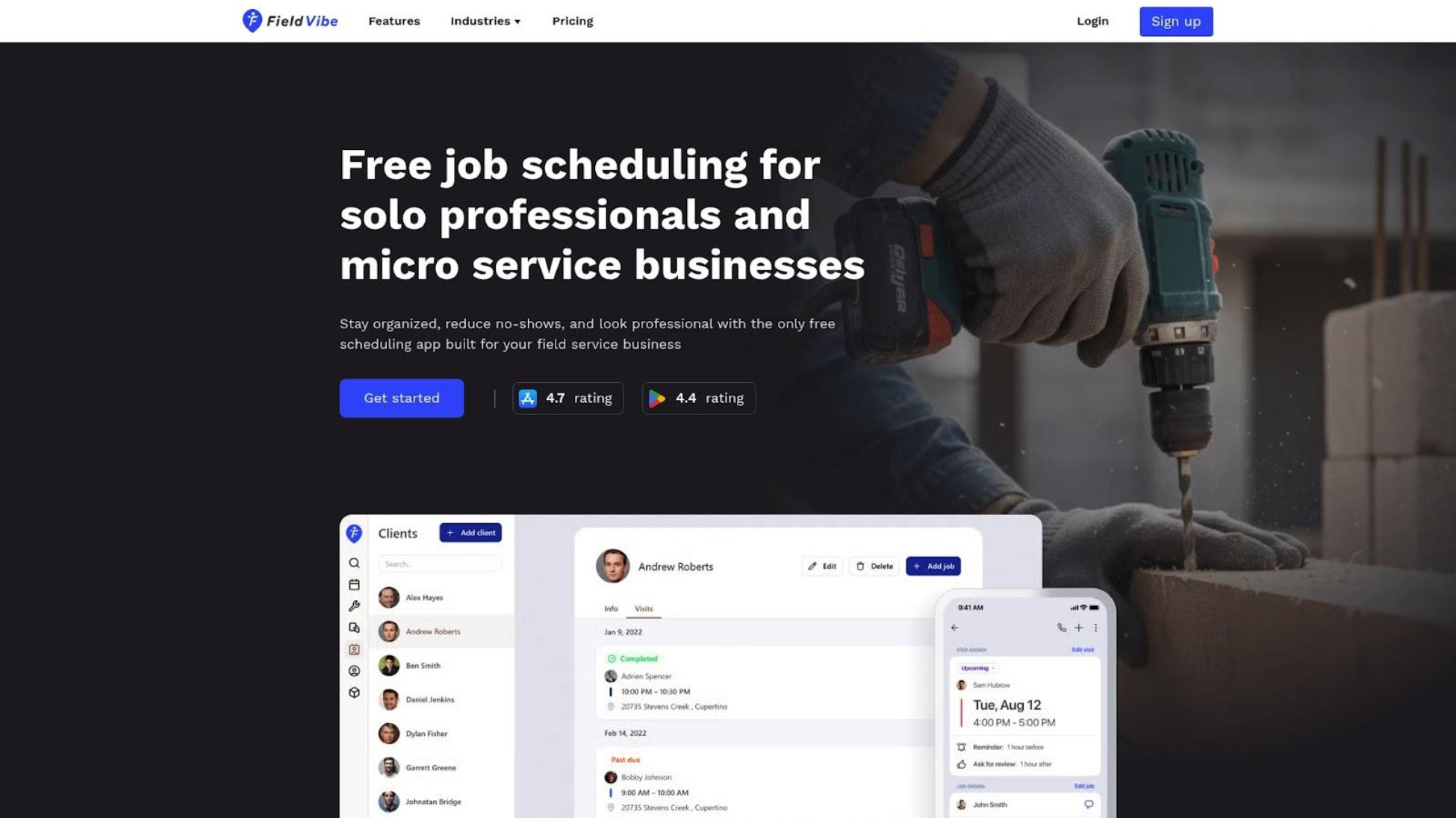
Rated 4.8/5.0 on the App Store, FieldVibe is a mobile and web job scheduling and appointment management app designed exclusively for solo and micro field service businesses in trades like HVAC, plumbing, lawn care, and cleaning. Unlike platforms that serve everyone from 1 to 1,000 employees, FieldVibe focuses on the specific needs of owner-operators who both do the work and handle scheduling. Most users schedule their first job within 5 minutes of downloading the app-no demos, no onboarding calls, no weekend training sessions. It's intentionally simple-a job calendar rather than a complex CRM-with the features micro businesses actually use daily.
Key Features
- Quick job creation and recurring appointments from mobile
- Manual and automated SMS reminders to reduce no-shows (included in free plan)
- Client history with notes, photos, and visit tracking
- Working time tracking for accurate billing and reports (paid plans)
- Team management and staff permissions (paid plans)
Best For
FieldVibe is ideal for solo operators and micro teams (1-9 employees) who want simple, mobile-first scheduling without enterprise complexity or enterprise prices. It's built for tradespeople currently using paper calendars or basic apps who need to look more professional and stop losing money to no-shows.
Pricing
Free forever for one-person businesses. Solo Pro plan ($20/month) adds multiple devices, time tracking, reports and 150 automated SMS/month. Crews plan ($50/month) includes unlimited staff, 400 automated SMS/month, and team management. No hidden fees, no per-user charges, no add-on traps.
The No-Show Math
A solo HVAC tech running 20 appointments/week at $150 average with a 15% no-show rate loses $450/week-$1,800/month-to missed appointments. FieldVibe reports automated SMS reminders can reduce no-shows by up to 80%. Cut that loss by 80% and you've recovered $1,440/month. That's why SMS reminders are included in FieldVibe's free tier (FieldVibe notifies you when you need to tap-to-send), not locked behind paid plans like competitors charge $20-50/month extra for.
Users on r/therapists validated the severity of this problem:
"The issue of no reimbursement for no shows is a big issue in our field, imo, and drives a lot of talented clinicians into pp who would otherwise prefer agency work."
- u/bobsatraveler
Strengths
- Only major option that's truly free for solo operators-not a limited trial
- SMS reminders included at every tier, addressing the #1 revenue leak micro businesses face
- Extreme simplicity means productive in minutes, not days or weeks
- One Reddit user from r/HVAC noted: "We found out about FieldVibe and it's been great, a good fit for our company"
Limitations
At this time, FieldVibe has a limited feature set-no invoicing, lite CRM, no route optimization or getting paid online. If you need quoting and invoicing integrated with scheduling, you'll need to do it with separate tools like QuickBooks or Wave-or choose an all-in-one platform like Jobber. The focus is entirely on scheduling and reminders rather than full business management.
Verdict
FieldVibe addresses the core needs of solo operators and micro teams better than any other option on this list. It's one of the few tools specifically designed for how 1-9 person operations actually work-not scaled-down enterprise software marketed to small businesses.
2. Jobber
Best All-in-One Platform for Small Teams Ready to Scale
Overview
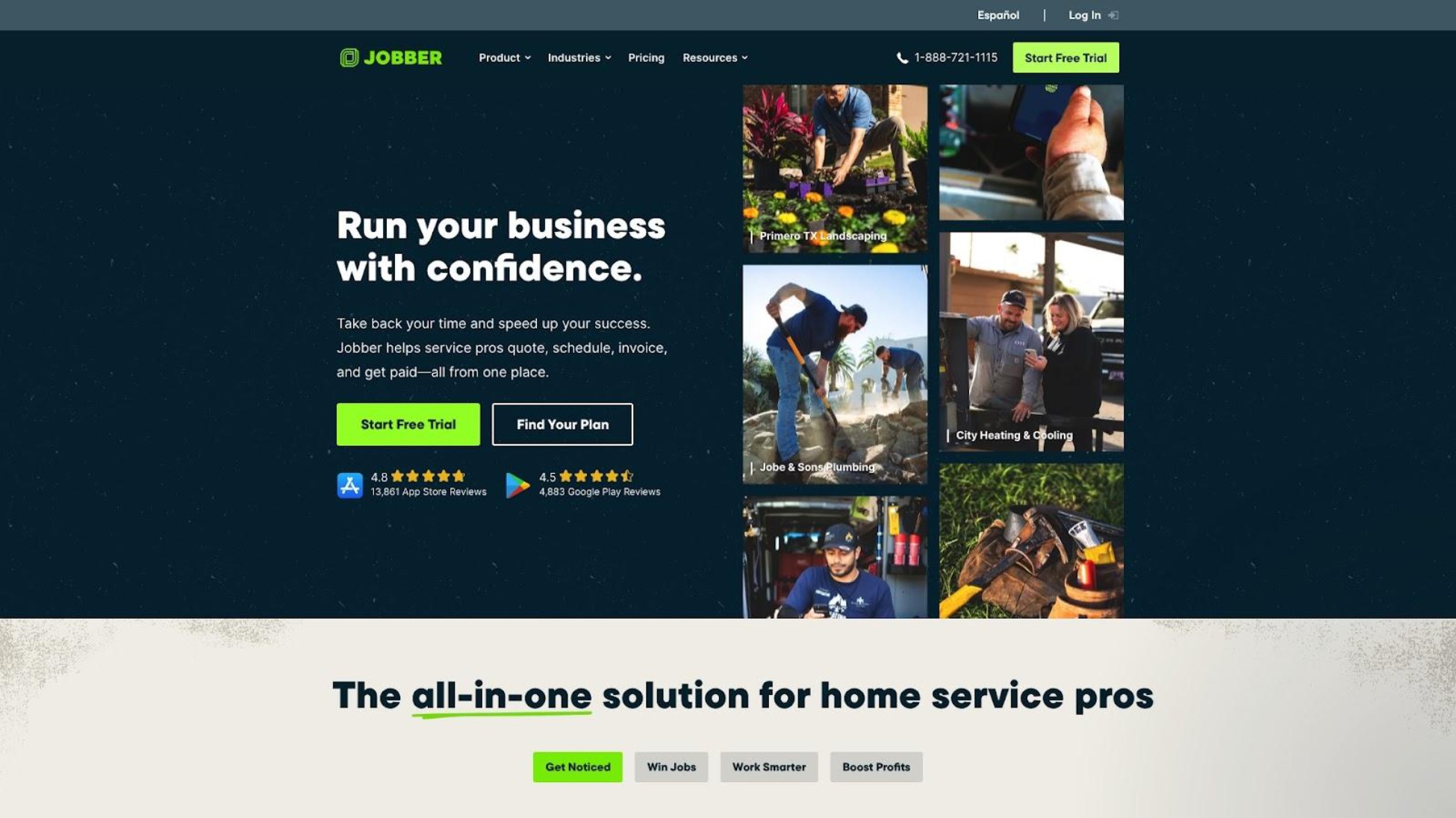
Jobber is a cloud-based field service management platform that combines scheduling, quoting, invoicing, and customer management. It's designed for small to midsize home service businesses and includes online booking, automated reminders, and QuickBooks/Xero integrations. Jobber positions itself as the complete business management tool for service companies, offering comprehensive features that reduce manual admin work through automation.
Key Features
- Drag-and-drop scheduling with GPS tracking
- Automated online booking and customer notifications
- One-click invoicing (Jobber claims this results in faster payment times)
- Client self-serve portal for job details and approvals
- Route optimization (higher tiers)
Best For
Jobber is ideal for small teams of 5-15 employees who need a complete business management platform-scheduling plus quoting, invoicing, and customer management. It's best for businesses ready to invest in process automation and willing to learn a moderately complex system.
Pricing
Core: $39/month (1 user). Connect: $119-169/month (1-5 users). Grow: $199-349/month (1-10 users). Plus: $599/month (15 users). Annual discounts available. Transaction fees apply on payment processing. Real all-in costs for 2-3 users: $1,000-4,000/year depending on tier and features needed.
Strengths
- Comprehensive feature set covering entire business workflow
- Strong automation reduces admin time significantly
- Good customer support-one user reports 4-hour response times
- Batch invoicing, integrations, and mobile app praised by users
Limitations
Reddit users consistently note Jobber feels "over-engineered" for 1-3 person businesses despite marketing to them. One user wrote:
"Jobber is honestly a marketing machine... But once you're inside the tool it kind of feels like it's built for a 20+ person company, not a small lawn care business."
- u/OptimalFoundation138
The cancellation process is also problematic-requiring multiple emails and phone calls during US business hours only, creating significant friction for users trying to leave.
Verdict
Excellent all-in-one platform for growing teams, but may be overkill for true solo operators. If you need full business management and have 5+ employees, Jobber delivers. If you just need scheduling and reminders, you're paying for features you won't use.
3. Housecall Pro
Best Mobile-First Platform for Home Service Professionals
Overview
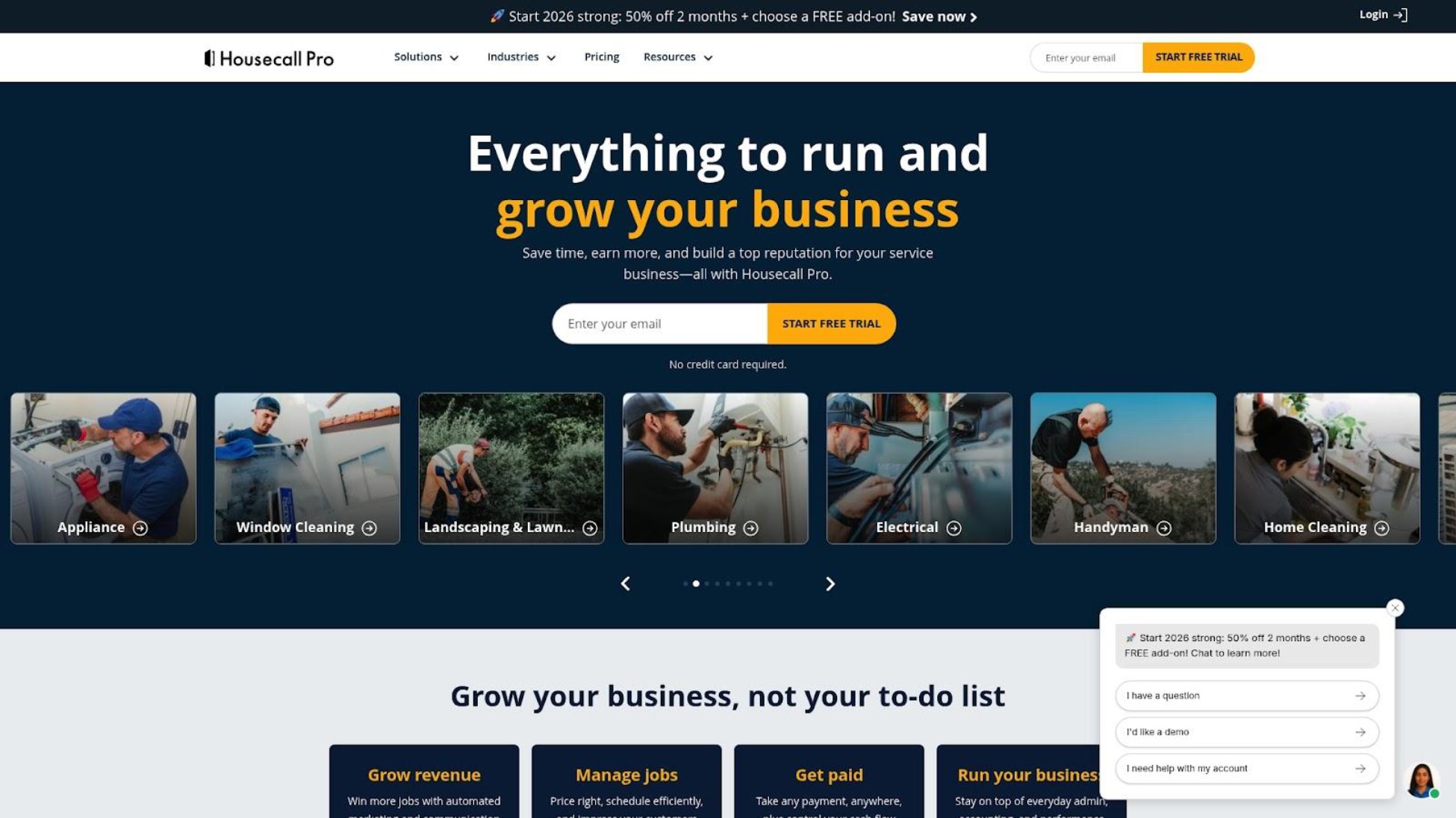
Housecall Pro is a field service management platform focused on home service businesses, offering scheduling, dispatching, invoicing, and customer communication. It's known for strong mobile performance and includes marketing tools like automated postcards and review management. The platform serves over 30,000 home service professionals with features designed specifically for residential service workflows.
Key Features
- Drag-and-drop scheduling with real-time dispatching
- AI-driven job assignments based on technician location
- Built-in marketing: postcards, emails, review management
- GPS-linked customer arrival updates
- Card processing at rates starting at 2.59%
Best For
Housecall Pro is ideal for home service businesses prioritizing mobile app reliability and wanting built-in marketing tools. It's particularly good for 3-8 person teams in residential services who want scheduling, invoicing, and customer communication in one platform.
Pricing
Basic: $59-79/month (1 user). Essentials: $149-189/month (5 users). Max: custom quote (8+ users). Watch out for add-ons: Sales Proposal ($40/month), Vehicle GPS ($20/vehicle/month), Flat-rate Price Book ($149/month). Real costs significantly exceed advertised base pricing-budget 30-50% above the listed price.
Strengths
- Mobile app performance is best-in-class-works reliably in low connectivity areas
- Marketing tools help generate reviews and repeat business without extra software
- English and Spanish support in the app
- GPS tracking and automated customer notifications enhance professionalism
Limitations
Reddit users describe the add-on pricing as "nickel and diming for every feature." One user noted:
"HCP expensive is an understatement. They nickel and dime you for every add on."
- u/lua7qas (deleted account)
The residential-focused name ("Housecall") also doesn't fit commercial operations well if you serve business clients.
Verdict
Strong choice for home service businesses prioritizing mobile reliability and wanting marketing tools included. Just budget 30-50% above the advertised price for add-ons you'll actually need.
4. Workiz
Best for Fast-Response Service Businesses
Overview
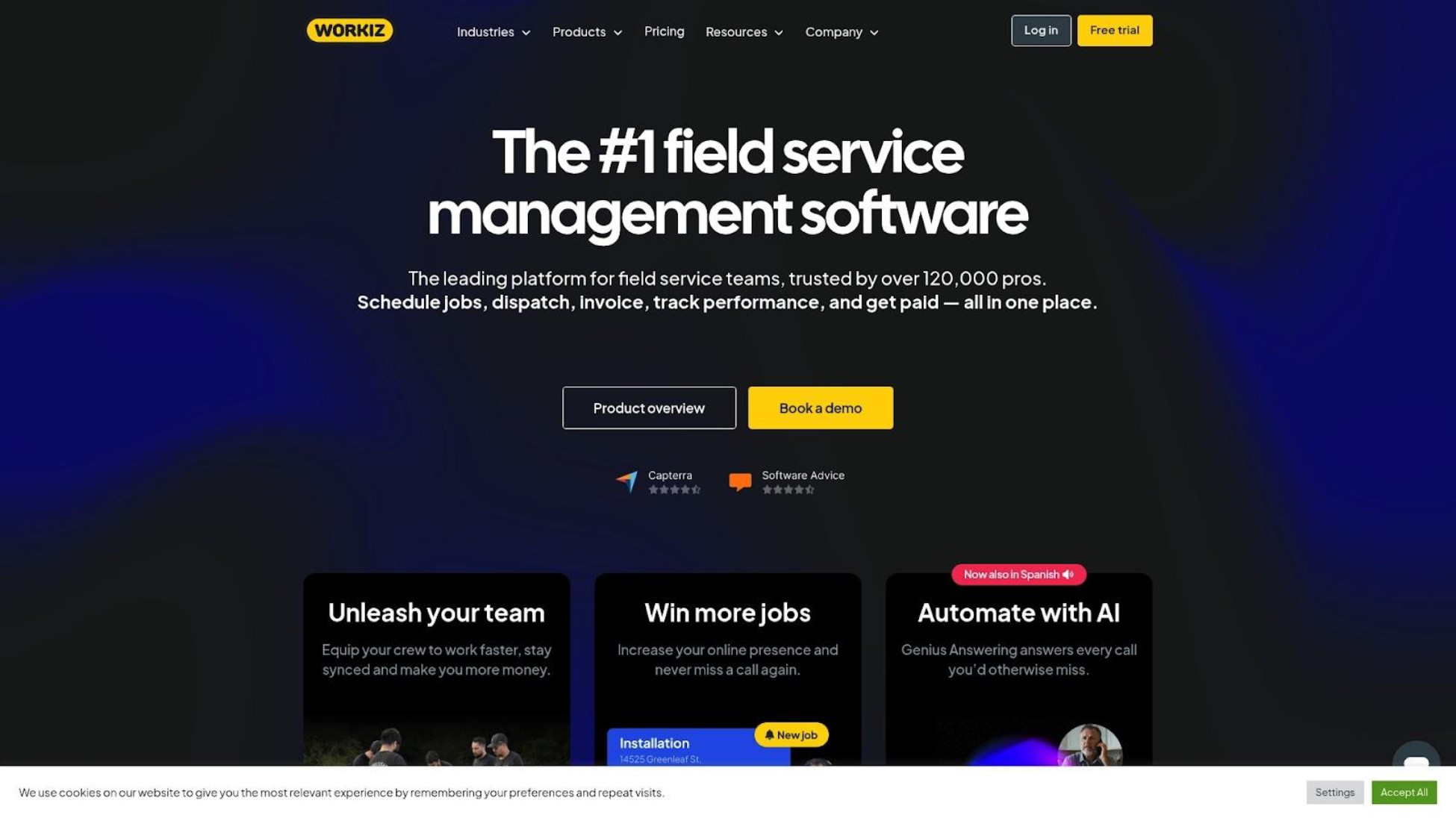
Workiz is a field service management platform designed for service businesses that need fast response times. It combines scheduling, dispatching, invoicing, and customer communication with a focus on intelligent dispatch and call management. It's popular among locksmith, plumbing, and HVAC businesses handling emergency calls where speed of response directly impacts revenue.
Key Features
- Intelligent dispatch board for quick job assignment
- Call booking and tracking integration
- Route planning and optimization
- Inventory tracking
- Customer communication tools
Best For
Workiz is ideal for service businesses handling emergency or same-day calls where dispatch speed is critical. Best for 3-10 person operations in locksmith, emergency plumbing, HVAC repair, or similar fast-response trades where urgency matters more than scheduled appointments.
Pricing
Pricing requires a quote from the vendor. Based on comparison sources, expect mid-range pricing similar to Jobber's lower-mid tiers ($100-200/month for small teams). Contact Workiz directly for current pricing.
Strengths
- Purpose-built for fast-response business workflows
- Strong call booking features for phone-heavy businesses
- Solid mobile support with route planning
- Dispatch optimization designed for emergency service speed
Limitations
Setup complexity noted by some users. Less suited for appointment-based businesses with scheduled maintenance work-the dispatch-focused design assumes urgency that routine service calls don't have. Pricing transparency is limited, requiring a sales conversation to determine actual costs.
Verdict
Excellent choice for emergency service businesses where dispatch speed drives revenue. If your operation is more scheduled maintenance than emergency response, other options may fit your workflow better.
5. ServiceM8
Best Affordable Option for Small Trade Businesses
Overview
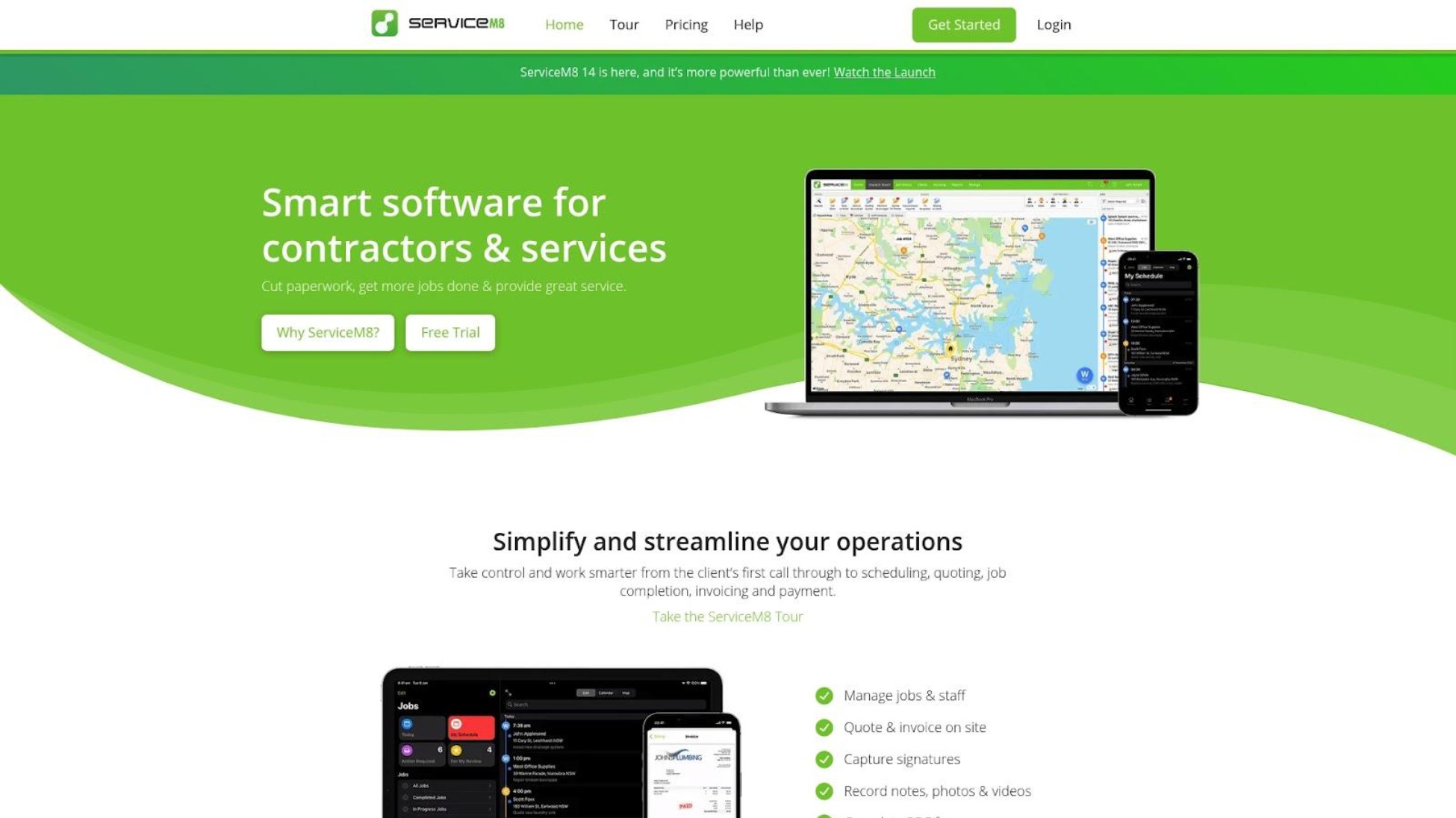
ServiceM8 is a job management platform originally built for Australian trade businesses, now serving international markets. It focuses on scheduling, quoting, invoicing, and job tracking with a simpler approach than enterprise platforms. It's known for strong iOS performance and trade-specific workflows built by people who understand field service operations.
Key Features
- Job scheduling with dispatch and tracking
- Quoting and invoicing
- Asset and equipment tracking
- Forms and checklists
- Integration with accounting software
Best For
ServiceM8 is ideal for small trade businesses (2-10 employees) wanting solid job management at reasonable prices. Particularly strong for iOS-dominant teams who find Jobber overpriced and businesses in Australia/UK/US markets.
Pricing
Pricing starts lower than Jobber with no per-user fees on most plans. Check their website for current pricing. Generally considered a more affordable alternative to Jobber for similar feature sets.
Strengths
- Better value than Jobber for similar core features
- No per-user pricing on most plans reduces costs for teams
- Strong trade-focused workflows built by people who understand the trades
- Particularly strong iOS app performance
Limitations
Android app has historically been reported as weaker than the iOS version. Some features are less polished than Jobber's implementation. Smaller marketing presence means a smaller community for support and resources.
Verdict
Solid mid-range option offering much of what Jobber does at lower cost. Worth evaluating if Jobber's pricing feels too steep for your team size, especially if your crew uses iPhones.
6. Kickserv
Best Free-Tier Option for Businesses Wanting More Than Scheduling

Overview
Kickserv is a field service management platform offering scheduling, invoicing, and customer management with a free tier for solo operators. It bridges the gap between basic scheduling apps and full business management platforms, making it accessible for businesses testing FSM software without upfront investment.
Key Features
- Job scheduling and dispatching
- Invoicing and payment processing
- Customer management and history
- Estimates and quoting
- Mobile app access
Best For
Kickserv is ideal for solo operators or small teams who want more than basic scheduling (need invoicing and customer management) but aren't ready to pay Jobber or Housecall Pro prices. Good for testing full FSM workflows before committing to paid platforms.
Pricing
Free tier available for solo operators with some limitations. Paid tiers start around $59/month. Check the vendor website for current pricing and feature limits on the free tier.
Strengths
- Free tier offers more functionality than most free options-includes invoicing
- Simple enough to learn quickly without training
- Lower barrier to entry for testing whether FSM software works for your business
- No credit card required for free tier
Limitations
Free tier has limitations on volume and features. Less polished than premium competitors like Jobber. Smaller user community means fewer online resources and integrations available.
Verdict
Good stepping stone for businesses outgrowing basic scheduling but not ready to commit to $100+/month platforms. If you just need scheduling and SMS, FieldVibe's free tier is more focused. If you want invoicing included free, Kickserv is worth trying.
7. FieldPulse
Best Mid-Market Option for Growing Teams
Overview
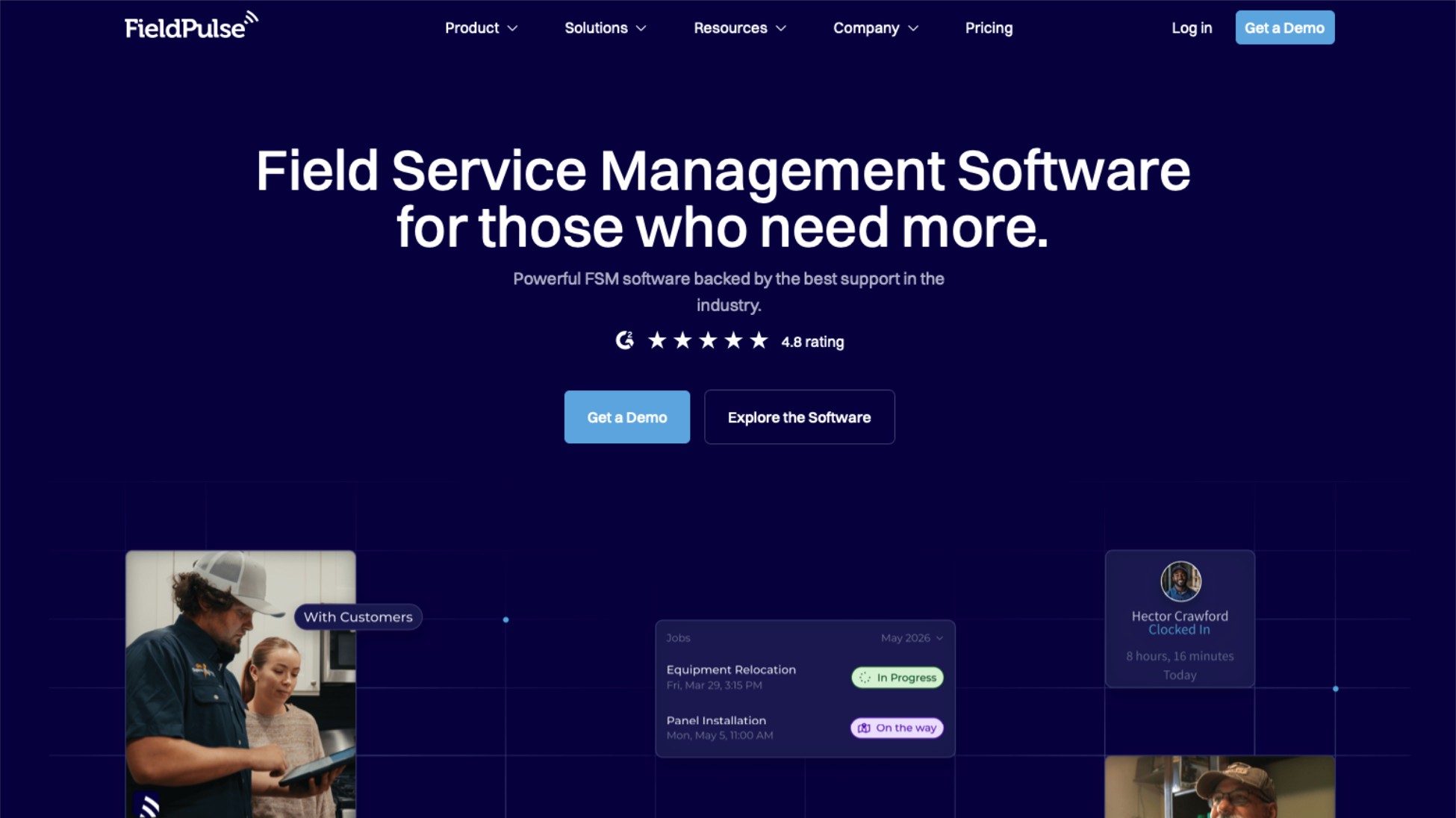
FieldPulse is a field service management platform targeting small to mid-size field teams. It combines scheduling, dispatch, invoicing, and customer management with automation features and a customer portal. Positioned as a balance between simplicity and advanced functionality for businesses growing beyond basic tools.
Key Features
- Automated scheduling and dispatch
- Customer portal for job details and approvals
- GPS tracking and fleet management
- Estimates and invoicing
- Dashboard reporting
Best For
FieldPulse is ideal for growing teams of 5-15 employees that have outgrown basic scheduling but don't need (or can't afford) enterprise platforms. Good for businesses wanting customer-facing portals and team tracking without ServiceTitan complexity.
Pricing
Pricing typically ranges $40-100+/user/month depending on features. Contact the vendor for current pricing. Generally positions between Jobber and ServiceTitan price points.
Strengths
- Strong automation reduces manual scheduling work
- Customer portal adds professionalism without complexity
- GPS and fleet features for teams with multiple vehicles
- Mid-market feature set without enterprise pricing
Limitations
May be overkill for solo operators or teams under 5 people-the features justify the cost at scale but not for very small teams. Pricing can add up with the per-user model as your team grows. Less brand recognition than Jobber or Housecall Pro means fewer integration partners.
Verdict
Solid mid-market option for teams that have outgrown basic tools but aren't ready for ServiceTitan. Compare against Jobber's Grow tier for feature-to-price value at your specific team size.
8. ServiceTitan
Best Enterprise Platform (But Overkill for Micro Businesses)
Overview
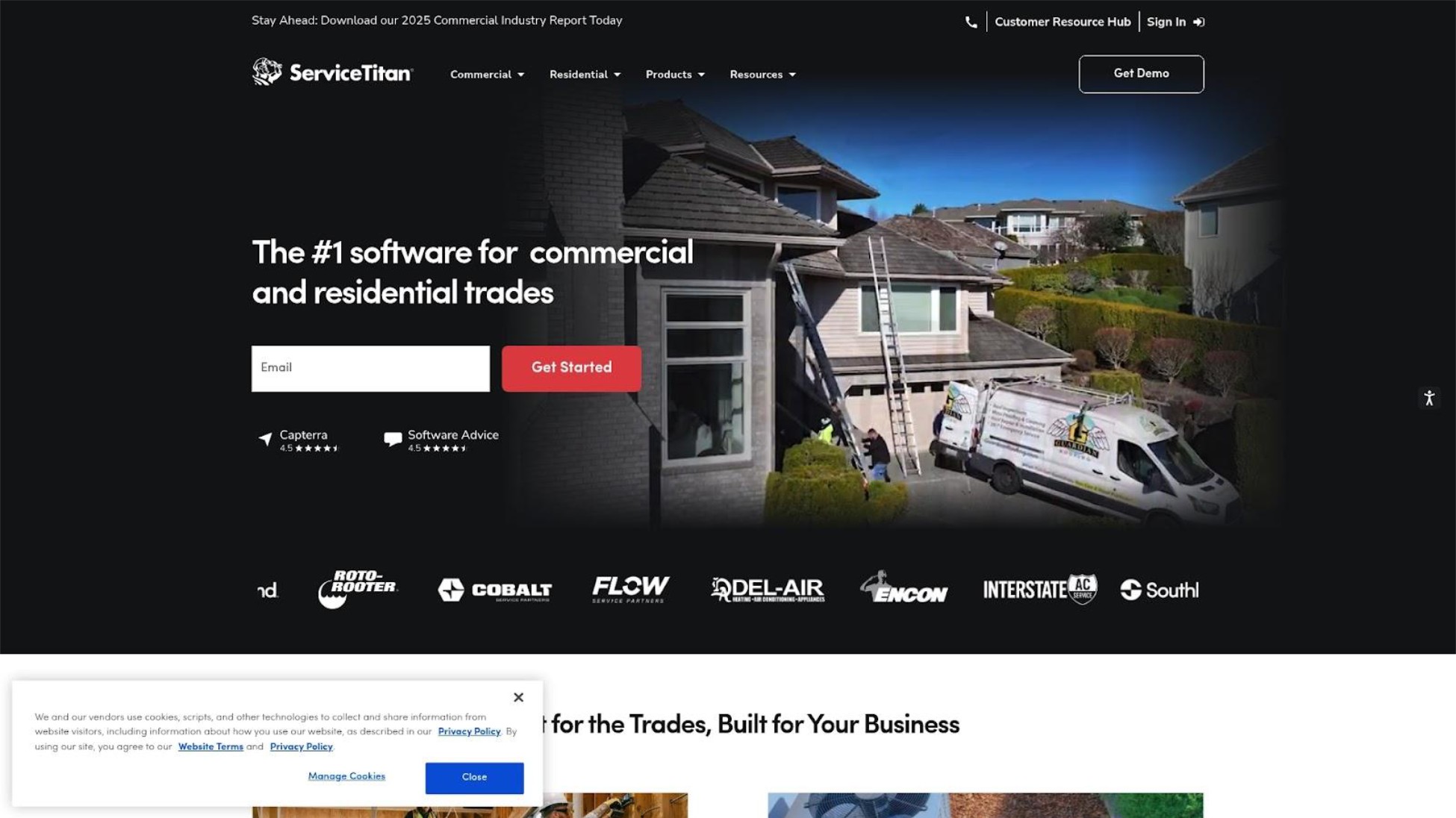
ServiceTitan is the leading all-in-one field service management and ERP platform for trades like HVAC, plumbing, and electrical. It integrates scheduling, dispatch, CRM, reporting, and invoicing with AI-powered optimization. It's designed for mid-to-large operations and is effectively the enterprise standard in the category.
Key Features
- AI-driven intelligent scheduling and dispatch
- Real-time GPS tracking and route optimization
- Comprehensive CRM and customer management
- Advanced reporting dashboards and KPIs
- Mobile app with field findings and upsell features
Best For
ServiceTitan is ideal for mid-to-large field service operations (20+ technicians) with dedicated office staff, high job volumes, and complex workflows. Companies with $2M+ revenue where enterprise features drive measurable ROI.
Pricing
According to Reddit discussions, pricing ranges from $235-325+/managed technician/month depending on package. One Reddit user reports approximately $58K/year for the full add-on suite (ServiceTitan plus Pricebook Pro, Marketing Pro, Dispatch Pro, and Scheduling Pro). Requires custom quote. Warning: many essential features are add-ons beyond the base price.
Strengths
- Most powerful feature set available-does virtually everything
- Proven ROI for larger operations-one user reported on Reddit 3x increase in average service ticket after adoption
- Industry standard for enterprise field service
- Comprehensive integrations with QuickBooks, NetSuite, and major platforms
Limitations
Reddit users describe implementation as "a nightmare" requiring "dedicated full-time staff." One user wrote: "I feel like I am trying to operate an aircraft carrier by myself." Customer support is described as "atrocious" with "MONTHS to respond to tickets." Software stability issues are common-"erases forms at least once a day." This is enterprise software explicitly not designed for solo operators or micro teams.
Verdict
The right choice for 20+ person operations ready to invest in enterprise infrastructure. For 1-9 person teams? It's like buying a commercial airplane to commute to work. Impressive, but wildly wrong for the job.
9. Zoho FSM
Best for Businesses Already in the Zoho Ecosystem
Overview
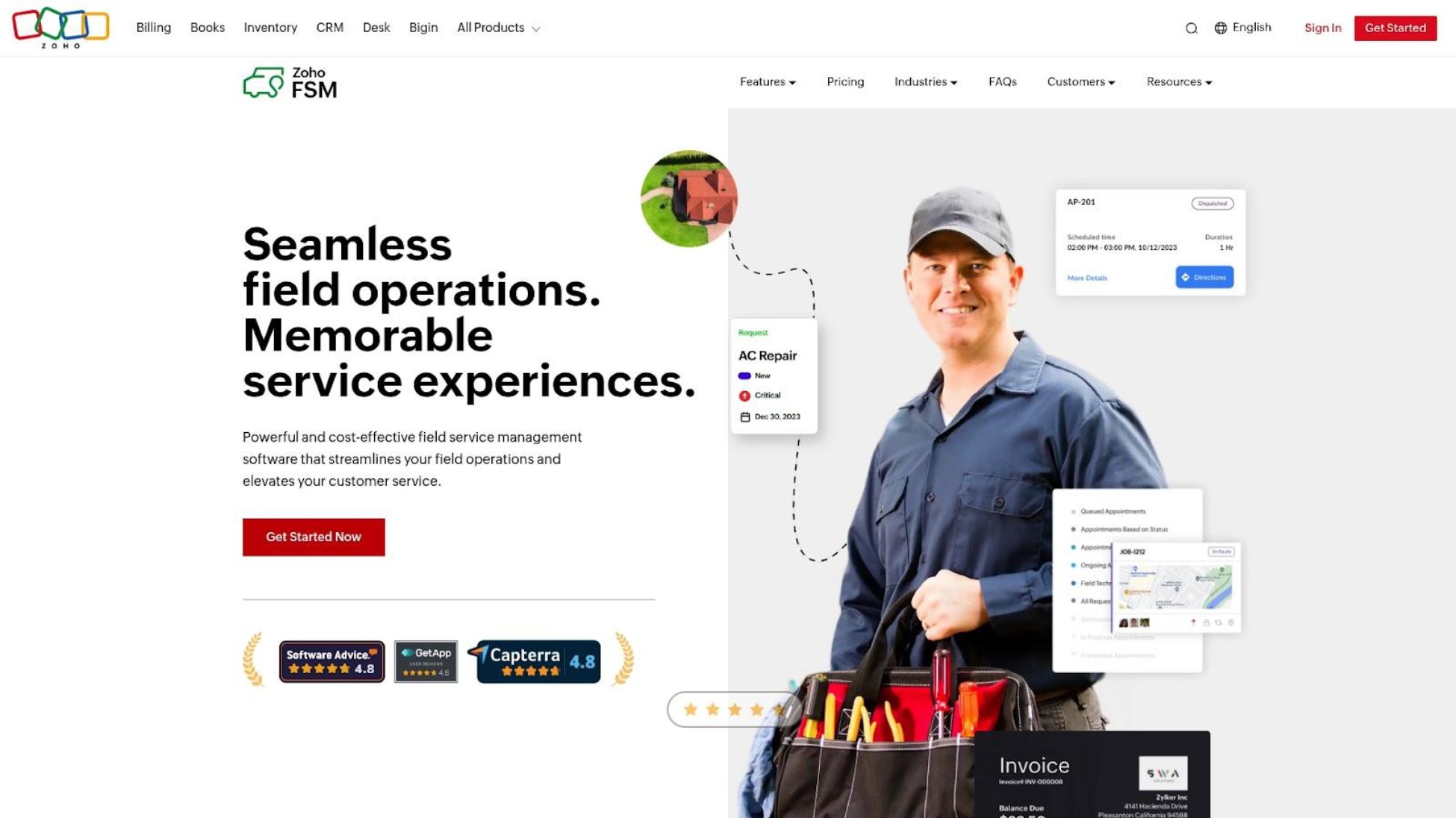
Zoho FSM is the field service management component of Zoho's broader business software ecosystem. It offers scheduling, dispatching, and work order management with seamless connections to Zoho CRM, Zoho Books, and other Zoho products. Designed for SMEs already invested in Zoho's platform who want integrated field service capabilities.
Key Features
- Job scheduling and dispatch
- Work order management
- Integration with Zoho CRM and Books
- Mobile app for field technicians
- Reporting and analytics
Best For
Zoho FSM is ideal for SMEs already using Zoho CRM, Zoho Books, or other Zoho products who want field service management integrated into their existing workflow. The value proposition is ecosystem integration, not standalone FSM features.
Pricing
Typically affordable for SMEs, with pricing integrated into broader Zoho subscriptions. Check Zoho's website for current FSM-specific pricing.
Strengths
- Seamless integration with Zoho's full business suite
- Affordable for businesses already paying for Zoho
- Familiar interface reduces learning curve for existing Zoho users
- Unified data across CRM, accounting, and field service
Limitations
Less compelling for businesses not in Zoho's ecosystem-you'd be adopting a whole platform, not just FSM. FSM features are less robust than dedicated platforms like Jobber. Limited community and third-party resources compared to market leaders.
Verdict
The obvious choice if you're already a Zoho shop. Otherwise, standalone FSM platforms offer better features and value for pure field service scheduling.
10. Service Fusion
Best Flat-Rate Pricing for Mid-Size Teams
Overview
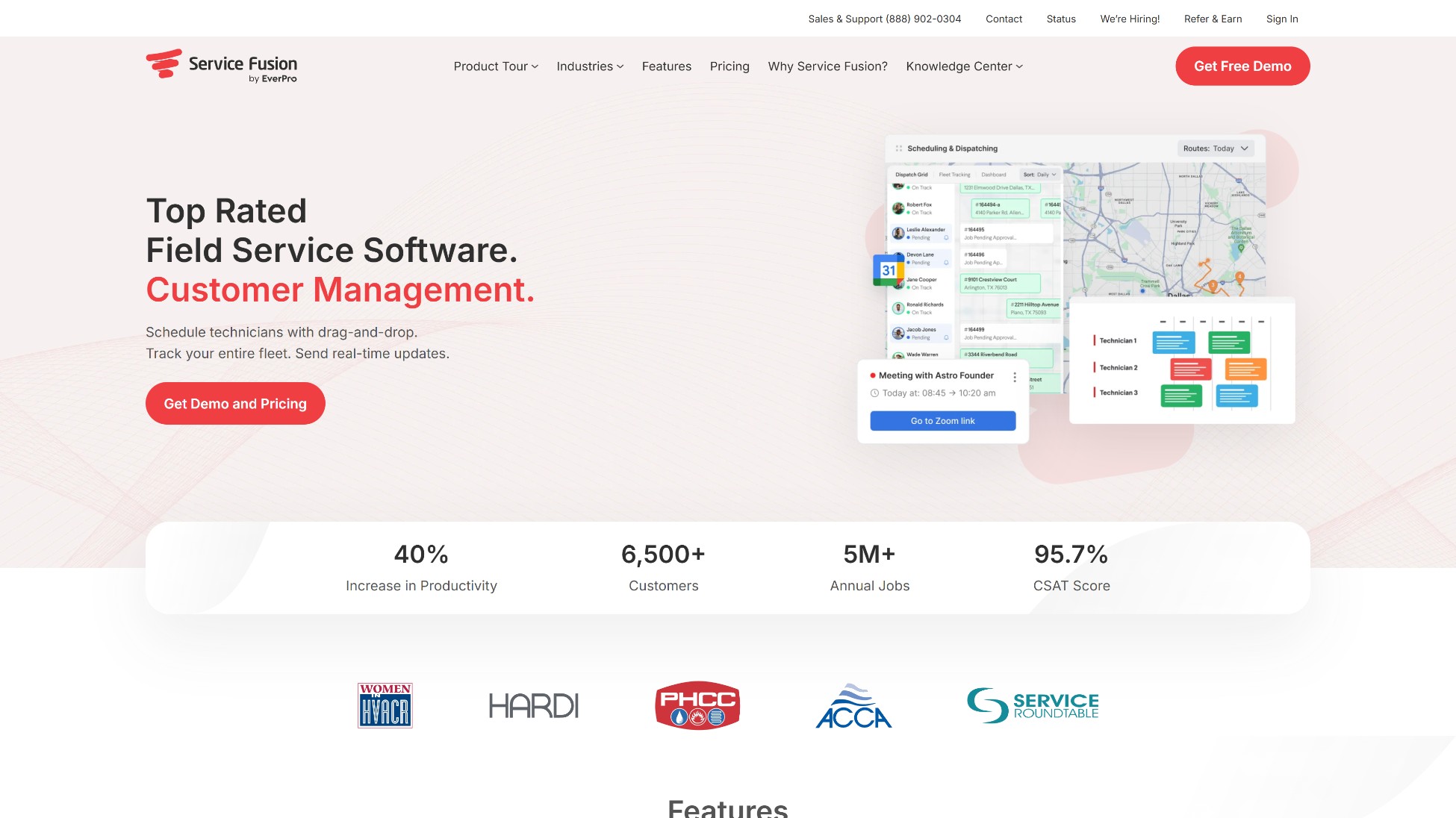
Service Fusion is a field service management platform offering scheduling, dispatching, invoicing, and customer management with a distinctive flat-rate pricing model. Unlike competitors charging per user, Service Fusion's pricing allows unlimited users at each tier, making it cost-effective for growing teams where per-user pricing becomes prohibitive.
Key Features
- Job scheduling and dispatch
- Invoicing and payment processing
- Customer management
- Estimates and proposals
- Reporting and analytics
Best For
Service Fusion is ideal for mid-size teams (10-25 employees) where per-user pricing from Jobber or ServiceTitan would be expensive. Good for businesses prioritizing predictable costs as they scale without surprise fees for adding team members.
Pricing
Flat-rate tiers typically ranging $125-350/month with unlimited users. Check the vendor website for current pricing. The value proposition is unlimited users-compare total cost to per-user alternatives at your specific team size.
Strengths
- Unlimited users at flat-rate pricing-rare in this category
- Predictable costs as team grows, no per-user surprise fees
- Full FSM feature set without per-user scaling
- Significant savings for teams of 10+ employees
Limitations
Less brand recognition means smaller community and fewer resources for troubleshooting. May lack some advanced features of market leaders like ServiceTitan. Not the best choice for solo operators where flat-rate pricing doesn't provide an advantage over free or cheap single-user options.
Verdict
Smart choice for mid-size teams frustrated with per-user pricing. Do the math: if you have 15 employees, Service Fusion's flat rate likely beats Jobber or ServiceTitan's per-user model significantly.
Red Flags to Watch For
When evaluating field service scheduling software, these warning signs suggest a provider may not deliver results:
Pricing Hidden Behind Sales Calls. If you can't see pricing on the website, assume it's expensive and the sales team's job is to get you committed before you know the cost. Transparent vendors show pricing upfront.
Difficult Cancellation Processes. Some platforms make cancellation intentionally frustrating-requiring phone calls during limited business hours, multiple emails, or manager approval. Test the cancellation policy before you commit.
Essential Features as Add-Ons. Watch for base prices that look reasonable until you realize GPS tracking, SMS automation, or reporting costs extra. Ask for total cost including everything you'll actually use.
"Ambassador" and Affiliate Marketing. Heavy influencer promotion and sponsored podcast ads can indicate the marketing budget exceeds the product development budget. Seek out unfiltered Reddit discussions, not paid reviews.
Complexity Marketed as Power. Enterprise features you'll never use aren't value-they're clutter. If the demo requires multiple sessions to explain, imagine training your team.
The field service scheduling tools worth using will welcome informed questions about their methodology and pricing transparency.
Questions to Ask When Evaluating Field Service Scheduling Software
Use these questions-derived from our ranking criteria-when assessing any field service scheduling or job management software:
- What's the total monthly cost for my team size, including all features I'll use? Get the real number, not the advertised starting price.
- Can I try it without talking to sales? Free trials without sales pressure indicate confidence in the product.
- How long will it take me to be productive? If the answer is weeks or requires training sessions, it may not fit your workflow.
- Are SMS/text reminders included or an add-on? This is the #1 feature for reducing no-shows-it shouldn't cost extra.
- What's the cancellation process? Test this before committing. Month-to-month with easy cancellation protects you.
- Who is this actually built for? Ask directly: "What's your average customer's team size?" If it's 25+ and you have 3 people, move on.
- Do I need full field service management or just scheduling? If your main problems are missed appointments and disorganized job details, you may only need scheduling with SMS reminders-not invoicing, CRM, and route optimization.
- What happens to my data if I switch? Scheduling-focused tools are easier to migrate from; full FSM platforms with years of customer history create more lock-in.
How We Ranked These Field Service Scheduling Tools
Traditional field service software evaluation focuses on feature counts and enterprise capabilities. Solo and micro businesses require different criteria. Here's what we assessed and why each factor matters:
True Cost for Solo/Micro Operations - What will you actually pay monthly? We looked beyond advertised base prices to include add-on fees, SMS overages, per-user charges, and transaction costs. Solo operators and micro teams are cost-conscious-you need to know the real number, not just marketing prices. We weighted True Cost and Actual Fit highest because these are the primary failure points-micro businesses most often regret choosing software that's too expensive or too complex for their operation.
Simplicity & Learning Curve - Can you figure this out on your phone between jobs? Tools requiring weekend training sessions or dedicated admin staff don't work for owner-operators who do the work AND handle scheduling. We prioritized software you can be productive with in minutes, not months.
No-Show Reduction (SMS reminders) - Missed appointments are the biggest revenue leak for small field service businesses. Automated SMS reminders are the #1 requested feature for reducing late cancellations. We evaluated how each tool handles this-and whether it's included or costs extra.
Actual Fit for 1-9 Person Operations - Many tools marketed to "small businesses" are really built for 20+ person companies with office staff. We assessed whether each platform genuinely serves micro operations or just claims to in their marketing, factoring in real user sentiment from Reddit and review platforms-not just vendor promises.
Frequently Asked Questions
What's the best free field service scheduling software?
For solo operators, FieldVibe offers the most complete free option-full scheduling, client history, visit tracking, and tap-to-send SMS reminders at no cost permanently.
Unlike limited free trials, FieldVibe's free tier includes all core features for one-person businesses. Kickserv also offers a free tier that includes basic invoicing, though with volume limitations.
How much does field service software really cost for a small team?
For a 5-person team: FieldVibe costs $50/month with text messages included (Crews plan). Jobber runs $119-169/month. Housecall Pro costs $149-189/month plus add-ons that can add $50-150/month more. ServiceTitan starts around $1,175/month for 5 technicians.
Always ask about add-on costs, SMS overage fees, and transaction charges-advertised prices rarely tell the full story.
Do I need full field service management software or just scheduling?
If your main problems are missed appointments, disorganized job details, and looking unprofessional to customers, you may only need scheduling with SMS reminders-not a full business suite.
Tools like FieldVibe focus on solving these specific problems without the complexity of invoicing, CRM, and route optimization. If you also need quoting, invoicing, and payment processing in one place, consider Jobber or Housecall Pro.
Conclusion
The four ranking criteria in this guide aren't just for evaluating these 10 options-they're a framework you can apply to any field service scheduling or job management software provider.
If you're a solo operator and just need scheduling, client tracking, and SMS reminders to stop losing money to no-shows, FieldVibe's free plan gives you everything essential without spending a dollar. If you're a small team of 5-15 employees ready for full business management-scheduling, quoting, invoicing, and payments in one place-Jobber or Housecall Pro deliver comprehensive platforms, though expect to pay $150-350/month and invest time learning the system. If you're scaling to 15+ employees and need team tracking, customer portals, and fleet management, evaluate FieldPulse or Service Fusion (for flat-rate pricing) before jumping to enterprise platforms. If you have 20+ technicians with dedicated office staff and complex workflows, ServiceTitan is the industry standard-but recognize that implementation requires dedicated admin staff and costs will exceed $200/technician/month.
The biggest mistake we see? Solo operators and micro teams buying enterprise software because it's "the best"-then paying hundreds monthly for features they never use while struggling with complexity designed for companies ten times their size. The software you need and the software everyone recommends are often two different things.
For companies serious about simple job scheduling and appointment management without the enterprise tax, FieldVibe lets you try a purpose-built solution free forever. No credit card, no sales calls, no pressure-just scheduling that actually fits how 1-9 person operations work.
The best field service scheduling software isn't the one with the most features-it's the one that disappears into your workflow and just works.
October 15, 2025
Top 10 Best Field Service Scheduling Software for Solo & Micro Businesses in 2026
You're losing money every time a customer no-shows. Between the scattered sticky notes, the text threads you can't find, and the "scheduling system" that's really just a paper calendar in your truck, something has to give. So you search for field service scheduling software-and every list recommends tools built for companies with 50 technicians and a full-time office manager.
As one user on r/smallbusiness described their struggle:
"My biggest piece of advice, Get an FSM (Field Service Management) tool immediately. Even something basic to automate your quotes and follow-ups. It feels like an expense, but it buys back the 10 hours of 'admin' that's currently killing your evenings."
- u/ratrod-
This guide ranks the top 10 field service scheduling and job scheduling software platforms specifically for solo operators and micro teams of 1-9 employees. We focused on what actually matters at your scale: real costs (not just advertised prices), learning curves you can handle between jobs, SMS automation for reducing no-shows, and whether the tool genuinely fits how small operations work-not just what vendors want you to buy.
Full Disclosure: This guide is published by FieldVibe, which is ranked #1 below. We've applied identical evaluation criteria to ourselves and competitors, included real user criticism of every option (including our own limitations), and verified competitor information from independent sources. Our goal is helping you find the right fit-even if that's not us.
Quick Comparison
1. FieldVibe
- Best For: Solo operators & micro teams (1-9)
- Key Capabilities: Quick job creation, SMS reminders, client history, time tracking
- Primary Strength: Only truly free option for solo operators with full scheduling features
- Key Limitation: No invoicing or CRM-purely scheduling-focused
2. Jobber
- Best For: Growing teams (5-15) needing full business management
- Key Capabilities: Scheduling, quoting, invoicing, online booking, QuickBooks integration
- Primary Strength: Comprehensive automation reduces admin time significantly
- Key Limitation: Over-engineered for 1-3 person businesses despite marketing to them
3. Housecall Pro
- Best For: Home service teams prioritizing mobile reliability
- Key Capabilities: AI dispatch, marketing tools, review management, GPS tracking
- Primary Strength: Mobile app works reliably in low connectivity areas
- Key Limitation: Add-on fees inflate total cost 30-50% above base price
4. Workiz
- Best For: Emergency/same-day service businesses
- Key Capabilities: Intelligent dispatch, call booking, route planning, inventory tracking
- Primary Strength: Purpose-built for fast-response workflows
- Key Limitation: Less suited for scheduled maintenance businesses
5. ServiceM8
- Best For: iOS-focused small trade businesses (2-10)
- Key Capabilities: Job scheduling, quoting, invoicing, asset tracking, accounting integration
- Primary Strength: Better value than Jobber for similar features, no per-user fees
- Key Limitation: Android app historically weaker than iOS version
6. Kickserv
- Best For: Solo ops wanting scheduling + invoicing free
- Key Capabilities: Scheduling, invoicing, customer management, estimates, mobile app
- Primary Strength: Free tier offers more functionality than most competitors
- Key Limitation: Less polished than premium options, limited volume on free tier
7. FieldPulse
- Best For: Growing teams (5-15) needing customer portals
- Key Capabilities: Automation, customer portals, GPS fleet tracking, estimates, reporting
- Primary Strength: Customer portal adds professionalism without complexity
- Key Limitation: May be overkill for teams under 5 people
8. ServiceTitan
- Best For: Enterprise operations (20+ technicians)
- Key Capabilities: AI scheduling, comprehensive CRM, advanced reporting, route optimization
- Primary Strength: Most powerful feature set available in the category
- Key Limitation: Requires dedicated admin staff; months of implementation
9. Zoho FSM
- Best For: Businesses already using Zoho products
- Key Capabilities: Job scheduling, work orders, Zoho CRM/Books integration, mobile app
- Primary Strength: Seamless integration with Zoho's full business suite
- Key Limitation: Limited value for non-Zoho businesses
10. Service Fusion
- Best For: Mid-size teams (10-25) wanting flat-rate pricing
- Key Capabilities: Scheduling, dispatch, invoicing, estimates, unlimited users per tier
- Primary Strength: Flat-rate pricing saves money at scale (no per-user fees)
- Key Limitation: Less brand recognition means smaller community
1. FieldVibe
Best Overall for Solo Operators & Micro Teams
Overview
Rated 4.8/5.0 on the App Store, FieldVibe is a mobile and web job scheduling and appointment management app designed exclusively for solo and micro field service businesses in trades like HVAC, plumbing, lawn care, and cleaning. Unlike platforms that serve everyone from 1 to 1,000 employees, FieldVibe focuses on the specific needs of owner-operators who both do the work and handle scheduling. Most users schedule their first job within 5 minutes of downloading the app-no demos, no onboarding calls, no weekend training sessions. It's intentionally simple-a job calendar rather than a complex CRM-with the features micro businesses actually use daily.
Key Features
- Quick job creation and recurring appointments from mobile
- Manual and automated SMS reminders to reduce no-shows (included in free plan)
- Client history with notes, photos, and visit tracking
- Working time tracking for accurate billing and reports (paid plans)
- Team management and staff permissions (paid plans)
Best For
FieldVibe is ideal for solo operators and micro teams (1-9 employees) who want simple, mobile-first scheduling without enterprise complexity or enterprise prices. It's built for tradespeople currently using paper calendars or basic apps who need to look more professional and stop losing money to no-shows.
Pricing
Free forever for one-person businesses. Solo Pro plan ($20/month) adds multiple devices, time tracking, reports and 150 automated SMS/month. Crews plan ($50/month) includes unlimited staff, 400 automated SMS/month, and team management. No hidden fees, no per-user charges, no add-on traps.
The No-Show Math
A solo HVAC tech running 20 appointments/week at $150 average with a 15% no-show rate loses $450/week-$1,800/month-to missed appointments. FieldVibe reports automated SMS reminders can reduce no-shows by up to 80%. Cut that loss by 80% and you've recovered $1,440/month. That's why SMS reminders are included in FieldVibe's free tier (FieldVibe notifies you when you need to tap-to-send), not locked behind paid plans like competitors charge $20-50/month extra for.
Users on r/therapists validated the severity of this problem:
"The issue of no reimbursement for no shows is a big issue in our field, imo, and drives a lot of talented clinicians into pp who would otherwise prefer agency work."
- u/bobsatraveler
Strengths
- Only major option that's truly free for solo operators-not a limited trial
- SMS reminders included at every tier, addressing the #1 revenue leak micro businesses face
- Extreme simplicity means productive in minutes, not days or weeks
- One Reddit user from r/HVAC noted: "We found out about FieldVibe and it's been great, a good fit for our company"
Limitations
At this time, FieldVibe has a limited feature set-no invoicing, lite CRM, no route optimization or getting paid online. If you need quoting and invoicing integrated with scheduling, you'll need to do it with separate tools like QuickBooks or Wave-or choose an all-in-one platform like Jobber. The focus is entirely on scheduling and reminders rather than full business management.
Verdict
FieldVibe addresses the core needs of solo operators and micro teams better than any other option on this list. It's one of the few tools specifically designed for how 1-9 person operations actually work-not scaled-down enterprise software marketed to small businesses.
2. Jobber
Best All-in-One Platform for Small Teams Ready to Scale
Overview
Jobber is a cloud-based field service management platform that combines scheduling, quoting, invoicing, and customer management. It's designed for small to midsize home service businesses and includes online booking, automated reminders, and QuickBooks/Xero integrations. Jobber positions itself as the complete business management tool for service companies, offering comprehensive features that reduce manual admin work through automation.
Key Features
- Drag-and-drop scheduling with GPS tracking
- Automated online booking and customer notifications
- One-click invoicing (Jobber claims this results in faster payment times)
- Client self-serve portal for job details and approvals
- Route optimization (higher tiers)
Best For
Jobber is ideal for small teams of 5-15 employees who need a complete business management platform-scheduling plus quoting, invoicing, and customer management. It's best for businesses ready to invest in process automation and willing to learn a moderately complex system.
Pricing
Core: $39/month (1 user). Connect: $119-169/month (1-5 users). Grow: $199-349/month (1-10 users). Plus: $599/month (15 users). Annual discounts available. Transaction fees apply on payment processing. Real all-in costs for 2-3 users: $1,000-4,000/year depending on tier and features needed.
Strengths
- Comprehensive feature set covering entire business workflow
- Strong automation reduces admin time significantly
- Good customer support-one user reports 4-hour response times
- Batch invoicing, integrations, and mobile app praised by users
Limitations
Reddit users consistently note Jobber feels "over-engineered" for 1-3 person businesses despite marketing to them. One user wrote:
"Jobber is honestly a marketing machine... But once you're inside the tool it kind of feels like it's built for a 20+ person company, not a small lawn care business."
- u/OptimalFoundation138
The cancellation process is also problematic-requiring multiple emails and phone calls during US business hours only, creating significant friction for users trying to leave.
Verdict
Excellent all-in-one platform for growing teams, but may be overkill for true solo operators. If you need full business management and have 5+ employees, Jobber delivers. If you just need scheduling and reminders, you're paying for features you won't use.
3. Housecall Pro
Best Mobile-First Platform for Home Service Professionals
Overview
Housecall Pro is a field service management platform focused on home service businesses, offering scheduling, dispatching, invoicing, and customer communication. It's known for strong mobile performance and includes marketing tools like automated postcards and review management. The platform serves over 30,000 home service professionals with features designed specifically for residential service workflows.
Key Features
- Drag-and-drop scheduling with real-time dispatching
- AI-driven job assignments based on technician location
- Built-in marketing: postcards, emails, review management
- GPS-linked customer arrival updates
- Card processing at rates starting at 2.59%
Best For
Housecall Pro is ideal for home service businesses prioritizing mobile app reliability and wanting built-in marketing tools. It's particularly good for 3-8 person teams in residential services who want scheduling, invoicing, and customer communication in one platform.
Pricing
Basic: $59-79/month (1 user). Essentials: $149-189/month (5 users). Max: custom quote (8+ users). Watch out for add-ons: Sales Proposal ($40/month), Vehicle GPS ($20/vehicle/month), Flat-rate Price Book ($149/month). Real costs significantly exceed advertised base pricing-budget 30-50% above the listed price.
Strengths
- Mobile app performance is best-in-class-works reliably in low connectivity areas
- Marketing tools help generate reviews and repeat business without extra software
- English and Spanish support in the app
- GPS tracking and automated customer notifications enhance professionalism
Limitations
Reddit users describe the add-on pricing as "nickel and diming for every feature." One user noted:
"HCP expensive is an understatement. They nickel and dime you for every add on."
- u/lua7qas (deleted account)
The residential-focused name ("Housecall") also doesn't fit commercial operations well if you serve business clients.
Verdict
Strong choice for home service businesses prioritizing mobile reliability and wanting marketing tools included. Just budget 30-50% above the advertised price for add-ons you'll actually need.
4. Workiz
Best for Fast-Response Service Businesses
Overview
Workiz is a field service management platform designed for service businesses that need fast response times. It combines scheduling, dispatching, invoicing, and customer communication with a focus on intelligent dispatch and call management. It's popular among locksmith, plumbing, and HVAC businesses handling emergency calls where speed of response directly impacts revenue.
Key Features
- Intelligent dispatch board for quick job assignment
- Call booking and tracking integration
- Route planning and optimization
- Inventory tracking
- Customer communication tools
Best For
Workiz is ideal for service businesses handling emergency or same-day calls where dispatch speed is critical. Best for 3-10 person operations in locksmith, emergency plumbing, HVAC repair, or similar fast-response trades where urgency matters more than scheduled appointments.
Pricing
Pricing requires a quote from the vendor. Based on comparison sources, expect mid-range pricing similar to Jobber's lower-mid tiers ($100-200/month for small teams). Contact Workiz directly for current pricing.
Strengths
- Purpose-built for fast-response business workflows
- Strong call booking features for phone-heavy businesses
- Solid mobile support with route planning
- Dispatch optimization designed for emergency service speed
Limitations
Setup complexity noted by some users. Less suited for appointment-based businesses with scheduled maintenance work-the dispatch-focused design assumes urgency that routine service calls don't have. Pricing transparency is limited, requiring a sales conversation to determine actual costs.
Verdict
Excellent choice for emergency service businesses where dispatch speed drives revenue. If your operation is more scheduled maintenance than emergency response, other options may fit your workflow better.
5. ServiceM8
Best Affordable Option for Small Trade Businesses
Overview
ServiceM8 is a job management platform originally built for Australian trade businesses, now serving international markets. It focuses on scheduling, quoting, invoicing, and job tracking with a simpler approach than enterprise platforms. It's known for strong iOS performance and trade-specific workflows built by people who understand field service operations.
Key Features
- Job scheduling with dispatch and tracking
- Quoting and invoicing
- Asset and equipment tracking
- Forms and checklists
- Integration with accounting software
Best For
ServiceM8 is ideal for small trade businesses (2-10 employees) wanting solid job management at reasonable prices. Particularly strong for iOS-dominant teams who find Jobber overpriced and businesses in Australia/UK/US markets.
Pricing
Pricing starts lower than Jobber with no per-user fees on most plans. Check their website for current pricing. Generally considered a more affordable alternative to Jobber for similar feature sets.
Strengths
- Better value than Jobber for similar core features
- No per-user pricing on most plans reduces costs for teams
- Strong trade-focused workflows built by people who understand the trades
- Particularly strong iOS app performance
Limitations
Android app has historically been reported as weaker than the iOS version. Some features are less polished than Jobber's implementation. Smaller marketing presence means a smaller community for support and resources.
Verdict
Solid mid-range option offering much of what Jobber does at lower cost. Worth evaluating if Jobber's pricing feels too steep for your team size, especially if your crew uses iPhones.
6. Kickserv
Best Free-Tier Option for Businesses Wanting More Than Scheduling
Overview
Kickserv is a field service management platform offering scheduling, invoicing, and customer management with a free tier for solo operators. It bridges the gap between basic scheduling apps and full business management platforms, making it accessible for businesses testing FSM software without upfront investment.
Key Features
- Job scheduling and dispatching
- Invoicing and payment processing
- Customer management and history
- Estimates and quoting
- Mobile app access
Best For
Kickserv is ideal for solo operators or small teams who want more than basic scheduling (need invoicing and customer management) but aren't ready to pay Jobber or Housecall Pro prices. Good for testing full FSM workflows before committing to paid platforms.
Pricing
Free tier available for solo operators with some limitations. Paid tiers start around $59/month. Check the vendor website for current pricing and feature limits on the free tier.
Strengths
- Free tier offers more functionality than most free options-includes invoicing
- Simple enough to learn quickly without training
- Lower barrier to entry for testing whether FSM software works for your business
- No credit card required for free tier
Limitations
Free tier has limitations on volume and features. Less polished than premium competitors like Jobber. Smaller user community means fewer online resources and integrations available.
Verdict
Good stepping stone for businesses outgrowing basic scheduling but not ready to commit to $100+/month platforms. If you just need scheduling and SMS, FieldVibe's free tier is more focused. If you want invoicing included free, Kickserv is worth trying.
7. FieldPulse
Best Mid-Market Option for Growing Teams
Overview
FieldPulse is a field service management platform targeting small to mid-size field teams. It combines scheduling, dispatch, invoicing, and customer management with automation features and a customer portal. Positioned as a balance between simplicity and advanced functionality for businesses growing beyond basic tools.
Key Features
- Automated scheduling and dispatch
- Customer portal for job details and approvals
- GPS tracking and fleet management
- Estimates and invoicing
- Dashboard reporting
Best For
FieldPulse is ideal for growing teams of 5-15 employees that have outgrown basic scheduling but don't need (or can't afford) enterprise platforms. Good for businesses wanting customer-facing portals and team tracking without ServiceTitan complexity.
Pricing
Pricing typically ranges $40-100+/user/month depending on features. Contact the vendor for current pricing. Generally positions between Jobber and ServiceTitan price points.
Strengths
- Strong automation reduces manual scheduling work
- Customer portal adds professionalism without complexity
- GPS and fleet features for teams with multiple vehicles
- Mid-market feature set without enterprise pricing
Limitations
May be overkill for solo operators or teams under 5 people-the features justify the cost at scale but not for very small teams. Pricing can add up with the per-user model as your team grows. Less brand recognition than Jobber or Housecall Pro means fewer integration partners.
Verdict
Solid mid-market option for teams that have outgrown basic tools but aren't ready for ServiceTitan. Compare against Jobber's Grow tier for feature-to-price value at your specific team size.
8. ServiceTitan
Best Enterprise Platform (But Overkill for Micro Businesses)
Overview
ServiceTitan is the leading all-in-one field service management and ERP platform for trades like HVAC, plumbing, and electrical. It integrates scheduling, dispatch, CRM, reporting, and invoicing with AI-powered optimization. It's designed for mid-to-large operations and is effectively the enterprise standard in the category.
Key Features
- AI-driven intelligent scheduling and dispatch
- Real-time GPS tracking and route optimization
- Comprehensive CRM and customer management
- Advanced reporting dashboards and KPIs
- Mobile app with field findings and upsell features
Best For
ServiceTitan is ideal for mid-to-large field service operations (20+ technicians) with dedicated office staff, high job volumes, and complex workflows. Companies with $2M+ revenue where enterprise features drive measurable ROI.
Pricing
According to Reddit discussions, pricing ranges from $235-325+/managed technician/month depending on package. One Reddit user reports approximately $58K/year for the full add-on suite (ServiceTitan plus Pricebook Pro, Marketing Pro, Dispatch Pro, and Scheduling Pro). Requires custom quote. Warning: many essential features are add-ons beyond the base price.
Strengths
- Most powerful feature set available-does virtually everything
- Proven ROI for larger operations-one user reported on Reddit 3x increase in average service ticket after adoption
- Industry standard for enterprise field service
- Comprehensive integrations with QuickBooks, NetSuite, and major platforms
Limitations
Reddit users describe implementation as "a nightmare" requiring "dedicated full-time staff." One user wrote: "I feel like I am trying to operate an aircraft carrier by myself." Customer support is described as "atrocious" with "MONTHS to respond to tickets." Software stability issues are common-"erases forms at least once a day." This is enterprise software explicitly not designed for solo operators or micro teams.
Verdict
The right choice for 20+ person operations ready to invest in enterprise infrastructure. For 1-9 person teams? It's like buying a commercial airplane to commute to work. Impressive, but wildly wrong for the job.
9. Zoho FSM
Best for Businesses Already in the Zoho Ecosystem
Overview
Zoho FSM is the field service management component of Zoho's broader business software ecosystem. It offers scheduling, dispatching, and work order management with seamless connections to Zoho CRM, Zoho Books, and other Zoho products. Designed for SMEs already invested in Zoho's platform who want integrated field service capabilities.
Key Features
- Job scheduling and dispatch
- Work order management
- Integration with Zoho CRM and Books
- Mobile app for field technicians
- Reporting and analytics
Best For
Zoho FSM is ideal for SMEs already using Zoho CRM, Zoho Books, or other Zoho products who want field service management integrated into their existing workflow. The value proposition is ecosystem integration, not standalone FSM features.
Pricing
Typically affordable for SMEs, with pricing integrated into broader Zoho subscriptions. Check Zoho's website for current FSM-specific pricing.
Strengths
- Seamless integration with Zoho's full business suite
- Affordable for businesses already paying for Zoho
- Familiar interface reduces learning curve for existing Zoho users
- Unified data across CRM, accounting, and field service
Limitations
Less compelling for businesses not in Zoho's ecosystem-you'd be adopting a whole platform, not just FSM. FSM features are less robust than dedicated platforms like Jobber. Limited community and third-party resources compared to market leaders.
Verdict
The obvious choice if you're already a Zoho shop. Otherwise, standalone FSM platforms offer better features and value for pure field service scheduling.
10. Service Fusion
Best Flat-Rate Pricing for Mid-Size Teams
Overview
Service Fusion is a field service management platform offering scheduling, dispatching, invoicing, and customer management with a distinctive flat-rate pricing model. Unlike competitors charging per user, Service Fusion's pricing allows unlimited users at each tier, making it cost-effective for growing teams where per-user pricing becomes prohibitive.
Key Features
- Job scheduling and dispatch
- Invoicing and payment processing
- Customer management
- Estimates and proposals
- Reporting and analytics
Best For
Service Fusion is ideal for mid-size teams (10-25 employees) where per-user pricing from Jobber or ServiceTitan would be expensive. Good for businesses prioritizing predictable costs as they scale without surprise fees for adding team members.
Pricing
Flat-rate tiers typically ranging $125-350/month with unlimited users. Check the vendor website for current pricing. The value proposition is unlimited users-compare total cost to per-user alternatives at your specific team size.
Strengths
- Unlimited users at flat-rate pricing-rare in this category
- Predictable costs as team grows, no per-user surprise fees
- Full FSM feature set without per-user scaling
- Significant savings for teams of 10+ employees
Limitations
Less brand recognition means smaller community and fewer resources for troubleshooting. May lack some advanced features of market leaders like ServiceTitan. Not the best choice for solo operators where flat-rate pricing doesn't provide an advantage over free or cheap single-user options.
Verdict
Smart choice for mid-size teams frustrated with per-user pricing. Do the math: if you have 15 employees, Service Fusion's flat rate likely beats Jobber or ServiceTitan's per-user model significantly.
Red Flags to Watch For
When evaluating field service scheduling software, these warning signs suggest a provider may not deliver results:
Pricing Hidden Behind Sales Calls. If you can't see pricing on the website, assume it's expensive and the sales team's job is to get you committed before you know the cost. Transparent vendors show pricing upfront.
Difficult Cancellation Processes. Some platforms make cancellation intentionally frustrating-requiring phone calls during limited business hours, multiple emails, or manager approval. Test the cancellation policy before you commit.
Essential Features as Add-Ons. Watch for base prices that look reasonable until you realize GPS tracking, SMS automation, or reporting costs extra. Ask for total cost including everything you'll actually use.
"Ambassador" and Affiliate Marketing. Heavy influencer promotion and sponsored podcast ads can indicate the marketing budget exceeds the product development budget. Seek out unfiltered Reddit discussions, not paid reviews.
Complexity Marketed as Power. Enterprise features you'll never use aren't value-they're clutter. If the demo requires multiple sessions to explain, imagine training your team.
The field service scheduling tools worth using will welcome informed questions about their methodology and pricing transparency.
Questions to Ask When Evaluating Field Service Scheduling Software
Use these questions-derived from our ranking criteria-when assessing any field service scheduling or job management software:
- What's the total monthly cost for my team size, including all features I'll use? Get the real number, not the advertised starting price.
- Can I try it without talking to sales? Free trials without sales pressure indicate confidence in the product.
- How long will it take me to be productive? If the answer is weeks or requires training sessions, it may not fit your workflow.
- Are SMS/text reminders included or an add-on? This is the #1 feature for reducing no-shows-it shouldn't cost extra.
- What's the cancellation process? Test this before committing. Month-to-month with easy cancellation protects you.
- Who is this actually built for? Ask directly: "What's your average customer's team size?" If it's 25+ and you have 3 people, move on.
- Do I need full field service management or just scheduling? If your main problems are missed appointments and disorganized job details, you may only need scheduling with SMS reminders-not invoicing, CRM, and route optimization.
- What happens to my data if I switch? Scheduling-focused tools are easier to migrate from; full FSM platforms with years of customer history create more lock-in.
How We Ranked These Field Service Scheduling Tools
Traditional field service software evaluation focuses on feature counts and enterprise capabilities. Solo and micro businesses require different criteria. Here's what we assessed and why each factor matters:
True Cost for Solo/Micro Operations - What will you actually pay monthly? We looked beyond advertised base prices to include add-on fees, SMS overages, per-user charges, and transaction costs. Solo operators and micro teams are cost-conscious-you need to know the real number, not just marketing prices. We weighted True Cost and Actual Fit highest because these are the primary failure points-micro businesses most often regret choosing software that's too expensive or too complex for their operation.
Simplicity & Learning Curve - Can you figure this out on your phone between jobs? Tools requiring weekend training sessions or dedicated admin staff don't work for owner-operators who do the work AND handle scheduling. We prioritized software you can be productive with in minutes, not months.
No-Show Reduction (SMS reminders) - Missed appointments are the biggest revenue leak for small field service businesses. Automated SMS reminders are the #1 requested feature for reducing late cancellations. We evaluated how each tool handles this-and whether it's included or costs extra.
Actual Fit for 1-9 Person Operations - Many tools marketed to "small businesses" are really built for 20+ person companies with office staff. We assessed whether each platform genuinely serves micro operations or just claims to in their marketing, factoring in real user sentiment from Reddit and review platforms-not just vendor promises.
Frequently Asked Questions
What's the best free field service scheduling software?
For solo operators, FieldVibe offers the most complete free option-full scheduling, client history, visit tracking, and tap-to-send SMS reminders at no cost permanently.
Unlike limited free trials, FieldVibe's free tier includes all core features for one-person businesses. Kickserv also offers a free tier that includes basic invoicing, though with volume limitations.
How much does field service software really cost for a small team?
For a 5-person team: FieldVibe costs $50/month with text messages included (Crews plan). Jobber runs $119-169/month. Housecall Pro costs $149-189/month plus add-ons that can add $50-150/month more. ServiceTitan starts around $1,175/month for 5 technicians.
Always ask about add-on costs, SMS overage fees, and transaction charges-advertised prices rarely tell the full story.
Do I need full field service management software or just scheduling?
If your main problems are missed appointments, disorganized job details, and looking unprofessional to customers, you may only need scheduling with SMS reminders-not a full business suite.
Tools like FieldVibe focus on solving these specific problems without the complexity of invoicing, CRM, and route optimization. If you also need quoting, invoicing, and payment processing in one place, consider Jobber or Housecall Pro.
Conclusion
The four ranking criteria in this guide aren't just for evaluating these 10 options-they're a framework you can apply to any field service scheduling or job management software provider.
If you're a solo operator and just need scheduling, client tracking, and SMS reminders to stop losing money to no-shows, FieldVibe's free plan gives you everything essential without spending a dollar. If you're a small team of 5-15 employees ready for full business management-scheduling, quoting, invoicing, and payments in one place-Jobber or Housecall Pro deliver comprehensive platforms, though expect to pay $150-350/month and invest time learning the system. If you're scaling to 15+ employees and need team tracking, customer portals, and fleet management, evaluate FieldPulse or Service Fusion (for flat-rate pricing) before jumping to enterprise platforms. If you have 20+ technicians with dedicated office staff and complex workflows, ServiceTitan is the industry standard-but recognize that implementation requires dedicated admin staff and costs will exceed $200/technician/month.
The biggest mistake we see? Solo operators and micro teams buying enterprise software because it's "the best"-then paying hundreds monthly for features they never use while struggling with complexity designed for companies ten times their size. The software you need and the software everyone recommends are often two different things.
For companies serious about simple job scheduling and appointment management without the enterprise tax, FieldVibe lets you try a purpose-built solution free forever. No credit card, no sales calls, no pressure-just scheduling that actually fits how 1-9 person operations work.
The best field service scheduling software isn't the one with the most features-it's the one that disappears into your workflow and just works.
October 15, 2025
Top 10 Best Field Service Scheduling Software for Solo & Micro Businesses in 2026
You're losing money every time a customer no-shows. Between the scattered sticky notes, the text threads you can't find, and the "scheduling system" that's really just a paper calendar in your truck, something has to give. So you search for field service scheduling software-and every list recommends tools built for companies with 50 technicians and a full-time office manager.
As one user on r/smallbusiness described their struggle:
"My biggest piece of advice, Get an FSM (Field Service Management) tool immediately. Even something basic to automate your quotes and follow-ups. It feels like an expense, but it buys back the 10 hours of 'admin' that's currently killing your evenings."
- u/ratrod-
This guide ranks the top 10 field service scheduling and job scheduling software platforms specifically for solo operators and micro teams of 1-9 employees. We focused on what actually matters at your scale: real costs (not just advertised prices), learning curves you can handle between jobs, SMS automation for reducing no-shows, and whether the tool genuinely fits how small operations work-not just what vendors want you to buy.
Full Disclosure: This guide is published by FieldVibe, which is ranked #1 below. We've applied identical evaluation criteria to ourselves and competitors, included real user criticism of every option (including our own limitations), and verified competitor information from independent sources. Our goal is helping you find the right fit-even if that's not us.
Quick Comparison
1. FieldVibe
- Best For: Solo operators & micro teams (1-9)
- Key Capabilities: Quick job creation, SMS reminders, client history, time tracking
- Primary Strength: Only truly free option for solo operators with full scheduling features
- Key Limitation: No invoicing or CRM-purely scheduling-focused
2. Jobber
- Best For: Growing teams (5-15) needing full business management
- Key Capabilities: Scheduling, quoting, invoicing, online booking, QuickBooks integration
- Primary Strength: Comprehensive automation reduces admin time significantly
- Key Limitation: Over-engineered for 1-3 person businesses despite marketing to them
3. Housecall Pro
- Best For: Home service teams prioritizing mobile reliability
- Key Capabilities: AI dispatch, marketing tools, review management, GPS tracking
- Primary Strength: Mobile app works reliably in low connectivity areas
- Key Limitation: Add-on fees inflate total cost 30-50% above base price
4. Workiz
- Best For: Emergency/same-day service businesses
- Key Capabilities: Intelligent dispatch, call booking, route planning, inventory tracking
- Primary Strength: Purpose-built for fast-response workflows
- Key Limitation: Less suited for scheduled maintenance businesses
5. ServiceM8
- Best For: iOS-focused small trade businesses (2-10)
- Key Capabilities: Job scheduling, quoting, invoicing, asset tracking, accounting integration
- Primary Strength: Better value than Jobber for similar features, no per-user fees
- Key Limitation: Android app historically weaker than iOS version
6. Kickserv
- Best For: Solo ops wanting scheduling + invoicing free
- Key Capabilities: Scheduling, invoicing, customer management, estimates, mobile app
- Primary Strength: Free tier offers more functionality than most competitors
- Key Limitation: Less polished than premium options, limited volume on free tier
7. FieldPulse
- Best For: Growing teams (5-15) needing customer portals
- Key Capabilities: Automation, customer portals, GPS fleet tracking, estimates, reporting
- Primary Strength: Customer portal adds professionalism without complexity
- Key Limitation: May be overkill for teams under 5 people
8. ServiceTitan
- Best For: Enterprise operations (20+ technicians)
- Key Capabilities: AI scheduling, comprehensive CRM, advanced reporting, route optimization
- Primary Strength: Most powerful feature set available in the category
- Key Limitation: Requires dedicated admin staff; months of implementation
9. Zoho FSM
- Best For: Businesses already using Zoho products
- Key Capabilities: Job scheduling, work orders, Zoho CRM/Books integration, mobile app
- Primary Strength: Seamless integration with Zoho's full business suite
- Key Limitation: Limited value for non-Zoho businesses
10. Service Fusion
- Best For: Mid-size teams (10-25) wanting flat-rate pricing
- Key Capabilities: Scheduling, dispatch, invoicing, estimates, unlimited users per tier
- Primary Strength: Flat-rate pricing saves money at scale (no per-user fees)
- Key Limitation: Less brand recognition means smaller community
1. FieldVibe
Best Overall for Solo Operators & Micro Teams
Overview
Rated 4.8/5.0 on the App Store, FieldVibe is a mobile and web job scheduling and appointment management app designed exclusively for solo and micro field service businesses in trades like HVAC, plumbing, lawn care, and cleaning. Unlike platforms that serve everyone from 1 to 1,000 employees, FieldVibe focuses on the specific needs of owner-operators who both do the work and handle scheduling. Most users schedule their first job within 5 minutes of downloading the app-no demos, no onboarding calls, no weekend training sessions. It's intentionally simple-a job calendar rather than a complex CRM-with the features micro businesses actually use daily.
Key Features
- Quick job creation and recurring appointments from mobile
- Manual and automated SMS reminders to reduce no-shows (included in free plan)
- Client history with notes, photos, and visit tracking
- Working time tracking for accurate billing and reports (paid plans)
- Team management and staff permissions (paid plans)
Best For
FieldVibe is ideal for solo operators and micro teams (1-9 employees) who want simple, mobile-first scheduling without enterprise complexity or enterprise prices. It's built for tradespeople currently using paper calendars or basic apps who need to look more professional and stop losing money to no-shows.
Pricing
Free forever for one-person businesses. Solo Pro plan ($20/month) adds multiple devices, time tracking, reports and 150 automated SMS/month. Crews plan ($50/month) includes unlimited staff, 400 automated SMS/month, and team management. No hidden fees, no per-user charges, no add-on traps.
The No-Show Math
A solo HVAC tech running 20 appointments/week at $150 average with a 15% no-show rate loses $450/week-$1,800/month-to missed appointments. FieldVibe reports automated SMS reminders can reduce no-shows by up to 80%. Cut that loss by 80% and you've recovered $1,440/month. That's why SMS reminders are included in FieldVibe's free tier (FieldVibe notifies you when you need to tap-to-send), not locked behind paid plans like competitors charge $20-50/month extra for.
Users on r/therapists validated the severity of this problem:
"The issue of no reimbursement for no shows is a big issue in our field, imo, and drives a lot of talented clinicians into pp who would otherwise prefer agency work."
- u/bobsatraveler
Strengths
- Only major option that's truly free for solo operators-not a limited trial
- SMS reminders included at every tier, addressing the #1 revenue leak micro businesses face
- Extreme simplicity means productive in minutes, not days or weeks
- One Reddit user from r/HVAC noted: "We found out about FieldVibe and it's been great, a good fit for our company"
Limitations
At this time, FieldVibe has a limited feature set-no invoicing, lite CRM, no route optimization or getting paid online. If you need quoting and invoicing integrated with scheduling, you'll need to do it with separate tools like QuickBooks or Wave-or choose an all-in-one platform like Jobber. The focus is entirely on scheduling and reminders rather than full business management.
Verdict
FieldVibe addresses the core needs of solo operators and micro teams better than any other option on this list. It's one of the few tools specifically designed for how 1-9 person operations actually work-not scaled-down enterprise software marketed to small businesses.
2. Jobber
Best All-in-One Platform for Small Teams Ready to Scale
Overview
Jobber is a cloud-based field service management platform that combines scheduling, quoting, invoicing, and customer management. It's designed for small to midsize home service businesses and includes online booking, automated reminders, and QuickBooks/Xero integrations. Jobber positions itself as the complete business management tool for service companies, offering comprehensive features that reduce manual admin work through automation.
Key Features
- Drag-and-drop scheduling with GPS tracking
- Automated online booking and customer notifications
- One-click invoicing (Jobber claims this results in faster payment times)
- Client self-serve portal for job details and approvals
- Route optimization (higher tiers)
Best For
Jobber is ideal for small teams of 5-15 employees who need a complete business management platform-scheduling plus quoting, invoicing, and customer management. It's best for businesses ready to invest in process automation and willing to learn a moderately complex system.
Pricing
Core: $39/month (1 user). Connect: $119-169/month (1-5 users). Grow: $199-349/month (1-10 users). Plus: $599/month (15 users). Annual discounts available. Transaction fees apply on payment processing. Real all-in costs for 2-3 users: $1,000-4,000/year depending on tier and features needed.
Strengths
- Comprehensive feature set covering entire business workflow
- Strong automation reduces admin time significantly
- Good customer support-one user reports 4-hour response times
- Batch invoicing, integrations, and mobile app praised by users
Limitations
Reddit users consistently note Jobber feels "over-engineered" for 1-3 person businesses despite marketing to them. One user wrote:
"Jobber is honestly a marketing machine... But once you're inside the tool it kind of feels like it's built for a 20+ person company, not a small lawn care business."
- u/OptimalFoundation138
The cancellation process is also problematic-requiring multiple emails and phone calls during US business hours only, creating significant friction for users trying to leave.
Verdict
Excellent all-in-one platform for growing teams, but may be overkill for true solo operators. If you need full business management and have 5+ employees, Jobber delivers. If you just need scheduling and reminders, you're paying for features you won't use.
3. Housecall Pro
Best Mobile-First Platform for Home Service Professionals
Overview
Housecall Pro is a field service management platform focused on home service businesses, offering scheduling, dispatching, invoicing, and customer communication. It's known for strong mobile performance and includes marketing tools like automated postcards and review management. The platform serves over 30,000 home service professionals with features designed specifically for residential service workflows.
Key Features
- Drag-and-drop scheduling with real-time dispatching
- AI-driven job assignments based on technician location
- Built-in marketing: postcards, emails, review management
- GPS-linked customer arrival updates
- Card processing at rates starting at 2.59%
Best For
Housecall Pro is ideal for home service businesses prioritizing mobile app reliability and wanting built-in marketing tools. It's particularly good for 3-8 person teams in residential services who want scheduling, invoicing, and customer communication in one platform.
Pricing
Basic: $59-79/month (1 user). Essentials: $149-189/month (5 users). Max: custom quote (8+ users). Watch out for add-ons: Sales Proposal ($40/month), Vehicle GPS ($20/vehicle/month), Flat-rate Price Book ($149/month). Real costs significantly exceed advertised base pricing-budget 30-50% above the listed price.
Strengths
- Mobile app performance is best-in-class-works reliably in low connectivity areas
- Marketing tools help generate reviews and repeat business without extra software
- English and Spanish support in the app
- GPS tracking and automated customer notifications enhance professionalism
Limitations
Reddit users describe the add-on pricing as "nickel and diming for every feature." One user noted:
"HCP expensive is an understatement. They nickel and dime you for every add on."
- u/lua7qas (deleted account)
The residential-focused name ("Housecall") also doesn't fit commercial operations well if you serve business clients.
Verdict
Strong choice for home service businesses prioritizing mobile reliability and wanting marketing tools included. Just budget 30-50% above the advertised price for add-ons you'll actually need.
4. Workiz
Best for Fast-Response Service Businesses
Overview
Workiz is a field service management platform designed for service businesses that need fast response times. It combines scheduling, dispatching, invoicing, and customer communication with a focus on intelligent dispatch and call management. It's popular among locksmith, plumbing, and HVAC businesses handling emergency calls where speed of response directly impacts revenue.
Key Features
- Intelligent dispatch board for quick job assignment
- Call booking and tracking integration
- Route planning and optimization
- Inventory tracking
- Customer communication tools
Best For
Workiz is ideal for service businesses handling emergency or same-day calls where dispatch speed is critical. Best for 3-10 person operations in locksmith, emergency plumbing, HVAC repair, or similar fast-response trades where urgency matters more than scheduled appointments.
Pricing
Pricing requires a quote from the vendor. Based on comparison sources, expect mid-range pricing similar to Jobber's lower-mid tiers ($100-200/month for small teams). Contact Workiz directly for current pricing.
Strengths
- Purpose-built for fast-response business workflows
- Strong call booking features for phone-heavy businesses
- Solid mobile support with route planning
- Dispatch optimization designed for emergency service speed
Limitations
Setup complexity noted by some users. Less suited for appointment-based businesses with scheduled maintenance work-the dispatch-focused design assumes urgency that routine service calls don't have. Pricing transparency is limited, requiring a sales conversation to determine actual costs.
Verdict
Excellent choice for emergency service businesses where dispatch speed drives revenue. If your operation is more scheduled maintenance than emergency response, other options may fit your workflow better.
5. ServiceM8
Best Affordable Option for Small Trade Businesses
Overview
ServiceM8 is a job management platform originally built for Australian trade businesses, now serving international markets. It focuses on scheduling, quoting, invoicing, and job tracking with a simpler approach than enterprise platforms. It's known for strong iOS performance and trade-specific workflows built by people who understand field service operations.
Key Features
- Job scheduling with dispatch and tracking
- Quoting and invoicing
- Asset and equipment tracking
- Forms and checklists
- Integration with accounting software
Best For
ServiceM8 is ideal for small trade businesses (2-10 employees) wanting solid job management at reasonable prices. Particularly strong for iOS-dominant teams who find Jobber overpriced and businesses in Australia/UK/US markets.
Pricing
Pricing starts lower than Jobber with no per-user fees on most plans. Check their website for current pricing. Generally considered a more affordable alternative to Jobber for similar feature sets.
Strengths
- Better value than Jobber for similar core features
- No per-user pricing on most plans reduces costs for teams
- Strong trade-focused workflows built by people who understand the trades
- Particularly strong iOS app performance
Limitations
Android app has historically been reported as weaker than the iOS version. Some features are less polished than Jobber's implementation. Smaller marketing presence means a smaller community for support and resources.
Verdict
Solid mid-range option offering much of what Jobber does at lower cost. Worth evaluating if Jobber's pricing feels too steep for your team size, especially if your crew uses iPhones.
6. Kickserv
Best Free-Tier Option for Businesses Wanting More Than Scheduling
Overview
Kickserv is a field service management platform offering scheduling, invoicing, and customer management with a free tier for solo operators. It bridges the gap between basic scheduling apps and full business management platforms, making it accessible for businesses testing FSM software without upfront investment.
Key Features
- Job scheduling and dispatching
- Invoicing and payment processing
- Customer management and history
- Estimates and quoting
- Mobile app access
Best For
Kickserv is ideal for solo operators or small teams who want more than basic scheduling (need invoicing and customer management) but aren't ready to pay Jobber or Housecall Pro prices. Good for testing full FSM workflows before committing to paid platforms.
Pricing
Free tier available for solo operators with some limitations. Paid tiers start around $59/month. Check the vendor website for current pricing and feature limits on the free tier.
Strengths
- Free tier offers more functionality than most free options-includes invoicing
- Simple enough to learn quickly without training
- Lower barrier to entry for testing whether FSM software works for your business
- No credit card required for free tier
Limitations
Free tier has limitations on volume and features. Less polished than premium competitors like Jobber. Smaller user community means fewer online resources and integrations available.
Verdict
Good stepping stone for businesses outgrowing basic scheduling but not ready to commit to $100+/month platforms. If you just need scheduling and SMS, FieldVibe's free tier is more focused. If you want invoicing included free, Kickserv is worth trying.
7. FieldPulse
Best Mid-Market Option for Growing Teams
Overview
FieldPulse is a field service management platform targeting small to mid-size field teams. It combines scheduling, dispatch, invoicing, and customer management with automation features and a customer portal. Positioned as a balance between simplicity and advanced functionality for businesses growing beyond basic tools.
Key Features
- Automated scheduling and dispatch
- Customer portal for job details and approvals
- GPS tracking and fleet management
- Estimates and invoicing
- Dashboard reporting
Best For
FieldPulse is ideal for growing teams of 5-15 employees that have outgrown basic scheduling but don't need (or can't afford) enterprise platforms. Good for businesses wanting customer-facing portals and team tracking without ServiceTitan complexity.
Pricing
Pricing typically ranges $40-100+/user/month depending on features. Contact the vendor for current pricing. Generally positions between Jobber and ServiceTitan price points.
Strengths
- Strong automation reduces manual scheduling work
- Customer portal adds professionalism without complexity
- GPS and fleet features for teams with multiple vehicles
- Mid-market feature set without enterprise pricing
Limitations
May be overkill for solo operators or teams under 5 people-the features justify the cost at scale but not for very small teams. Pricing can add up with the per-user model as your team grows. Less brand recognition than Jobber or Housecall Pro means fewer integration partners.
Verdict
Solid mid-market option for teams that have outgrown basic tools but aren't ready for ServiceTitan. Compare against Jobber's Grow tier for feature-to-price value at your specific team size.
8. ServiceTitan
Best Enterprise Platform (But Overkill for Micro Businesses)
Overview
ServiceTitan is the leading all-in-one field service management and ERP platform for trades like HVAC, plumbing, and electrical. It integrates scheduling, dispatch, CRM, reporting, and invoicing with AI-powered optimization. It's designed for mid-to-large operations and is effectively the enterprise standard in the category.
Key Features
- AI-driven intelligent scheduling and dispatch
- Real-time GPS tracking and route optimization
- Comprehensive CRM and customer management
- Advanced reporting dashboards and KPIs
- Mobile app with field findings and upsell features
Best For
ServiceTitan is ideal for mid-to-large field service operations (20+ technicians) with dedicated office staff, high job volumes, and complex workflows. Companies with $2M+ revenue where enterprise features drive measurable ROI.
Pricing
According to Reddit discussions, pricing ranges from $235-325+/managed technician/month depending on package. One Reddit user reports approximately $58K/year for the full add-on suite (ServiceTitan plus Pricebook Pro, Marketing Pro, Dispatch Pro, and Scheduling Pro). Requires custom quote. Warning: many essential features are add-ons beyond the base price.
Strengths
- Most powerful feature set available-does virtually everything
- Proven ROI for larger operations-one user reported on Reddit 3x increase in average service ticket after adoption
- Industry standard for enterprise field service
- Comprehensive integrations with QuickBooks, NetSuite, and major platforms
Limitations
Reddit users describe implementation as "a nightmare" requiring "dedicated full-time staff." One user wrote: "I feel like I am trying to operate an aircraft carrier by myself." Customer support is described as "atrocious" with "MONTHS to respond to tickets." Software stability issues are common-"erases forms at least once a day." This is enterprise software explicitly not designed for solo operators or micro teams.
Verdict
The right choice for 20+ person operations ready to invest in enterprise infrastructure. For 1-9 person teams? It's like buying a commercial airplane to commute to work. Impressive, but wildly wrong for the job.
9. Zoho FSM
Best for Businesses Already in the Zoho Ecosystem
Overview
Zoho FSM is the field service management component of Zoho's broader business software ecosystem. It offers scheduling, dispatching, and work order management with seamless connections to Zoho CRM, Zoho Books, and other Zoho products. Designed for SMEs already invested in Zoho's platform who want integrated field service capabilities.
Key Features
- Job scheduling and dispatch
- Work order management
- Integration with Zoho CRM and Books
- Mobile app for field technicians
- Reporting and analytics
Best For
Zoho FSM is ideal for SMEs already using Zoho CRM, Zoho Books, or other Zoho products who want field service management integrated into their existing workflow. The value proposition is ecosystem integration, not standalone FSM features.
Pricing
Typically affordable for SMEs, with pricing integrated into broader Zoho subscriptions. Check Zoho's website for current FSM-specific pricing.
Strengths
- Seamless integration with Zoho's full business suite
- Affordable for businesses already paying for Zoho
- Familiar interface reduces learning curve for existing Zoho users
- Unified data across CRM, accounting, and field service
Limitations
Less compelling for businesses not in Zoho's ecosystem-you'd be adopting a whole platform, not just FSM. FSM features are less robust than dedicated platforms like Jobber. Limited community and third-party resources compared to market leaders.
Verdict
The obvious choice if you're already a Zoho shop. Otherwise, standalone FSM platforms offer better features and value for pure field service scheduling.
10. Service Fusion
Best Flat-Rate Pricing for Mid-Size Teams
Overview
Service Fusion is a field service management platform offering scheduling, dispatching, invoicing, and customer management with a distinctive flat-rate pricing model. Unlike competitors charging per user, Service Fusion's pricing allows unlimited users at each tier, making it cost-effective for growing teams where per-user pricing becomes prohibitive.
Key Features
- Job scheduling and dispatch
- Invoicing and payment processing
- Customer management
- Estimates and proposals
- Reporting and analytics
Best For
Service Fusion is ideal for mid-size teams (10-25 employees) where per-user pricing from Jobber or ServiceTitan would be expensive. Good for businesses prioritizing predictable costs as they scale without surprise fees for adding team members.
Pricing
Flat-rate tiers typically ranging $125-350/month with unlimited users. Check the vendor website for current pricing. The value proposition is unlimited users-compare total cost to per-user alternatives at your specific team size.
Strengths
- Unlimited users at flat-rate pricing-rare in this category
- Predictable costs as team grows, no per-user surprise fees
- Full FSM feature set without per-user scaling
- Significant savings for teams of 10+ employees
Limitations
Less brand recognition means smaller community and fewer resources for troubleshooting. May lack some advanced features of market leaders like ServiceTitan. Not the best choice for solo operators where flat-rate pricing doesn't provide an advantage over free or cheap single-user options.
Verdict
Smart choice for mid-size teams frustrated with per-user pricing. Do the math: if you have 15 employees, Service Fusion's flat rate likely beats Jobber or ServiceTitan's per-user model significantly.
Red Flags to Watch For
When evaluating field service scheduling software, these warning signs suggest a provider may not deliver results:
Pricing Hidden Behind Sales Calls. If you can't see pricing on the website, assume it's expensive and the sales team's job is to get you committed before you know the cost. Transparent vendors show pricing upfront.
Difficult Cancellation Processes. Some platforms make cancellation intentionally frustrating-requiring phone calls during limited business hours, multiple emails, or manager approval. Test the cancellation policy before you commit.
Essential Features as Add-Ons. Watch for base prices that look reasonable until you realize GPS tracking, SMS automation, or reporting costs extra. Ask for total cost including everything you'll actually use.
"Ambassador" and Affiliate Marketing. Heavy influencer promotion and sponsored podcast ads can indicate the marketing budget exceeds the product development budget. Seek out unfiltered Reddit discussions, not paid reviews.
Complexity Marketed as Power. Enterprise features you'll never use aren't value-they're clutter. If the demo requires multiple sessions to explain, imagine training your team.
The field service scheduling tools worth using will welcome informed questions about their methodology and pricing transparency.
Questions to Ask When Evaluating Field Service Scheduling Software
Use these questions-derived from our ranking criteria-when assessing any field service scheduling or job management software:
- What's the total monthly cost for my team size, including all features I'll use? Get the real number, not the advertised starting price.
- Can I try it without talking to sales? Free trials without sales pressure indicate confidence in the product.
- How long will it take me to be productive? If the answer is weeks or requires training sessions, it may not fit your workflow.
- Are SMS/text reminders included or an add-on? This is the #1 feature for reducing no-shows-it shouldn't cost extra.
- What's the cancellation process? Test this before committing. Month-to-month with easy cancellation protects you.
- Who is this actually built for? Ask directly: "What's your average customer's team size?" If it's 25+ and you have 3 people, move on.
- Do I need full field service management or just scheduling? If your main problems are missed appointments and disorganized job details, you may only need scheduling with SMS reminders-not invoicing, CRM, and route optimization.
- What happens to my data if I switch? Scheduling-focused tools are easier to migrate from; full FSM platforms with years of customer history create more lock-in.
How We Ranked These Field Service Scheduling Tools
Traditional field service software evaluation focuses on feature counts and enterprise capabilities. Solo and micro businesses require different criteria. Here's what we assessed and why each factor matters:
True Cost for Solo/Micro Operations - What will you actually pay monthly? We looked beyond advertised base prices to include add-on fees, SMS overages, per-user charges, and transaction costs. Solo operators and micro teams are cost-conscious-you need to know the real number, not just marketing prices. We weighted True Cost and Actual Fit highest because these are the primary failure points-micro businesses most often regret choosing software that's too expensive or too complex for their operation.
Simplicity & Learning Curve - Can you figure this out on your phone between jobs? Tools requiring weekend training sessions or dedicated admin staff don't work for owner-operators who do the work AND handle scheduling. We prioritized software you can be productive with in minutes, not months.
No-Show Reduction (SMS reminders) - Missed appointments are the biggest revenue leak for small field service businesses. Automated SMS reminders are the #1 requested feature for reducing late cancellations. We evaluated how each tool handles this-and whether it's included or costs extra.
Actual Fit for 1-9 Person Operations - Many tools marketed to "small businesses" are really built for 20+ person companies with office staff. We assessed whether each platform genuinely serves micro operations or just claims to in their marketing, factoring in real user sentiment from Reddit and review platforms-not just vendor promises.
Frequently Asked Questions
What's the best free field service scheduling software?
For solo operators, FieldVibe offers the most complete free option-full scheduling, client history, visit tracking, and tap-to-send SMS reminders at no cost permanently.
Unlike limited free trials, FieldVibe's free tier includes all core features for one-person businesses. Kickserv also offers a free tier that includes basic invoicing, though with volume limitations.
How much does field service software really cost for a small team?
For a 5-person team: FieldVibe costs $50/month with text messages included (Crews plan). Jobber runs $119-169/month. Housecall Pro costs $149-189/month plus add-ons that can add $50-150/month more. ServiceTitan starts around $1,175/month for 5 technicians.
Always ask about add-on costs, SMS overage fees, and transaction charges-advertised prices rarely tell the full story.
Do I need full field service management software or just scheduling?
If your main problems are missed appointments, disorganized job details, and looking unprofessional to customers, you may only need scheduling with SMS reminders-not a full business suite.
Tools like FieldVibe focus on solving these specific problems without the complexity of invoicing, CRM, and route optimization. If you also need quoting, invoicing, and payment processing in one place, consider Jobber or Housecall Pro.
Conclusion
The four ranking criteria in this guide aren't just for evaluating these 10 options-they're a framework you can apply to any field service scheduling or job management software provider.
If you're a solo operator and just need scheduling, client tracking, and SMS reminders to stop losing money to no-shows, FieldVibe's free plan gives you everything essential without spending a dollar. If you're a small team of 5-15 employees ready for full business management-scheduling, quoting, invoicing, and payments in one place-Jobber or Housecall Pro deliver comprehensive platforms, though expect to pay $150-350/month and invest time learning the system. If you're scaling to 15+ employees and need team tracking, customer portals, and fleet management, evaluate FieldPulse or Service Fusion (for flat-rate pricing) before jumping to enterprise platforms. If you have 20+ technicians with dedicated office staff and complex workflows, ServiceTitan is the industry standard-but recognize that implementation requires dedicated admin staff and costs will exceed $200/technician/month.
The biggest mistake we see? Solo operators and micro teams buying enterprise software because it's "the best"-then paying hundreds monthly for features they never use while struggling with complexity designed for companies ten times their size. The software you need and the software everyone recommends are often two different things.
For companies serious about simple job scheduling and appointment management without the enterprise tax, FieldVibe lets you try a purpose-built solution free forever. No credit card, no sales calls, no pressure-just scheduling that actually fits how 1-9 person operations work.
The best field service scheduling software isn't the one with the most features-it's the one that disappears into your workflow and just works.